- Search Results
LineageOS 17 for Galaxy Tab S5e is now available to download and install from a developer build. This article explains how to install Galaxy Tab S5e LineageOS 17 ROM based on Android 10, with a step-by-step guide.
This Galaxy Tab S5e LineageOS 17 build is brought to you by developer LuK1337.
Follow the links to get other Android 10 builds such as: LineageOS 17.1 and Android 10 Download for supported devices.
DONATION TO DEVELOPER(S)/PROJECT:
If you like this ROM then do consider for a contribution to LuK1337 and LineageOS project:
– Donate to LuK1337
– Donate to LineageOS project
[su_note note_color=”#F9D9D9″ text_color=”#AA4343″ radius=”3″ class=”” id=””]DISCLAIMER:
THIS IS AN INITIAL BUILD OF LineageOS 17 FOR Galaxy Tab S5e, WHICH MAY HAVE MANY BUGS.
MAKE SURE TO BACKUP ALL DATA OF YOUR PHONE AND KEEP IT IN YOUR MIND THAT YOU ARE FLASHING AT YOUR OWN RISK.[/su_note][su_note note_color=”#FBF4DD” text_color=”#A38C68″ radius=”3″ class=”” id=””]Installing LineageOS 17 for Galaxy Tab S5e requires an TWRP recovery on Galaxy Tab S5e, which will trip the knox and VOID your warranty and may delete all your data. Before proceeding further you may consider backup all data on the phone.
You are the only person making changes to your phone; neither the developer nor I can be held responsible for the mistakes done by you.[/su_note]
Status of the Galaxy Tab S5e LineageOS 17 Android 10 custom ROM:
WHAT’S WORKING:
– EverythingKNOWN ISSUES:
– Nothing reported yetREQUIRED GUIDES AND DOWNLOADS OF LineageOS 17 FOR Galaxy Tab S5e:
- ROM Download Link | Mirror 1 | Mirror 2 of Galaxy Tab S5e LineageOS 17
- Galaxy Tab S5e TWRP Download (gts4lvwifi) for this Galaxy Tab S5e LineageOS 17 ROM
- GApps for LineageOS 17
- How to Root LineageOS 17
- Download ADB to sideload the ROM
– 15 Seconds ADB Installer for Windows
– Minimal ADB and Fastboot for Windows
– ADB Fastboot for Linux and MAC
HOW TO DOWNLOAD AND INSTALL Galaxy Tab S5e LineageOS 17 Android 10 CUSTOM ROM?
[su_note note_color=”#D7E3F4″ text_color=”#728095″ radius=”3″ class=”” id=””]
Following are the two sub-sections of this Galaxy Tab S5e LineageOS 17 update guide:- First time installation of LineageOS 17 for Galaxy Tab S5e
- Upgrading LineageOS 17 for Galaxy Tab S5e from a previous build of LineageOS 17 ROM
[/su_note]
Download and Install LineageOS 17 for Galaxy Tab S5e for the first time:
[su_note note_color=”#D8F1C6″ text_color=”#769958″ radius=”3″ class=”” id=””]This ROM update process requires few guides to be followed and few files to be downloaded. Everything referred in the below guide is provided in the above downloads section.[/su_note]
- Download and Copy the LineageOS 17 ROM for Galaxy Tab S5e and the GApps for LineageOS 17 to your phone.
- Boot into the TWRP custom Recovery to install this Galaxy Tab S5e LineageOS 17 Android 10 custom ROM. Make sure to use the TWRP provided in above downloads section or any system-as-root configured TWRP for Galaxy Tab S5e
[su_note note_color=”#D7E3F4″ text_color=”#728095″ radius=”3″ class=”” id=””]- By now your phone must have TWRP recovery installed. If not, install a TWRP first and proceed ahead.[/su_note] - Wipe the data partition, Cache partition, and system partition.
[su_note note_color=”#D7E3F4″ text_color=”#728095″ radius=”3″ class=”” id=””]- Here is a guide explaining how to wipe using TWRP recovery.[/su_note]
[su_note note_color=”#FBF4DD” text_color=”#A38C68″ radius=”3″ class=”” id=””]This will delete all your data on your phone. You may consider taking a complete backup of your phone data or take a backup of all relevant partitions.
– How to backup data on Android
– how to take NANDROID backup using TWRP recovery[/su_note] - Install the Galaxy Tab S5e LineageOS 17 ROM file that you have copied into the phone.
[su_note note_color=”#D7E3F4″ text_color=”#728095″ radius=”3″ class=”” id=””]- Here is a post explaining how to install LineageOS[/su_note] - Reboot into the TWRP recovery again.
- Then install the LineageOS 17 GApps package.
[su_note note_color=”#D7E3F4″ text_color=”#728095″ radius=”3″ class=”” id=””]- Here is a post explaining how to install GApps using TWRP recovery.[/su_note] - Reboot and Enjoy the Android 10 based LineageOS 17 for Galaxy Tab S5e.
Upgrading from earlier version of LineageOS 17 for Galaxy Tab S5e (gts4lvwifi):
- Copy the latest ROM zip file of LineageOS 17 for Galaxy Tab S5e, LineageOS 17 GApps and/or Magisk ROOT package to the phone
- Boot into Recovery to flash the updated LineageOS 17 for Galaxy Tab S5e
- Wipe the system partition from the TWRP recovery menu.
- Install the Galaxy Tab S5e LineageOS 17 update.
[su_note note_color=”#D7E3F4″ text_color=”#728095″ radius=”3″ class=”” id=””]- Here is a post explaining how to install LineageOS[/su_note] - Reboot and see you have the GApps and ROOT access or NOT.
[su_note note_color=”#D8F1C6″ text_color=”#769958″ radius=”3″ class=”” id=””]- Gapps is built in such a way that it will sustain across ROM updates.[/su_note] - If you don’t have GApps after upgrading the LineageOS 17 on Galaxy Tab S5e, then flash the GApps.
[su_note note_color=”#D7E3F4″ text_color=”#728095″ radius=”3″ class=”” id=””]- Here is a post explaining how to flash GApps using TWRP recovery.[/su_note] - If you don’t have ROOT after upgrading the LineageOS 17 on Galaxy Tab S5e, then flash the SuperSU or Magisk or the Lineage SU binary.
[su_note note_color=”#D7E3F4″ text_color=”#728095″ radius=”3″ class=”” id=””]- Here is a post explaining How Root LineageOS 17[/su_note] - Once everything is done, reboot and Enjoy the LineageOS 17 on Galaxy Tab S5e.
[su_note note_color=”#D8F1C6″ text_color=”#769958″ radius=”3″ class=”” id=””]Complete the initial setup and enjoy Android 10 with LineageOS 17 on Galaxy Tab S5e.[/su_note]
Some Screenshots of LineageOS 17
[rl_gallery id=”103801″]
After installing LineageOS 17 on Galaxy Tab S5e you may want to install Google Camera (GCam) or enable ROOT access on your phone and here is how you can do that:
– How Root LineageOS 17Where to Download Google Camera for Galaxy Tab S5e LineageOS 17?
GCam 7.2 and GCam 7.0 are compatible with LineageOS 17 or any Android 10 ROM in general.
In case you won’t get your device in the above lists, you can always look into the big list of GCam APK for Android 10 (this page contains a huge list of GCam for all available devices)[su_note note_color=”#D7E3F4″ text_color=”#728095″ radius=”3″ class=”” id=””]If there is no ROOT access for some reason even after installing the LineageOS SU binary, then you can try the SuperSU Zip to enable ROOT access.[/su_note]
Stay tuned or Subscribe to the Galaxy Tab S5e (gts4lvwifi) LineageOS forum For other Android 10, Android Oreo ROMs, Nougat ROMs, or other ROMs and all other device specific topics.Android Nougat 7.1 ROM, Galaxy Grand DUOS LineageOS 14.1 has now arrived via an UNOFFICIAL build. If you want some more LineageOS ROMs or wanna taste the OFFICIAL LineageOS build then stay tuned the LineageOS 14.1 ROM collection page. Here we also have the CM14 for Galaxy Grand DUOS. As always this LineageOS 14.1 for Galaxy Grand DUOS (i9082) is brought to you by developer osas514.
DISCLAIMER:
THIS IS AN INITIAL BUILD WHICH MAY NOT BOOT AT ALL. HAVE A BACKUP BEFORE FLASHING THIS AND TRY AT YOUR OWN RISK. Installing a custom ROM on a Galaxy Grand DUOS (i9082) may require the bootloader to be unlocked on the Galaxy Grand DUOS (i9082) phone, which may VOID your warranty and may delete all your data. Before proceeding further you may consider backup all data on the phone. You are the only person doing changes to your phone and I cannot be held responsible for the mistakes done by you.Status of Galaxy Grand DUOS LineageOS 14.1 Nougat 7.1 Custom ROM:
WHAT’S WORKING:
– Not KnownKNOWN ISSUES:
– Not Known
REQUIRED LINKS AND FILES FOR GALAXY Grand DUOS LINEAGE OS 14.1 NOUGAT CUSTOM ROM:
- TWRP recovery download link for Galaxy Grand DUOS (i9082)
– Here is theTWRP update guide for the Galaxy Grand DUOS (i9082). This TWRP recovery guide may require an unlocked bootloader on the Galaxy Grand DUOS (i9082).
- ROM Download link of LineageOS 14.1 for Galaxy Grand DUOS (i9082)
- LineageOS Nougat GApps download link for Galaxy Grand DUOS LineageOS 14.1 Nougat 7.1 ROM
Root binary is inbuilt in LineageOS 14.1, so you don’t need a separate SuperSu package to install to gain ROOT access. Here is How to Enable ROOT on LineageOS 14.1
If there is no in-built ROOT or it does not work for some reason then you can try flashing SuperSU zip using recovery to gain root access.HOW TO INSTALL/DOWNLOAD/FLASH/UPDATE LineageOS 14.1 FOR Galaxy Grand DUOS NOUGAT CUSTOM ROM:
Follow this if you are flashing LineageOS 14.1 for Galaxy Grand DUOS (i9082) for the first time, or coming from another ROM:
Points to NOTE:
– Try to avoid restoring apps backup using Titanium Backup. It may break things up.
– Don’t restore system data using Titanium Backup! It will definitely break the current installation.
– It is also discouraged to Restoring Apps + Data using Titanium Backup.- Download and Copy the GApps and Galaxy Grand DUOS LineageOS 14.1 ROM ZIP to your phone.
- Boot into Recovery. Make sure to have a Custom recovery like CWM or TWRP or any other custom recovery. If not then follow the Custom Recovery Installation Guide for Galaxy Grand DUOS (i9082) (it’s a generic guide which will work for TWRP as well as CWM recovery or any other recovery)
- Wipe data factory reset, Cache partition, Dalvik Cache and Format the System partition.
– Here is a guide explaining how to wipe data using TWRP recovery.This will delete all your data on your phone. You may consider complete backup of your phone data or take a NANDROID backup of the current ROM
– How to backup all data on your Android Device
– how to take NANDROID backup using TWRP recovery - First flash the Galaxy Grand DUOS LineageOS 14.1 ROM ZIP from device. Then flash the GApps zip from your device memory.
– Here is a post explaining how to install LineageOS. - Then reboot into recovery (don’t skip this) and flash the LineageOS 14.1 Nougat GApps package.
– Here is a post explaining how to flash GApps using TWRP recovery. - Reboot and Enjoy the Nougat 7.1 LineageOS 14.1 ROM for Galaxy Grand DUOS (i9082).
Upgrading from earlier version of LineageOS 14.1 for Galaxy Grand DUOS (i9082):
- Copy the latest Galaxy Grand DUOS LineageOS 14.1 ROM ZIP file to your phone.
- Boot into Recovery.
- Flash the latest CM ROM ZIP from your phone.
– Here is a post explaining how to install LineageOS.g - Then flash the LineageOS 14.1 Nougat GApps package.
– Here is a post explaining how to flash GApps using TWRP recovery. - Reboot and Enjoy
Complete the initial setup and enjoy Android Nougat 7.1 with LineageOS 14.1 for Galaxy Grand DUOS (i9082). After the installation of LineageOS 14.1 for Galaxy Grand DUOS (i9082) you may want to enable ROOT access on your phone and here is how you can do that:
How to Enable ROOT on LineageOS 14.1.Stay tuned or Subscribe to the Galaxy Grand DUOS (i9082) forum For other Android Nougat ROMs, LineageOS 14.1 ROMs, other ROMs and all other device specific topics.CM14 for Galaxy S4 VERIZON CM14/CyanogenMod 14 has now arrived through an UNOFFICIAL build. For latest updates, stay tuned to the Lineage OS device list page. This Nougat 7.0 has come for Galaxy S4 VERIZON via CyanogenMod 14 ROM. Since Google released Android Nougat Source code, we have update many Android NOUGAT AOSP ROMs and also many CyanogenMod 14/CM14 ROMs updated and many are yet to come. If you are looking CM14 for S4 then here is the Galaxy S4 CM14/CyanogenMod 14 Nougat 7.0 ROM, for the S4 LTE: Galaxy S4 LTE CM14/CyanogenMod 14 Nougat 7.0 ROM and for the S4 LTE-A: Galaxy S4 LTE-A CM14/CyanogenMod 14 Nougat 7.0 ROM. This CyanogenMod 14/CM14 for Galaxy S4 VERIZON is brought to you by developer javelinanddart. If you like this ROM and want the developer to keep up his good work then do consider a donation to javelinanddart via PayPal.
DISCLAIMER:
THIS IS STILL AN EARLY BUILD. BECAUSE OF SOME BUGS THIS ROM IS UNUSABLE AS A DAILY DRIVER. TRY AT YOUR OWN RISK. Installing custom ROM requires a custom recovery to be installed on your device, which may VOID your warranty and may delete all your data. Before proceeding further you may consider backup your all data. You are the only person doing changes to your phone and neither the developer(s) nor we can be held responsible for the mistakes done by you.Status of (jfltevzw, i545) Galaxy S4 VERIZON CM14/CyanogenMod 14 Nougat 7.0 ROM:
WHAT’S WORKING:
– Not knownKNOWN ISSUES:
– Not known
REQUIRED LINKS AND FILES FOR GALAXY S4 VERIZON CM14/CYANOGENMOD 14 NOUGAT 7.0 CUSTOM ROM:
- TWRP download link for Galaxy S4 VERIZON
– Here is the SafeStrap download link of recovery for S4 Verizon by Hashcode (This needs a pre-rooted S4 Verizon phone and BusyBox installed)
– See if this OneClick Root will help for Samsung Galaxy S5 Verizon (G900V, kltevzw)
- ROM Download link to javelinanddart’s CM14 for Galaxy S4 VERIZON Nougat 7.0 ROM (jfltevzw, i545)
- Nougat GApps download link for Galaxy S4 VERIZON CM14 ROM
Root binary is inbuilt since CyanogenMod 12, so you don’t need a separate SuperSu package to install to gain ROOT access. Here is How to Enable ROOT on CM14/CyanogenMod 14
HOW TO INSTALL/DOWNLOAD/FLASH/UPDATE GALAXY S4 VERIZON CM14/CYANOGENMOD 14 (jfltevzw, i545) NOUGAT 7.0 CUSTOM ROM:
Follow this if you are flashing Galaxy S4 VERIZON CM14/CyanogenMod 14 for the first time, or coming from another ROM:
This will delete all your data on your phone. You may consider backing up your phone data or take a nandroid backup. Here is how to take NANDROID backup using TWRP recovery.
Points to NOTE:
– Try to avoid restoring apps backup using Titanium Backup. It may break things up.
– Don’t restore system data using Titanium Backup! It will definitely break the current installation.
– It is also discouraged to Restoring Apps + Data using Titanium Backup.- Download and Copy the GApps and Galaxy S4 VERIZON CM14/CyanogenMod 14 ROM ZIP to your phone.
- Boot into Recovery.
- Wipe data factory reset, Cache partition, Dalvik Cache and Format the System partition.
– Here is a guide explaining how to wipe data using TWRP recovery.This will delete all your data on your phone. You may consider complete backup of your phone data or take a NANDROID backup of the current ROM
– How to backup all data on your Android Device
– how to take NANDROID backup using TWRP recovery - First flash the CM14 ROM ZIP from device.
– Here is a post explaining how to flash a custom ROM using TWRP recovery. - Then reboot into recovery (don’t skip this) and flash the CyanogenMod 14 Nougat GApps package.
– Here is a post explaining how to flash GApps using TWRP recovery. - Reboot and Enjoy the CM14 for Galaxy S4 VERIZON.
Upgrading from earlier version of CyanogenMod 14/CM14 for Galaxy S4 VERIZON:
- Copy the latest Galaxy S4 VERIZON CM14/CyanogenMod 14 ROM ZIP file to your phone.
- Boot into Recovery.
- Flash the latest CM ROM ZIP from your phone.
– Here is a post explaining how to flash a custom ROM using TWRP recovery. - Then flash the CM14 Nougat GApps package.
– Here is a post explaining how to flash GApps using TWRP recovery. - Reboot and Enjoy
Complete the initial setup and enjoy Android Nougat 7.0.0 with CyanogenMod 14/CM14 for S5 (jfltevzw, i545). After this CM14 installation you may want to enable ROOT access on your phone and here is how you can do that:
How to Enable ROOT on CM14/CyanogenMod 14.Stay tuned or Subscribe to the Galaxy S4 VERIZON (jfltevzw, i545) forum For other Android Nougat ROMs, CyanogenMod 14 ROMs, other ROMs and all other device specific topics.As I already told that LineageOS 16 for Galaxy S5 Korea was on the way, but today here it is. You can now download and install LineageOS 16 for Galaxy S5 Korea. Here is how to install LineageOS 16 on Galaxy S5 Korea, with a step-by-step guide.
Follow the links to get other LineageOS 16 and Android Pie ROM builds.
This build of LineageOS 16 for Galaxy S5 Korea is brought to you by developer haggertk.
DONATION TO DEVELOPER(S)/PROJECT:
If you like this ROM then do consider for a contribution to haggertk and LineageOS project:
– No donation link found for haggertk
– Donate to LineageOS project

[su_note note_color=”#F9D9D9″ text_color=”#AA4343″ radius=”3″ class=”” id=””]DISCLAIMER:
THIS IS AN INITIAL BUILD OF Galaxy S5 Korea LineageOS 16 WHICH MAY HAVE MINOR BUGS.
MAKE SURE TO BACKUP ALL DATA OF YOUR PHONE BEFORE FLASHING.[/su_note][su_note note_color=”#FBF4DD” text_color=”#A38C68″ radius=”3″ class=”” id=””]Installing a TWRP recovery on Galaxy S5 Korea may delete all your data. Before proceeding further you may consider backup all data on the phone.
You are the only person doing changes to your phone; neither the developer nor I can be held responsible for the mistakes done by you.[/su_note]
Status of Galaxy S5 Korea LineageOS 16 ROM:
WHAT’S WORKING:
– UnknownKNOWN ISSUES:
– UnknownREQUIRED GUIDES AND DOWNLOADS TO INSTALL Galaxy S5 Korea ON LineageOS 16 ANDROID 9 PIE ROM:
[styledlist style=”yes”]- TWRP for Galaxy S5 Korea (kltekor) to install LineageOS 16 ROM
- Install TWRP recovery on Samsung
- ROM Download link of Galaxy S5 Korea LineageOS 16 ROM by haggertk
- MindTheGApps for LineageOS 16
- How to Root LineageOS 16
[/styledlist]
HOW TO UPDATE/INSTALL LineageOS 16 FOR Galaxy S5 Korea – Android 9 Pie CUSTOM ROM:
[su_note note_color=”#D7E3F4″ text_color=”#728095″ radius=”3″ class=”” id=””]
Following are the two sub-sections of this LineageOS 16 guide:- Fresh installation of Galaxy S5 Korea LineageOS 16 ROM
- Updating a new Galaxy S5 Korea LineageOS 16 on top of previous LineageOS 16 ROM[/su_note]
Flashing LineageOS 16 on Galaxy S5 Korea for the first time:
[su_note note_color=”#FBF4DD” text_color=”#A38C68″ radius=”3″ class=”” id=””]
Points to NOTE:- Try to avoid restoring apps backup using Titanium Backup. It may break things up.
- Don’t restore system data using Titanium Backup! It will definitely break the current installation.
- It is also discouraged to Restoring Apps + Data using Titanium Backup.
[/su_note]
- Download and Copy the LineageOS 16 Gapps and the Galaxy S5 Korea LineageOS 16 ROM ZIP file to your phone.
- Boot into the TWRP custom Recovery to install this LineageOS 16 for Galaxy S5 Korea.
[su_note note_color=”#D7E3F4″ text_color=”#728095″ radius=”3″ class=”” id=””]- Make sure to have a Custom recovery like a TWRP recovery or any other custom recovery.
– If not then download the TWRP recovery from Downloads link and follow how to install TWRP on Samsung using ODIN (it’s a generic guide which will work for TWRP as well as any other recovery)[/su_note] - Wipe the data partition (or do a factory reset), Cache partition, Dalvik Cache or ART cache and Format the System partition.
[su_note note_color=”#D7E3F4″ text_color=”#728095″ radius=”3″ class=”” id=””]- Here is a guide explaining how to wipe using TWRP recovery.[/su_note]
[su_note note_color=”#FBF4DD” text_color=”#A38C68″ radius=”3″ class=”” id=””]This will delete all your data on your phone. You may consider complete backup of your phone data or take a NANDROID backup of the current ROM
– How to backup all data on your Android Device
– how to take NANDROID backup using TWRP recovery[/su_note] - Install the Galaxy S5 Korea LineageOS 16 ROM file that you have copied into the phone.
[su_note note_color=”#D7E3F4″ text_color=”#728095″ radius=”3″ class=”” id=””]- Here is a post explaining how to install LineageOS[/su_note] - Then install the Android Pie MindTheGapps for LineageOS 16 package.
[su_note note_color=”#D7E3F4″ text_color=”#728095″ radius=”3″ class=”” id=””]- Here is a post explaining how to install GApps using TWRP recovery.[/su_note] - Reboot and Enjoy the Galaxy S5 Korea LineageOS 16 Android 9 Pie ROM.
Upgrading a new version of LineageOS 16 for Galaxy S5 Korea (kltekor):
- Copy the latest ROM zip file of LineageOS 16 for Galaxy S5 Korea, LineageOS 16 GApps and/or Magisk ROOT package to the phone
- Boot into Recovery.
– Make sure you have a latest custom Recovery that should be able to flash the LineageOS 16 ROM update. - Format or wipe the system partition from the custom recovery menu.
- Install the LineageOS 16 ROM for Galaxy S5 Korea.
[su_note note_color=”#D7E3F4″ text_color=”#728095″ radius=”3″ class=”” id=””]- Here is a post explaining how to install LineageOS[/su_note] - Reboot and see you have the GApps and ROOT access or NOT.- Gapps is built in such a way that it will sustain across ROM updates.
- If you don’t have GApps after upgrading the LineageOS 16 on Galaxy S5 Korea, then flash the GApps.
[su_note note_color=”#D7E3F4″ text_color=”#728095″ radius=”3″ class=”” id=””]- Here is a post explaining how to flash GApps using TWRP recovery.[/su_note] - If you don’t have ROOT after upgrading the LineageOS 16 on Galaxy S5 Korea, then flash the SuperSU or Magisk or the Lineage SU binary.
[su_note note_color=”#D7E3F4″ text_color=”#728095″ radius=”3″ class=”” id=””]- Here is a post explaining How to Enable ROOT on LineageOS 16 ROM[/su_note] - Once everything is done, reboot and Enjoy the LineageOS 16 for Galaxy S5 Korea.
[su_note note_color=”#D8F1C6″ text_color=”#769958″ radius=”3″ class=”” id=””]Complete the initial setup and enjoy Android 9 Pie with LineageOS 16 on Galaxy S5 Korea.[/su_note]
After installing LineageOS 16 on Galaxy S5 Korea you may want to install Google Camera (GCam) or enable ROOT access on your phone and here is how you can do that:
– How to ROOT LineageOS 16
– Google Camera for Android Pie (this page contains a huge list of GCam for all available devices)[su_note note_color=”#D7E3F4″ text_color=”#728095″ radius=”3″ class=”” id=””]If there is no ROOT access for some reason even after installing the LineageOS SU binary, then you can try SuperSU rooting guide to enable ROOT access.[/su_note]
Stay tuned or Subscribe to the Galaxy S5 Korea (kltekor) LineageOS forum For other Android Pie, Android Oreo ROMs, Nougat ROMs, or other ROMs and all other device specific topics.Samsung Galaxy S5 DUOS SM-G900FD devices are getting official Android 6.0.1 Marshmallow update version G900FDXXU1CPE1. Here is a very simple Step By Step guide to update the G900FDXXU1CPE1 Marshmallow Update Manually on the Samsung Galaxy S5 DUOS SM-G900FD. Just grab the Firmware update using the SamFirm utility as explained in the below section and then follow the manual OTA update process to get the latest update.
DISCLAIMER:
Manually updating the firmware will WIPE EVERYTHING on your phone. Make sure you do a backup using a synchronization application or using Samsung Smart Switch or if you have TWRP installed then you can take a NANDROID backup using the TWRP itself. I am not at all responsible if anything happens to your phone as a consequence of following this guide but I can assure you that I will help you as far as possible to get you out of the problem (if something happens).
REQUIRED DOWNLOADS AND RELEVANT LINKS TO UPDATE Samsung Galaxy S5 DUOS SM-G900FD G900FDXXU1CPE1:
- Samsung USB drivers
- Samsung Odin Download
- Stock Samsung Firmware Image.
– Here you go to Download Stock Samsung Firmware easily and Quickly Using SamFirm. - Samsung Stock Firmware Flashing guide Using ODIN.
INSTALLING THE Samsung Galaxy S5 DUOS SM-G900FD G900FDXXU1CPE1 Android 6.0.1 MARSHMALLOW UPDATE:
- Download and install the Samsung drivers for your phone.
- Download and install the ODIN application on your PC before proceeding further.
- Download the latest Marshmallow OTA update from Samsung Servers using the SamFirm Firmware Samsung Stock Firmware download utility using the following guide:
– Here I have compiled a guide explaining How To Download Stock Samsung Firmware easily and Quickly Using SamFirm. - After downloading the OTA update install the stock OTA update using the ODIN application using the following guide:
– Here is the Samsung Stock Firmware Flashing guide Using ODIN.
DONE!!! Your phone will now be booting into the Latest Samsung Galaxy S5 DUOS SM-G900FD G900FDXXU1CPE1 Android 6.0.1 MARSHMALLOW Update. If you have any concerns while following this update then just login to comment. Till the next update just stay tuned.
CM14 for Galaxy S4 SPRINT CM14/CyanogenMod 14 has now arrived through an UNOFFICIAL build. For latest updates, stay tuned to the Lineage OS device list page. This Nougat 7.0 has come for Galaxy S4 SPRINT via CyanogenMod 14 ROM. Since Google released Android Nougat Source code, we have update many Android NOUGAT AOSP ROMs and also many CyanogenMod 14/CM14 ROMs updated and many are yet to come. If you are looking CM14 for S4 then here is the Galaxy S4 CM14/CyanogenMod 14 Nougat 7.0 ROM, for the S4 LTE: Galaxy S4 LTE CM14/CyanogenMod 14 Nougat 7.0 ROM and for the S4 LTE-A: Galaxy S4 LTE-A CM14/CyanogenMod 14 Nougat 7.0 ROM. This CyanogenMod 14/CM14 for Galaxy S4 SPRINT is brought to you by developer javelinanddart. If you like this ROM and want the developer to keep up his good work then do consider a donation to javelinanddart via PayPal.
DISCLAIMER:
THIS IS STILL AN EARLY BUILD. BECAUSE OF SOME BUGS THIS ROM IS UNUSABLE AS A DAILY DRIVER. TRY AT YOUR OWN RISK. Installing custom ROM requires a custom recovery to be installed on your device, which may VOID your warranty and may delete all your data. Before proceeding further you may consider backup your all data. You are the only person doing changes to your phone and neither the developer(s) nor we can be held responsible for the mistakes done by you.Status of (jfltespr, L720) Galaxy S4 SPRINT CM14/CyanogenMod 14 Nougat 7.0 ROM:
WHAT’S WORKING:
– Not knownKNOWN ISSUES:
– Not known
REQUIRED LINKS AND FILES FOR GALAXY S4 SPRINT CM14/CYANOGENMOD 14 NOUGAT 7.0 CUSTOM ROM:
- TWRP download link for Galaxy S4 SPRINT
– Here is: Custom Recovery Installation Guide for Samsung Galaxy S4 Sprint (This guide is only for .tar TWRP file. To flash .img file you can follow this TWRP update guide using fatboot or you can use Flashify to update the .img TWRP.)
- ROM Download link to javelinanddart’s CM14 for Galaxy S4 SPRINT Nougat 7.0 ROM (jfltespr, L720)
- Nougat GApps download link for Galaxy S4 SPRINT CM14 ROM
Root binary is inbuilt since CyanogenMod 12, so you don’t need a separate SuperSu package to install to gain ROOT access. Here is How to Enable ROOT on CM14/CyanogenMod 14
HOW TO INSTALL/DOWNLOAD/FLASH/UPDATE GALAXY S4 SPRINT CM14/CYANOGENMOD 14 (jfltespr, L720) NOUGAT 7.0 CUSTOM ROM:
Follow this if you are flashing Galaxy S4 SPRINT CM14/CyanogenMod 14 for the first time, or coming from another ROM:
This will delete all your data on your phone. You may consider backing up your phone data or take a nandroid backup. Here is how to take NANDROID backup using TWRP recovery.
Points to NOTE:
– Try to avoid restoring apps backup using Titanium Backup. It may break things up.
– Don’t restore system data using Titanium Backup! It will definitely break the current installation.
– It is also discouraged to Restoring Apps + Data using Titanium Backup.- Download and Copy the GApps and Galaxy S4 SPRINT CM14/CyanogenMod 14 ROM ZIP to your phone.
- Boot into Recovery.
- Wipe data factory reset, Cache partition, Dalvik Cache and Format the System partition.
– Here is a guide explaining how to wipe data using TWRP recovery.This will delete all your data on your phone. You may consider complete backup of your phone data or take a NANDROID backup of the current ROM
– How to backup all data on your Android Device
– how to take NANDROID backup using TWRP recovery - First flash the CM14 ROM ZIP from device.
– Here is a post explaining how to flash a custom ROM using TWRP recovery. - Then reboot into recovery (don’t skip this) and flash the CyanogenMod 14 Nougat GApps package.
– Here is a post explaining how to flash GApps using TWRP recovery. - Reboot and Enjoy the CM14 for Galaxy S4 SPRINT.
Upgrading from earlier version of CyanogenMod 14/CM14 for Galaxy S4 SPRINT:
- Copy the latest Galaxy S4 SPRINT CM14/CyanogenMod 14 ROM ZIP file to your phone.
- Boot into Recovery.
- Flash the latest CM ROM ZIP from your phone.
– Here is a post explaining how to flash a custom ROM using TWRP recovery. - Then flash the CM14 Nougat GApps package.
– Here is a post explaining how to flash GApps using TWRP recovery. - Reboot and Enjoy
Complete the initial setup and enjoy Android Nougat 7.0.0 with CyanogenMod 14/CM14 for S5 (jfltespr, L720). After this CM14 installation you may want to enable ROOT access on your phone and here is how you can do that:
How to Enable ROOT on CM14/CyanogenMod 14.Stay tuned or Subscribe to the Galaxy S4 SPRINT (jfltespr, L720) forum For other Android Nougat ROMs, CyanogenMod 14 ROMs, other ROMs and all other device specific topics.Topic: Stuck in Developer´ s Logo
Hello to readers
Main topic: system reboot after installation ends up in the Samsung Logo.I have tried flashing my S5Neo with various available LineageOS custom roms from 14.1 via 15.1 up to the latest nightly versions for LineageOS 16 (all done by STRICTED and downloaded by myself via LineageOS websites).
After successful wiping/formatting of all relevant partitions, (proceeding as described on the LineageOS website) the install process went smoothly without any error msg and succeded with result 1.000000
(The storage location of the zipfile was on USB-stick and the TWRP install routine fetched it from there having indicated USB-Otg as the physical storage medium)
I have also tried installing from the external SD in the phone slot, producing the same result as described above in the header.
I am not installing any additional Gapps!One observation I made, might be of interest: When checking ZIP-signature verification within TWRP settings, the install routine will produce an error msg, telling that verification fails due to wrong signature. Leaving this option unchecked ends up with successful installation but no system reboot takes place, i.e. ending up in the Logo.
All variants I have tried result in this fatality. Nothing more will happen then until I unplug the battery and then go back to TWRP recovery (version 3.3.1-0) pushing the respective hardware buttons. I cannot imagine that all the Roms are faulty but that there must be a hardware issue or whatsoever. Honestly speaking: I have no idea anymore.
the phone came brand-new with the original Android 5.1 version. Full recovery of the original status (I exclude the stock recovery) using TWRP is always possible.
Since this is my first post within this forum I apologize if this issue is misplaced her. Also I did not find a possibility to attach the recovery and/or dmesg logfiles. (should I copy and paste here???)
would be grateful for any useful hintthanks in advance
CM14 for Galaxy S4 LTE-A CM14/CyanogenMod 14 has now arrived through an UNOFFICIAL build. For latest updates, stay tuned to the Lineage OS device list page. This Nougat 7.0 has come for Galaxy S4 LTE-A Docomo via CyanogenMod 14 ROM. Since Google released Android Nougat Source code, we have update many Android NOUGAT AOSP ROMs and also many CyanogenMod 14/CM14 ROMs updated and many are yet to come. If you are looking CM14 for S4 then here is the Galaxy S4 CM14/CyanogenMod 14 Nougat 7.0 ROM and for the S4 LTE: Galaxy S4 LTE CM14/CyanogenMod 14 Nougat 7.0 ROM. This CyanogenMod 14/CM14 for Galaxy S4 LTE-A is brought to you by developer gugu0das. Another ROM is brought to you by developer kyasu.
DISCLAIMER:
THIS IS STILL AN EARLY BUILD. BECAUSE OF SOME BUGS THIS ROM IS UNUSABLE AS A DAILY DRIVER. TRY AT YOUR OWN RISK. Installing custom ROM requires a custom recovery to be installed on your device, which may VOID your warranty and may delete all your data. Before proceeding further you may consider backup your all data. You are the only person doing changes to your phone and neither the developer(s) nor we can be held responsible for the mistakes done by you.Status of (ks01lte, i9506) Galaxy S4 LTE-A Docomo CM14/CyanogenMod 14 Nougat 7.0 ROM:
WHAT’S WORKING:
– Almost everythingKNOWN ISSUES:
– Mobile Data (LTE / 3G)
– Sometimes com.android.phone can cause error, but network is working
REQUIRED LINKS AND FILES FOR GALAXY S4 LTE-A Docomo CM14/CYANOGENMOD 14 NOUGAT 7.0 CUSTOM ROM:
- TWRP download link for Galaxy S4 LTE-A
– Here is: Custom Recovery Installation Guide for Samsung Galaxy S4 LTE-A (ks01lte, i9506) (This guide is only for .tar TWRP file)
- ROM Download link to gugu0das’s CM14 for Galaxy S4 LTE-A Nougat 7.0 ROM (ks01lte, i9506)
- ROM Download link to kyasu’s CM14 for Galaxy S4 LTE-A Nougat 7.0 ROM (ks01lte, i9506)
- Nougat GApps download link for Galaxy S4 LTE-A CM14 ROM
Root binary is inbuilt since CyanogenMod 12, so you don’t need a separate SuperSu package to install to gain ROOT access. Here is How to Enable ROOT on CM14/CyanogenMod 14
HOW TO INSTALL/DOWNLOAD/FLASH/UPDATE GALAXY S4 LTE-A CM14/CYANOGENMOD 14 (ks01lte, i9506) NOUGAT 7.0 CUSTOM ROM:
Follow this if you are flashing Galaxy S4 LTE-A Docomo CM14/CyanogenMod 14 for the first time, or coming from another ROM:
This will delete all your data on your phone. You may consider backing up your phone data or take a nandroid backup. Here is how to take NANDROID backup using TWRP recovery.
Points to NOTE:
– Try to avoid restoring apps backup using Titanium Backup. It may break things up.
– Don’t restore system data using Titanium Backup! It will definitely break the current installation.
– It is also discouraged to Restoring Apps + Data using Titanium Backup.- Download and Copy the GApps and Galaxy S4 LTE-A Docomo CM14/CyanogenMod 14 ROM ZIP to your phone.
- Boot into Recovery.
- Wipe data factory reset, Cache partition, Dalvik Cache and Format the System partition.
– Here is a guide explaining how to wipe data using TWRP recovery.This will delete all your data on your phone. You may consider complete backup of your phone data or take a NANDROID backup of the current ROM
– How to backup all data on your Android Device
– how to take NANDROID backup using TWRP recovery - First flash the CM14 ROM ZIP from device.
– Here is a post explaining how to flash a custom ROM using TWRP recovery. - Then reboot into recovery (don’t skip this) and flash the CyanogenMod 14 Nougat GApps package.
– Here is a post explaining how to flash GApps using TWRP recovery. - Reboot and Enjoy the CM14 for Galaxy S4 LTE-A Docomo.
Upgrading from earlier version of CyanogenMod 14/CM14 for Galaxy S4 LTE-A:
- Copy the latest Galaxy S4 LTE-A Docomo CM14/CyanogenMod 14 ROM ZIP file to your phone.
- Boot into Recovery.
- Flash the latest CM ROM ZIP from your phone.
– Here is a post explaining how to flash a custom ROM using TWRP recovery. - Then flash the CM14 Nougat GApps package.
– Here is a post explaining how to flash GApps using TWRP recovery. - Reboot and Enjoy
Complete the initial setup and enjoy Android Nougat 7.0.0 with CyanogenMod 14/CM14 for S5 (ks01lte, i9506). After this CM14 installation you may want to enable ROOT access on your phone and here is how you can do that:
How to Enable ROOT on CM14/CyanogenMod 14.Stay tuned or Subscribe to the Galaxy S4 LTE-A Docomo (ks01lte, i9506) forum For other Android Nougat ROMs, CyanogenMod 14 ROMs, other ROMs and all other device specific topics.Dev thread for gugu0das’s Galaxy S4 LTE-A CM14/CyanogenMod 14 Nougat 7.0 ROM is here.
Android Nougat 7.1 ROM, Galaxy S5 VERIZON LineageOS 14.1 has now arrived via an UNOFFICIAL build. If you want some more Lineage ROMs or wanna taste the OFFICIAL Lineage build then stay tuned the LineageOS 14.1 ROM collection page. Before this there was the CM14.1 for Galaxy S5 VERIZON. This Lineage 14.1 for Galaxy S5 VERIZON (kltevzw) is brought to you by developer Xecht.
DISCLAIMER:
THIS IS AN INITIAL BUILD WHICH MAY NOT BOOT AT ALL. HAVE A BACKUP BEFORE FLASHING THIS AND TRY AT YOUR OWN RISK. Installing a custom ROM on a Galaxy S5 VERIZON (kltevzw) requires the bootloader to be unlocked on the Galaxy S5 VERIZON (kltevzw) phone, which may VOID your warranty and may delete all your data. Before proceeding further you may consider backup all data on the phone. You are the only person doing changes to your phone and I cannot be held responsible for the mistakes done by you.Status of Galaxy S5 VERIZON Lineage 14.1 Nougat 7.1 Custom ROM:
WHAT’S WORKING:
– Not KnownKNOWN ISSUES:
– Not Known
REQUIRED LINKS AND FILES FOR GALAXY S5 VERIZON LineageOS 14.1 NOUGAT CUSTOM ROM:
- SafeTrap recovery link for Galaxy S5 VERIZON (kltevzw)
- ROM Download link of Lineage 14.1 for Galaxy S5 VERIZON (kltevzw)
- Lineage Nougat GApps download link for Galaxy S5 VERIZON LineageOS 14.1 Nougat 7.1 ROM
Root binary is inbuilt in LineageOS 14.1, so you don’t need a separate SuperSu package to install to gain ROOT access. Here is How to Enable ROOT on LineageOS 14.1
If there is no in-built ROOT or it does not work for some reason then you can try flashing SuperSU zip using recovery to gain ROOT access.HOW TO INSTALL/DOWNLOAD/FLASH/UPDATE LINEAGE 14.1 FOR GALAXY S5 VERIZON NOUGAT CUSTOM ROM:
Follow this if you are flashing LineageOS 14.1 for Galaxy S5 VERIZON (kltevzw) for the first time, or coming from another ROM:
Points to NOTE:
– Try to avoid restoring apps backup using Titanium Backup. It may break things up.
– Don’t restore system data using Titanium Backup! It will definitely break the current installation.
– It is also discouraged to Restoring Apps + Data using Titanium Backup.- Download and Copy the GApps and Galaxy S5 VERIZON Lineage 14.1 ROM ZIP to your phone.
- Boot into Recovery. Make sure to have a Custom recovery like CWM or TWRP or any other custom recovery.
- Wipe data factory reset, Cache partition, Dalvik Cache and Format the System partition.
– Here is a guide explaining how to wipe data using TWRP recovery.This will delete all your data on your phone. You may consider complete backup of your phone data or take a NANDROID backup of the current ROM
– How to backup all data on your Android Device
– how to take NANDROID backup using TWRP recovery - First flash the Galaxy S5 VERIZON Lineage 14.1 ROM ZIP from device. Then flash the GApps zip from your device memory.
– Here is a post explaining how to install LineageOS. - Then reboot into recovery (don’t skip this) and flash the Lineage 14.1 Nougat GApps package.
– Here is a post explaining how to flash GApps using TWRP recovery. - Reboot and Enjoy the Nougat 7.1 Lineage 14.1 ROM for Galaxy S5 VERIZON (kltevzw).
Upgrading from earlier version of Lineage 14.1 for Galaxy S5 VERIZON (kltevzw):
- Copy the latest Galaxy S5 VERIZON Lineage 14.1 ROM ZIP file to your phone.
- Boot into Recovery.
- Flash the latest CM ROM ZIP from your phone.
– Here is a post explaining how to install LineageOS. - Then flash the Lineage 14.1 Nougat GApps package.
– Here is a post explaining how to flash GApps using TWRP recovery. - Reboot and Enjoy
Complete the initial setup and enjoy Android Nougat 7.1 with Lineage 14.1 for Galaxy S5 VERIZON (kltevzw). After the installation of Lineage 14.1 for Galaxy S5 VERIZON (kltevzw) you may want to enable ROOT access on your phone and here is how you can do that:
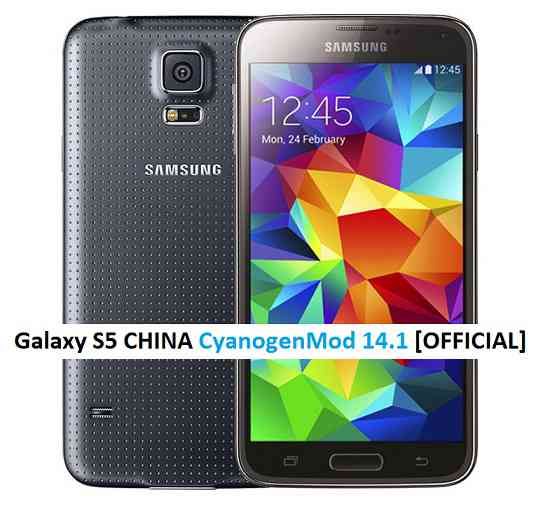
How to Enable ROOT on LineageOS 14.1.Stay tuned or Subscribe to the Galaxy S5 VERIZON (kltevzw) forum For other Android Nougat ROMs, LineageOS 14.1 ROMs, other ROMs and all other device specific topics.Here is the OFFICIAL CyanogenMod 14.1 (CM14.1) for Galaxy S5 CHINA (kltechn). You might know that CyanogenMod is now continued as Lineage OS. Stay tuned to the Lineage OS 14.1 Devices list page to get more updates on Lineage OS ROMs. This is an OFFICIAL CyanogenMod 14.1 NIGHTLY update for Galaxy S5 CHINA. In addition to this ROM we have update many OFFICIAL CM14.1 (CyanogenMod 14.1) for many supported devices and many Unofficial CyanogenMod 14/14.1 ROM updates.
DISCLAIMER:
Installing a custom ROM on a the Galaxy S5 CHINA may require the bootloader to be unlocked on Galaxy S5 CHINA and a Custom Recovery on Galaxy S5 CHINA, which may VOID your warranty and may delete all your data. Before proceeding further you may consider backup all data on the phone. You are the only person doing changes to your phone and I cannot be held responsible for the mistakes done by you. ALSO KNOW THAT THIS IS A DEVELOPMENT BUILD AND CONTAINS MORE BUGS THAN YOU CAN THINK.
REQUIRED DOWNLOADS AND LINKS FOR OFFICIAL GALAXY S5 CHINA CM14.1 (CYANOGENMOD 14.1) NOUGAT ROM UPDATE GUIDE:
- TWRP download link for Galaxy S5 CHINA (kltechn).
– here is a guide: Galaxy S5 CHINA TWRP recovery installation guide (for .tar or .tar.md5 file extension) and How to install Cyanogen recovery (or twrp in .img format) on Galaxy S5 CHINA
- ROM download link of OFFICIAL Cyanogenmod 14.1 for Galaxy S5 CHINA
- CyanogenMod 14.1 GApps download link for Galaxy S5 CHINA CyanogenMod 14.1 ROM
Root binary is inbuilt since CyanogenMod 12, so you don’t need a separate SuperSu package to install to gain ROOT access. Here is How to Enable ROOT on CM14.1/CyanogenMod 14.1
HOW TO INSTALL/FLASH/UPDATE CM14.1 FOR GALAXY S5 CHINA (CYANOGENMOD 14.1 NOUGAT ROM):
Follow these steps if you are flashing CM14.1 for Galaxy S5 CHINA for the first time, or coming from another ROM:
Points to NOTE on BACKUP:
– Try to avoid restoring apps backup using Titanium Backup. It may break things up.
– Don’t restore system data using Titanium Backup! It will definitely break the current installation.
– It is also discouraged to Restoring Apps + Data using Titanium Backup.- Download and Copy the Nougat GApps and CyanogenMod 14.1 Nougat ROM ZIP to Galaxy S5 CHINA (kltechn).
- Boot into Recovery. Make sure to have a Custom recovery like CWM or TWRP or any other custom recovery.
- Wipe data factory reset, Cache partition, Dalvik Cache and Format the System partition.
– Here is a guide explaining how to wipe data using TWRP recovery.This will delete all your data on your phone. You may consider complete backup of your phone data or take a NANDROID backup of the current ROM.
– How to backup all data on your Android Device.
– how to take NANDROID backup using TWRP recovery. - First flash the Galaxy S5 CHINA CM14.1 ROM ZIP from device.
– Here is a post explaining how to flash a custom ROM using TWRP recovery. - Then reboot into recovery (don’t skip this) and flash the CM14.1 Nougat Google Apps package.
– Here is a post explaining how to flash GApps using TWRP recovery. - Reboot and Enjoy the CyanogenMod 14.1 Nougat ROM on Galaxy S5 CHINA.
Upgrading from earlier version of Galaxy S5 CHINA CM14.1 Nougat ROM:
- Copy the Galaxy S5 CHINA CM14.1 ROM ZIP file to your phone.
- Boot into Recovery.
- Flash the latest CM14.1 ROM ZIP from your phone.
– Here is a post explaining how to flash a custom ROM using TWRP recovery. - Then flash the CM14.1 Nougat Google Apps package.
– Here is a post explaining how to flash GApps using TWRP recovery. - Reboot and Enjoy
Complete the initial setup and enjoy Android Nougat 7.0.0_r1 with CyanogenMod 14.1 On Galaxy S5 CHINA (codename: kltechn). After this CM14.1 installation you may want to enable ROOT access on your phone and here is how you can do that:
How to Enable ROOT on CM14.1/CyanogenMod 14.1.Stay tuned or Subscribe to the Galaxy S5 CHINA (kltechn) forum For other Android Nougat ROMs, CyanogenMod 14 ROMs, other ROMs and all other device specific topics.