- Search Results
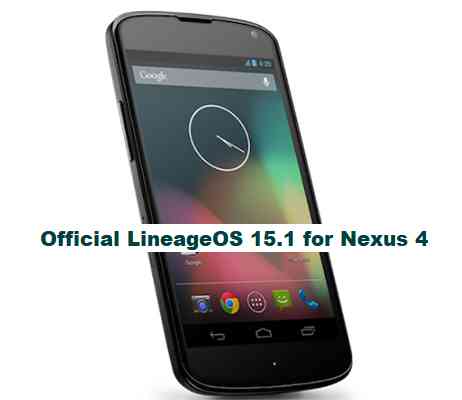
OFFICIAL LineageOS 15.1 for Nexus 4 (mako) is now available to download on the OFFICIAL LineageOS website. This is a step by step guide that explains how to install this Nexus 4 LineageOS 15.1 OFFICIAL build.
Follow the links to get LineageOS 16 and Android Pie ROM builds.
This OFFICIAL LineageOS 15.1 for Nexus 4 is maintained by rmccask and voron00.
Starting from LineageOS 15.1, LineageOS team has made stringent device support norms, which ensures that almost every important piece of hardware present on a phone MUST be in a working state on an OFFICIAL LineageOS 15.1 build. Which clearly means that users will enjoy a stock like upgrade experience on OFFICIAL LineageOS 15.1 updates.
Well, making a standard guideline to support LineageOS 15.1 for a specific device will undoubtedly increase the reliability on LineageOS custom Android ROM and subsequent ROMs derived from LineageOS such as: Resurrection Remix OS, crDroid ROM etc.
DONATION TO PROJECT/DEVELOPER(s):
If you like this ROM then do consider for a small contribution to rmccask, voron00 and LineageOS project:
– Donate to LineageOS project
– No donation link found for rmccask and voron00DISCLAIMER:
THIS IS AN INITIAL NEXUS 4 LINEAGEOS 15.1 OFFICIAL BUILD WHICH MAY HAVE MINOR BUGS. HAVE A BACKUP BEFORE FLASHING THIS AND TRY AT YOUR OWN RISK.
Installing a custom ROM may require an unlocked bootloader on Nexus 4, which may VOID your warranty and may delete all your data. Before proceeding further you may consider backup all data on the phone. You are the only person making changes to your phone and I cannot be held responsible for the mistakes done by you.
REQUIRED LINKS AND FILES FOR OFFICIAL LineageOS 15.1 for Nexus 4 OREO 8.1 ROM DOWNLOAD:
- TWRP recovery for Nexus 4– Here is the TWRP update guide for Nexus 4. This recovery guide requires an unlock bootloader on Nexus 4.
- Nexus 4 LineageOS 15.1 Download link OFFICIAL build
- GApps for LineageOS 15.1 ROM
Root binary is NOT inbuilt in the OFFICIAL LineageOS 15.1 ROM, so you need a separate SuperSu package or LineageOS su binary to install to gain ROOT access on the Nexus 4 LineageOS 15.1 ROM build.
– Here is LineageOS 15.1 Rooting guideIf there is no in-built ROOT or it does not work for some reason then you can try SuperSU rooting guide to enable ROOT access.
HOW TO UPDATE/INSTALL OFFICIAL LineageOS 15.1 ON Nexus 4:
Follow this if you are about to install LineageOS 15.1 on Nexus 4 for the first time, or coming from UNOFFICIAL LineageOS 15.1 Oreo ROM or any other custom ROM of any Android version:
NOTE:
If you are on an OFFICIAL LineageOS 14.1 ROM then follow the LineageOS 15.1 Upgrade guide in the next section to upgrade to the OFFICIAL LineageOS 15.1 on Nexus 4.Points to NOTE:
– Try to avoid restoring apps backup using Titanium Backup. It may break things up.
– Don’t restore system data using Titanium Backup! It will definitely break the current installation.
– It is also discouraged to Restoring Apps + Data using Titanium Backup.- Boot into Recovery.Make sure to have a Custom recovery like CWM or TWRP or any other custom recovery on your phone.
If you don’t have then download the recovery for Nexus 4 from above link and follow the Custom Recovery Installation Guide (it’s a generic guide which will work for TWRP as well as CWM recovery or any other recovery) provided it is in .img file extension. - Wipe data or do a factory reset, wipe Cache partition, wipe Dalvik Cache/ART cache and Format the System partition.
– Here is a guide explaining how to wipe data using TWRP recovery.This will delete all your data on your phone. You may consider complete backup of your phone data or take a NANDROID backup of the current ROM
– How to backup all data on your Android Device
– how to take NANDROID backup using TWRP recovery - Download and Copy the LineageOS 15.1 Oreo GApps, SuperSU or any other ROOT package and the Nexus 4 LineageOS 15.1 ROM ZIP file to the phone or SD card memory.
- First flash the LineageOS 15.1 ROM ZIP file from device. DON’T REBOOT YET. Then flash the GApps and/or supersu zip from your device memory WITHOUT rebooting.
– Here is a post explaining how to install LineageOS
– Here is a post explaining how to flash GApps using TWRP recovery.
– Here is a post explaining How to Enable ROOT for LineageOS 15.1 ROM - Reboot and Enjoy Android Oreo on the Nexus 4 LineageOS 15.1.
Upgrading from earlier version of OFFICIAL LineageOS 14.1 or LineageOS 15.1 for Nexus 4 (mako):
If you are on an OFFICIAL LineageOS 14.1 (yes, I mean the Android Nougat based OFFICIAL LineageOS 14.1) then you don’t need to wipe the data and you can upgrade to the OFFICIAL LineageOS 15.1 on Nexus 4 just by cleaning the system partition.
- Copy the latest Nexus 4 LineageOS 15.1 ZIP file, Oreo 8.1 GApps and/or supersu ROOT package to the phone or use the updater app to download the LineageOS 15.1 on Nexus 4.NOTE:
– If you are on an OFFICIAL LineageOS 14.1 then you will be allowed to download the latest OFFICIAL LineageOS 15.1 using the updater app but you won’t be allowed to upgrade to LineageOS 15.1 on top of LineageOS 14.1
– So, you need to export the downloaded LineageOS 15.1 ROM build file to the SD card or phone memory from the updater app:
You can export the downloaded package to the sdcard/phone memory from the Updater app by long-pressing the downloaded file and then selecting “Export” on the top menu - Boot into Recovery.- Make sure you have a latest custom Recovery that should be able to flash the LineageOS 15.1 on Nexus 4.
- Format or wipe the system partition from the custom recovery menu.
- First install the OFFICIAL LineageOS 15.1 ROM ZIP file from device. DON’T REBOOT YET. Then flash the GApps and/or supersu zip from your device memory WITHOUT rebooting.
– Here is a post explaining how to install LineageOS
– Here is a post explaining how to flash GApps using TWRP recovery.
– Here is a post explaining How to Enable ROOT on LineageOS 15.1 ROM - Reboot and Enjoy the LineageOS 15.1 on Nexus 4.
If you have found any BUG on this LineageOS 15.1 for Nexus 4 then you can raise a jira ticket on LineageOS website.
Stay tuned or Subscribe to the Nexus 4 (mako) forum For other Android Oreo 8.1 ROMs, LineageOS 15.1 ROM, other ROMs and all other device specific topics.LineageOS 15.1 for Nexus 6 (shamu) is now available to download via an EXPERIMENTAL development build. This post provides the download link to the Android Oreo based LineageOS 15.1 for Nexus 6 (shamu) and guides through the installation process of the same. This LineageOS 15.1 for Nexus 6 is brought to you by developer chineel.
Follow the links to get LineageOS 16 and Android Pie ROM builds.
DONATION TO DEVELOPER(S):
– No donation link found for chineel.
If you want the OFFICIAL LineageOS 15.1 update or some more Android Oreo ROMs then stay tuned to the LineageOS 15 page or the AOSP Oreo ROMs devices list page.
DISCLAIMER:
THIS IS AN INITIAL TEST BUILD WHICH HAS MANY BUGS. HAVE A BACKUP BEFORE FLASHING THIS AND TRY AT YOUR OWN RISK. Installing a custom ROM requires an unlocked bootloader on Nexus 6, which may VOID your warranty and may delete all your data. Before proceeding further you may consider backup all data on the phone. Understand that you are the only person making changes to your phone and I cannot be held responsible for the mistakes done by you.Status of LineageOS 15.1 for Nexus 6 Oreo 8 ROM:
WHAT’S WORKING:
– Almost EverythingKNOWN ISSUES:
– Few Minor BUGs
REQUIRED LINKS AND FILES FOR LineageOS 15.1 for Nexus 6 OREO ROM:
- TWRP recovery for Nexus 6– Here is the TWRP update guide for Nexus 6. This recovery guide requires an unlocked bootloader on the phone.
- LineageOS 15.1 Download link for Nexus 6 (shamu) [UPDATED on 11th DECEMBER]
- GApps download for LineageOS 15.1 Oreo ROM
Root binary is NOT inbuilt in LineageOS ROM, so you may need a separate SuperSu package or LineageOS su binary to install to gain ROOT access. Here is LineageOS 15.1 Rooting guide
If there is no in-built ROOT or it does not work for some reason then you can try SuperSU rooting guide to enable ROOT access.
HOW TO INSTALL/DOWNLOAD/FLASH/UPDATE THE LineageOS 15.1 for Nexus 6:
Follow this if you are flashing LineageOS 15.1 for Nexus 6 for the first time, or coming from another ROM:
Points to NOTE:
– Try to avoid restoring apps backup using Titanium Backup. It may break things up.
– Don’t restore system data using Titanium Backup! It will definitely break the current installation.
– It is also discouraged to Restoring Apps + Data using Titanium Backup.- Boot into Recovery.
Make sure to have a Custom recovery like CWM or TWRP or any other custom recovery. If not then download the recovery for Nexus 6 from above link and follow the Custom Recovery Installation Guide (it’s a generic guide which will work for TWRP as well as CWM recovery or any other recovery) - Wipe data factory reset, Cache partition, Dalvik Cache and Format the System partition.
– Here is a guide explaining how to wipe data using TWRP recovery.This will delete all your data on your phone. You may consider complete backup of your phone data or take a NANDROID backup of the current ROM
– How to backup all data on your Android Device
– how to take NANDROID backup using TWRP recovery - Download and Copy the Oreo GApps and the LineageOS 15.1 ROM ZIP to the phone.
- First flash the LineageOS 15.1 ROM ZIP file from device. Then flash the GApps zip from your device memory.
– Here is a post explaining how to install LineageOS - Then reboot into recovery (don’t skip this) and flash the Gapps for LineageOS 15.1 package.
– Here is a post explaining how to flash GApps using TWRP recovery. - Reboot and Enjoy Android Oreo with LineageOS 15.1 for Nexus 6.
Upgrading from earlier version of LineageOS 15.1 for Nexus 6 (shamu):
- Copy the latest LineageOS 15.1 for Nexus 6 ZIP file to the phone.
- Boot into Recovery.
- Flash the ROM ZIP that you copied.
– Here is a post explaining how to install LineageOS - Then flash the LineageOS 15.1 GApps package.
– Here is a post explaining how to flash GApps using TWRP recovery. - Reboot and Enjoy
Complete the initial setup and enjoy Android Oreo 8.1 with LineageOS 15.1 for Nexus 6. After the installing the LineageOS 15.1 ROM, you may want to enable ROOT access on your phone and here is how you can do that:
How to ROOT for LineageOS 15.1.Stay tuned or Subscribe to the Nexus 6 (shamu) forum For other Android Oreo, Nougat ROMs, LineageOS 15.1 ROMs, other custom ROMs and all other device specific topics.If you found any BUG or if you have any problem on this ROM then here is the dev thread where you can place your concerns.
Topic: Nexus 5 Bliss Nougat 7.0 ROM
Nexus 5 Bliss Nougat 7.0 ROM is now available through UNOFFCIAL build. In addition to this here is the OFFICIAL Nexus 5 CM14.1. Earlier developers had brought the Nexus 5 CM14/CyanogenMod 14 Nougat 7.0 ROM. Here we have Bliss Nougat ROM for Nexus 5 brought to you by developer argraur.
Since Google released Android Nougat Source code, we have update many Android NOUGAT ROMs and also many CyanogenMod 14/CM14 ROMs updated and many are yet to come.
Installing a custom ROM on a the Nexus 5 may require the bootloader to be unlocked on Nexus 5 and a Custom Recovery on Nexus 5. This update requires the bootloader of the phone to be unlocked which will delete all your data. Before proceeding further you may consider backup all data on the phone. You are the only person doing changes to your phone and I cannot be held responsible for the mistakes done by you.Status of Nexus 5 Bliss Nougat 7.0 ROM build:
WHAT’S WORKING:
– Almost everythingKNOWN ISSUES:
– None (There might be some minor bugs)
REQUIRED DOWNLOADS AND LINKS NEXUS 5 Bliss NOUGAT 7.0 ROM UPDATE GUIDE:
- TWRP update guide for Nexus 5.
– This requires an Unlocked bootloader on Nexus 5 - ROM download link to argraur’s Nexus 5 Bliss Nougat 7.0 ROM
- Nougat 7.0 GApps download link for Nexus 5 Bliss ROM
Root might not be there by default in the ROM. So, here is How to enable ROOT on Nexus 5 Bliss Nougat 7.0 AOSP
HOW TO INSTALL/FLASH/UPDATE BLISS FOR NEXUS 5 NOUGAT 7.0 ROM:
Follow these steps if you are flashing Nougat 7.0 Bliss for Nexus 5 for the first time, or coming from another ROM:
Points to NOTE on BACKUP:
– Try to avoid restoring apps backup using Titanium Backup. It may break things up.
– Don’t restore system data using Titanium Backup! It will definitely break the current installation.
– It is also discouraged to Restoring Apps + Data using Titanium Backup.- Download and Copy the Nougat GApps and Nexus 5 Bliss Nougat 7.0 ROM zip to the phone memory.
- Boot into Recovery. Make sure to have a Custom recovery like CWM or TWRP or any other custom recovery.
- Wipe data factory reset, Cache partition, Dalvik Cache and Format the System partition.
– Here is a guide explaining how to wipe data using TWRP recovery.This will delete all your data on your phone. You may consider complete backup of your phone data or take a NANDROID backup of the current ROM.
– How to backup all data on your Android Device.
– how to take NANDROID backup using TWRP recovery. - First flash the ROM zip of Nexus 5 Bliss from device.
– Here is a post explaining how to flash a custom ROM using TWRP recovery. - Then reboot into recovery (don’t skip this) and flash the Bliss Nougat Google Apps package.
– Here is a post explaining how to flash GApps using TWRP recovery. - Reboot and Enjoy the Bliss Nougat for Nexus 5.
Upgrading from earlier version of Nexus 5 Bliss Nougat 7.0 ROM:
- Copy the Nexus 5 Bliss ROM ZIP file to your phone.
- Boot into Recovery.
- Flash the latest ROM zip of Nexus 53 Bliss from your phone.
– Here is a post explaining how to flash a custom ROM using TWRP recovery. - Then flash the Bliss Nougat Google Apps package.
– Here is a post explaining how to flash GApps using TWRP recovery. - Reboot and Enjoy
Complete the initial setup and enjoy Android Nougat 7.0 with Bliss for Nexus 5 (codename: hammerhead). After this Bliss installation you may want to enable ROOT access on your phone and here is how you can do that:
Enable ROOT on Nexus 5 Bliss Nougat 7.0 AOSPStay tuned or Subscribe to the Nexus 5 (hammerhead) forum For other Android Nougat ROMs, CyanogenMod 14 ROMs, other ROMs and all other device specific topics.The dev thread for this Nexus 5 Bliss Nougat 7.0 ROM is here.
This is the first Android Nougat custom ROM after the official Nougat OTA release. This AOSP ROM is brought to you by developer frap129. Since Google released Android Nougat Source code, we have update many Android NOUGAT AOSP ROMs and we also have a big list of Available CM14/CyanogenMod 14 Nougat 7.0 ROMs. We also have the AOSP Nougat 7.0 for Nexus 6P (angler), Nexus 6p WETA Nougat ROM and the Nexus 6p CM14/CyanogenMod 14 Nougat 7.0 ROM.
DISCLAIMER:
Installing a custom ROM on a Nexus device requires the bootloader to be unlocked on the Nexus phone, which may VOID your warranty and may delete all your data. Before proceeding further you may consider backup all data on the phone. You are the only person doing changes to your phone and I cannot be held responsible for the mistakes done by you.ROM FEATURES:- Debloated (Removed all junk apps from stock Nougat)
- Pre Decrypted

REQUIRED DOWNLOADS AND LINKS FOR NEXUS 6p NOUGAT AOSP ROM:
- Unlocked bootloader on Nexus 6p (Codename: Angler) and Nexus 6p with 3.0.2.1 TWRP recovery installed
- vendor.img Download link for this ROM
- ROM Download link to Nexus 6p AOSP Nougat ROM
- Google Apps download link for the Nexus 6p Nougat AOSP ROM
- Enable ROOT on Nexus 6p Nougat ROM
Make sure you have a Linux/Windows PC or a MAC installed with Fastboot and adb binaries. If not then you can follow one of the following guides based on your PC OS:
– 15 Seconds ADB Installer for Windows
– Minimal ADB and Fastboot for Windows
ADB Fastboot Installation guide for Linux or MACDOWNLOAD AND INSTALL/FLASH NEXUS 6p (CODENAME: ANGLER) DEBLOATED AOSP NOUGAT ROM (ANDROID 7.0):
- Download the Nougat GApps, Debloated Nougat AOSP ROM for the Nexus 6p from the above downloads section.
- Make sure you have a Linux/Windows PC or a MAC installed with Fastboot and adb binaries. If not then you can follow one of the following guides based on your PC OS:
15 Seconds ADB Installer or Minimal ADB and Fastboot for Windows or ADB Fastboot Installation guide for Linux or MAC - Boot into fastboot mode (bootloader mode) by one of the following method:
– Power off the phone and keep pressing key combinations: Power Button + Volume Down while turning on your Nexus.
– If you have enabled USB debugging and you have ADB utility installed on your PC then you can execute the following command on a console or command prompt:adb reboot bootloader
- Now flash the vendor.img using fastboot, by executing the following command in a command console:
fastboot flash vebdor < path to vendor.img file >
- Wipe data factory reset, Cache partition, Dalvik Cache and Format the System partition using the recovery if you are on a non-AOSP based ROM.YOU NEED NOT TO WIPE ANYTHING IF YOU ARE ON AN AOSP BASED ROM OR THE STOCK FIRMWARE.
– Here is a guide explaining how to wipe data using TWRP recovery.
This will delete all your data on your phone. IGNORE IF YOU DON’T WANT TO OR IF YOU HAVE ALREADY DONE THIS. You may consider complete backup of your phone data or take a NANDROID backup of the current ROM.
– How to backup all data on your Android Device.
– how to take NANDROID backup using TWRP recovery. - Now reboot into recovery and then flash the Nougat AOSP ROM.
– Here is a post explaining how to flash a custom ROM using TWRP recovery. - After that flash the Google Apps package.
– Here is a post explaining how to flash GApps using TWRP recovery.
After the ROM is flashed, reboot the phone, do the initial setup and enjoy the faster debloated Android Nougat AOSP ROM on Nexus 6p. If you face any problems then login and comment here to get an instant reply.
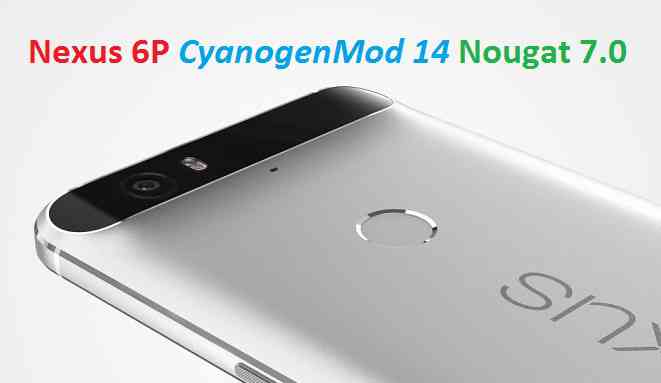
Stay tuned or Subscribe to the Nexus 6p forum For upcoming Android Nougat ROMs, CyanogenMod Custom ROMs, other ROMs and all other device specific topics.Android Nougat 7.0 ROM, CM14 for Nexus 6P CyanogenMod 14 (CM14) has arrived via an unofficial update. We also have the Lineage 14.1 for Nexus 6p (angler). For latest updates, stay tuned to the Lineage OS 14.1 device list page. Since Google released Android Nougat Source code, we have update many Android NOUGAT AOSP ROMs and we also have a big list of Available CM14/CyanogenMod 14 Nougat 7.0 ROMs. We also have the AOSP Nougat 7.0 for Nexus 6P (angler), Nexus 6p WETA Nougat ROM and now this CyanogenMod 14 for Nexus 6P (angler) is brought to you by developer kronflux. If you like developer’s work and if you want him to keep up the good work then you can encourage by Donating kronflux via Paypal using this link.
DISCLAIMER:
THIS IS AN INITIAL BUILD. THIS MAY NOT BOOT AT ALL OR IF IT BOOTS IT MAY HAVE MANY MORE BUGS THAN YOU CAN IMAGINE. TRY AT YOUR OWN RISK. Installing a custom ROM on a Nexus 6P requires the bootloader to be unlocked on the Nexus phone, which may VOID your warranty and may delete all your data. Before proceeding further you may consider backup all data on the phone. You are the only person doing changes to your phone and I cannot be held responsible for the mistakes done by you.Status of CM14 for Nexus 6P CM14 (CyanogenMod 14) Nougat 7.0 ROM:
WHAT’S WORKING:
– Not knownKNOWN ISSUES:
– Not known
REQUIRED LINKS AND FILES FOR NEXUS 6P CM14 (CYANOGENMOD 14, NOUGAT) CUSTOM ROM:
- Unlocked bootloader on Nexus 6P
- TWRP recovery for Nexus 6P (angler)
– Follow this guide to flash TWRP: Install TWRP using Fastboot
- Download link to kronflux’s Nexus 6P CM14 (caynogenMod 14) Nougat 7.0 ROM
- Nougat GApps download link for Nexus 6P CM14 ROM
Root binary is inbuilt since CyanogenMod 12, so you don’t need a separate SuperSu package to install to gain ROOT access. Here is How to Enable ROOT on CM14/CyanogenMod 14
HOW TO INSTALL/DOWNLOAD/FLASH/UPDATE NEXUS 6P CM14 (CYANOGENMOD 14) NOUGAT CUSTOM ROM:
Follow this if you are flashing CyanogenMod 14 for Nexus 6P for the first time, or coming from another ROM:
Points to NOTE:
– Try to avoid restoring apps backup using Titanium Backup. It may break things up.
– Don’t restore system data using Titanium Backup! It will definitely break the current installation.
– It is also discouraged to Restoring Apps + Data using Titanium Backup.- Download and Copy the GApps and Nexus 6P CM14 ROM ZIP to your phone.
- Boot into Recovery. Make sure to have a Custom recovery like CWM or TWRP or any other custom recovery. If not then follow the Custom Recovery Installation Guide for google Nexus 6P (it’s a generic guide which will work for TWRP as well as CWM recovery or any other recovery)
- Wipe data factory reset, Cache partition, Dalvik Cache and Format the System partition.
– Here is a guide explaining how to wipe data using TWRP recovery.This will delete all your data on your phone. You may consider complete backup of your phone data or take a NANDROID backup of the current ROM
– How to backup all data on your Android Device
– how to take NANDROID backup using TWRP recovery - First flash the Nexus 6P CM14 ROM ZIP from device. Then flash the GApps zip from your device memory.
– Here is a post explaining how to flash a custom ROM using TWRP recovery. - Then reboot into recovery (don’t skip this) and flash the CyanogenMod 14 Nougat GApps package.
– Here is a post explaining how to flash GApps using TWRP recovery. - Reboot and Enjoy the Nougat 7.0 ROM CyanogenMod 14 for Nexus 6P.
Upgrading from earlier version of CyanogenMod 14 for Nexus 6P:
- Copy the latest Nexus 6P CM14 ROM ZIP file to your phone.
- Boot into Recovery.
- Flash the latest CM ROM ZIP from your phone.
– Here is a post explaining how to flash a custom ROM using TWRP recovery. - Then flash the CM14 Nougat GApps package.
– Here is a post explaining how to flash GApps using TWRP recovery. - Reboot and Enjoy
Complete the initial setup and enjoy Android Nougat 7.0.0 with CM14 for Nexus 6P. After the installation of CM14 for Nexus 6P you may want to enable ROOT access on your phone and here is how you can do that:
How to Enable ROOT on CM14/CyanogenMod 14.Stay tuned or Subscribe to the Nexus 6P (angler) forum For other Android Nougat ROMs, CyanogenMod 14 ROMs, other ROMs and all other device specific topics.OFFICIAL LineageOS 15.1 for Nexus 5x (bullhead) is now available to download on the OFFICIAL LineageOS website. Officially this LineageOS 15.1 for the Nexus 5x is maintained by razorloves.
Follow the links to get LineageOS 16 and Android Pie ROM builds.
Starting from LineageOS 15.1, LineageOS team has made stringent device support norms, which ensures that almost every important piece of hardware present on a phone MUST be in a working state on an OFFICIAL LineageOS 15.1 build. Which clearly means that users will enjoy a stock like upgrade experience on OFFICIAL LineageOS 15.1 updates. This, without any doubt will increase the reliability on LineageOS custom Android ROM and subsequent ROMs derived from LineageOS such as: Resurrection Remix OS, crDroid ROM etc.
DONATION TO PROJECT/DEVELOPER(s):
If you like this ROM then do consider for a small contribution to razorloves and/or LineageOS project:
– No donation link found for razorloves.
– Donate to LineageOS projectDISCLAIMER:
THIS IS AN INITIAL OFFICIAL LINEAGEOS 15.1 BUILD WHICH MAY HAVE MINOR BUGS. HAVE A BACKUP BEFORE FLASHING THIS AND TRY AT YOUR OWN RISK. Installing a custom ROM may require the bootloader to be unlocked on the phone, which may VOID your warranty and may delete all your data. Before proceeding further you may consider backup all data on the phone. You are the only person making changes to your phone and I cannot be held responsible for the mistakes done by you.Content structure:

REQUIRED LINKS AND FILES FOR OFFICIAL LineageOS 15.1 for Nexus 5x OREO 8.1 ROM DOWNLOAD:
- TWRP recovery for Nexus 5x
– Here is the TWRP update guide for Nexus 5x. This recovery guide requires an unlocked bootloader on the phone.
- OFFICIAL LineageOS 15.1 Download link for Nexus 5x
- GApps download for OFFICIAL LineageOS 15.1 ROM
Root binary is NOT inbuilt in the OFFICIAL LineageOS 15.1 ROM, so you need a separate SuperSu package or LineageOS su binary to install to gain ROOT access on the OFFICIAL LineageOS 15.1 ROM build. Here is LineageOS 15.1 Rooting guide
If there is no in-built ROOT or it does not work for some reason then you can try SuperSU rooting guide to enable ROOT access.
HOW TO INSTALL/DOWNLOAD/FLASH/UPDATE THE OFFICIAL LineageOS 15.1 for Nexus 5x:
Follow this if you are flashing LineageOS 15.1 for Nexus 5x for the first time, or coming from UNOFFICIAL LineageOS 15.1 ROM or any other custom ROM of any Android version:
NOTE:
If you are on an OFFICIAL LineageOS 14.1 ROM then follow the LineageOS 15.1 Upgrade guide in the next section to upgrade to the OFFICIAL LineageOS 15.1.Points to NOTE:
– Try to avoid restoring apps backup using Titanium Backup. It may break things up.
– Don’t restore system data using Titanium Backup! It will definitely break the current installation.
– It is also discouraged to Restoring Apps + Data using Titanium Backup.- Boot into Recovery.
Make sure to have a Custom recovery like CWM or TWRP or any other custom recovery on your phone. If you don’t have then download the recovery for Nexus 5x from above link and follow the Custom Recovery Installation Guide (it’s a generic guide which will work for TWRP as well as CWM recovery or any other recovery) provided it is in .img file extension.
- Wipe data or do a factory reset, wipe Cache partition, wipe Dalvik Cache (if there is an option on the recovery) and Format the System partition.
– Here is a guide explaining how to wipe data using TWRP recovery.This will delete all your data on your phone. You may consider complete backup of your phone data or take a NANDROID backup of the current ROM
– How to backup all data on your Android Device
– how to take NANDROID backup using TWRP recovery - Download and Copy the LineageOS 15.1 Oreo GApps, SuperSU or any other ROOT package and the LineageOS 15.1 ROM ZIP file to the phone or SD card memory.
- First flash the LineageOS 15.1 ROM ZIP file from device. DON’T REBOOT YET. Then flash the GApps and/or supersu zip from your device memory WITHOUT rebooting.
– Here is a post explaining how to install LineageOS
– Here is a post explaining how to flash GApps using TWRP recovery.
– Here is a post explaining How to Enable ROOT for LineageOS 15.1 ROM - Reboot and Enjoy Android Oreo on the OFFICIAL LineageOS 15.1 for Nexus 5x.
Upgrading from earlier version of OFFICIAL LineageOS 14.1 or LineageOS 15.1 for Nexus 5x (bullhead):
If you are on an OFFICIAL LineageOS 14.1 (yes, I mean the Android Nougat based OFFICIAL LineageOS 14.1) then you don’t need to wipe the data and you can upgrade to the OFFICIAL LineageOS 15.1 just by cleaning the system partition.
- Copy the latest LineageOS 15.1 for Nexus 5x ZIP file, Oreo 8.1 GApps and/or supersu ROOT package to the phone or use the updater app to download the LineageOS 15.1.
NOTE:
– If you are on an OFFICIAL LineageOS 14.1 then you will be allowed to download the latest OFFICIAL LineageOS 15.1 using the updater app but you won’t be allowed to upgrade to LineageOS 15.1 on top of LineageOS 14.1
– So, you need to export the downloaded LineageOS 15.1 ROM build file to the SD card or phone memory from the updater app:
You can export the downloaded package to the sdcard/phone memory from the Updater app by long-pressing the downloaded file and then selecting “Export” on the top menu - Boot into Recovery.
– Make sure you have a latest custom Recovery that should be able to flash the LineageOS 15.1 ROM update.
- Format or wipe the system partition from the custom recovery menu.
- First install the OFFICIAL LineageOS 15.1 ROM ZIP file from device. DON’T REBOOT YET. Then flash the GApps and/or supersu zip from your device memory WITHOUT rebooting.
– Here is a post explaining how to install LineageOS
– Here is a post explaining how to flash GApps using TWRP recovery.
– Here is a post explaining How to Enable ROOT for LineageOS 15.1 ROM - Reboot and Enjoy the OFFICIAL LineageOS 15.1 on your phone.
If you have found any BUG on this OFFICIAL LineageOS 15.1 for Nexus 5x then you can raise a jira ticket on LineageOS website.
Stay tuned or Subscribe to the Google Nexus 5x (bullhead) forum For other Android Oreo 8.1, Nougat ROMs, LineageOS 15.1 ROMs, other ROMs and all other device specific topics.After the source code release of Android Nougat just a couple of days back we have now many Android Nougat Custom ROMs for Nexus 6p. Since then we have the Debloated AOSP ROM for Nexus 6p and the Official Nougat OTA release for Nexus 6p and now we have another custom ROM, the WETA 7.2 ROM based on AOSP and is brought to you by Mentalmuso. This is packed with many audio mods (audiophiles) and many more things listed below in the features section.
DISCLAIMER:
Installing a custom ROM on a Nexus device requires the bootloader to be unlocked on the Nexus phone, which may VOID your warranty and may delete all your data. Before proceeding further you may consider backup all data on the phone. You are the only person doing changes to your phone and I cannot be held responsible for the mistakes done by you.ROM FEATURES:- A.R.I.S.E Leviticus V1.3 with Dolby Atmos (by guitardedhero and Ben Feutrill)
- ViPER4Android 2.3.4.0 and Pre-installed Super Quality audio driver (by viper520 and zhuhang)
- Sony Xperia™ Z5 Premium audio system
- Beats™ libraries and effects
- Dolby Atmos™
- Pre-rooted and busybox installed
- Battery mod options
- Clock mod options
- Many more UI, NavBar and other customizations

REQUIRED DOWNLOADS AND LINKS FOR NEXUS 6p WETA 7.2 NOUGAT CUSTOM ROM:
- Unlocked bootloader on Nexus 6p (Codename: Angler) and Nexus 6p with 3.0.2.1 TWRP recovery installed
- vendor.img Download link for this ROM
- ROM Download link of WETA 7.2 ROM [UPDATED 01/09/2016]
- Google Apps download link for the Nexus 6p Nougat AOSP ROM
Make sure you have a Linux/Windows PC or a MAC installed with Fastboot and adb binaries. If not then you can follow one of the following guides based on your PC OS:
– 15 Seconds ADB Installer for Windows
– Minimal ADB and Fastboot for Windows
ADB Fastboot Installation guide for Linux or MACDOWNLOAD AND INSTALL/FLASH NEXUS 6p (CODENAME: ANGLER) WETA 7.2 NOUGAT CUSTOM ROM (ANDROID 7.0):
- Download the Nougat GApps, WETA 7.2 Nougat CUSTOM ROM for the Nexus 6p from the above downloads section.
- Make sure you have a Linux/Windows PC or a MAC installed with Fastboot and adb binaries. If not then you can follow one of the following guides based on your PC OS:
15 Seconds ADB Installer or Minimal ADB and Fastboot for Windows or ADB Fastboot Installation guide for Linux or MAC - Boot into fastboot mode (bootloader mode) by one of the following method:
– Power off the phone and keep pressing key combinations: Power Button + Volume Down while turning on your Nexus.
– If you have enabled USB debugging and you have ADB utility installed on your PC then you can execute the following command on a console or command prompt:adb reboot bootloader
- Now flash the vendor.img using fastboot, by executing the following command in a command console:
fastboot flash vebdor < path to vendor.img file >
THE vendor.img FLASHING MAY BE NEEDED ONLY IF YOU ARE COMING FROM ANOTHER ANDROID VERSION BASE.
THE vendor.img FILE MUST BE FLASHED (IF IT IS NEEDED AT ALL) BEFORE FLASHING THE WETA 7.2 ROM TO GET ALL THE FUNCTIONALITIES. - Wipe data factory reset, Cache partition, Dalvik Cache and Format the System partition using the recovery if you are on a non-AOSP based ROM or if you have an encrypted Nexus 6p.YOU NEED NOT TO WIPE ANYTHING IF YOU ARE ON AN AOSP BASED ROM OR THE STOCK FIRMWARE.
– Here is a guide explaining how to wipe data using TWRP recovery.
This will delete all your data on your phone. IGNORE IF YOU DON’T WANT TO OR IF YOU HAVE ALREADY DONE THIS. You may consider complete backup of your phone data or take a NANDROID backup of the current ROM.
– How to backup all data on your Android Device.
– how to take NANDROID backup using TWRP recovery. - Now reboot into recovery and then flash the Nougat AOSP ROM.
– Here is a post explaining how to flash a custom ROM using TWRP recovery. - After that flash the Google Apps package.
– Here is a post explaining how to flash GApps using TWRP recovery.
After the ROM is flashed, reboot the phone, do the initial setup and enjoy the faster debloated, pre-rooted, audiophile packed WETA 7.2 Android Nougat AOSP ROM on Nexus 6p. If you face any problems then login and comment here to get an instant reply.
Stay tuned or Subscribe to the Nexus 6p forum For upcoming Android Nougat ROMs, CyanogenMod Custom ROMs, other ROMs and all other device specific topics.This is the Resurrection Remix Nougat ROM for Nexus 5x. We also have the official CM14.1 for Nexus 5x and unofficial CM14 for Nexus 5x. We also have update many Android NOUGAT AOSP ROMs, also many UNOFFICIAL CyanogenMod 14 ROMs, OFFICIAL CM14.1 ROMs and Resurrection Remix Nougat ROMs. This Nougat Resurrection Remix ROM for Nexus 5x is brought to you by developer rkschunk.
DISCLAIMER:
Installing a custom ROM on a the Nexus 5x may require the bootloader to be unlocked on Nexus 5x and a Custom Recovery on Nexus 5x, which may VOID your warranty and may delete all your data. Before proceeding further you may consider backup all data on the phone. You are the only person doing changes to your phone and I cannot be held responsible for the mistakes done by you.
REQUIRED DOWNLOADS AND LINKS FOR NEXUS 5x RESURRECTION REMIX NOUGAT CUSTOM ROM UPDATE GUIDE:
- TWRP download link | Cyanogenmod recovery for Nexus 5x (bullhead)
- Unlock the bootlaoder and install TWRP on Nexus 5x
- ROM download link of RR Nougat for Nexus 5x
- RR Nougat GApps download link for Nexus 5x Resurrection Remix Nougat ROM
Root binary is inbuilt since CyanogenMod 12. As the Resurrection Remix ROM is based on CyanogenMod ROM, so you don’t need a separate SuperSu package to install to gain ROOT access. Here is How to Enable ROOT on CM14/CyanogenMod 14 based ROMsHOW TO INSTALL/FLASH/UPDATE RR NOUGAT ON NEXUS 5x (RESURRECTION REMIX NOUGAT ROM):
Points to NOTE on BACKUP:
– Try to avoid restoring apps backup using Titanium Backup. It may break things up.
– Don’t restore system data using Titanium Backup! It will definitely break the current installation.
– It is also discouraged to Restoring Apps + Data using Titanium Backup.Follow these steps if you are flashing Resurrection Remix Nougat on Nexus 5x for the first time, or coming from another ROM:
- Download and Copy the Nougat GApps, Resurrection Remix Nougat ROM and the CM setup remover ZIP to Nexus 5x.
- Boot into Recovery. Make sure to have a Custom recovery like CWM or TWRP or any other custom recovery.
- Wipe data factory reset, Cache partition, Dalvik Cache and Format the System partition.
– Here is a guide explaining how to wipe data using TWRP recovery.This will delete all your data on your phone. You may consider complete backup of your phone data or take a NANDROID backup of the current ROM.
– How to backup all data on your Android Device.
– how to take NANDROID backup using TWRP recovery. - First flash the Nexus 5x RR Nougat ROM ZIP from device.
– Here is a post explaining how to flash a custom ROM using TWRP recovery. - Then reboot into recovery (don’t skip this) and flash the RR Nougat Google Apps package.
– Here is a post explaining how to flash GApps using TWRP recovery. - Reboot and Enjoy the Resurrection Remix Nougat ROM on Nexus 5x.
Upgrading from earlier version of Nexus 5x Resurrection Remix Nougat ROM:
- Copy the Resurrection Remix Nougat ROM ZIP file to your phone.
- Boot into Recovery.
- Flash the latest Resurrection Remix Nougat ROM ZIP from your phone.
– Here is a post explaining how to flash a custom ROM using TWRP recovery. - Then flash the Resurrection Remix Nougat Google Apps package.
– Here is a post explaining how to flash GApps using TWRP recovery. - Reboot and Enjoy
Complete the initial setup and enjoy Android Nougat 7.0.0_r1 with Resurrection Remix Nougat On Nexus 5x (codename: bullhead). After this Resurrection Remix Nougat ROM installation you may want to enable ROOT access on your phone and here is how you can do that:
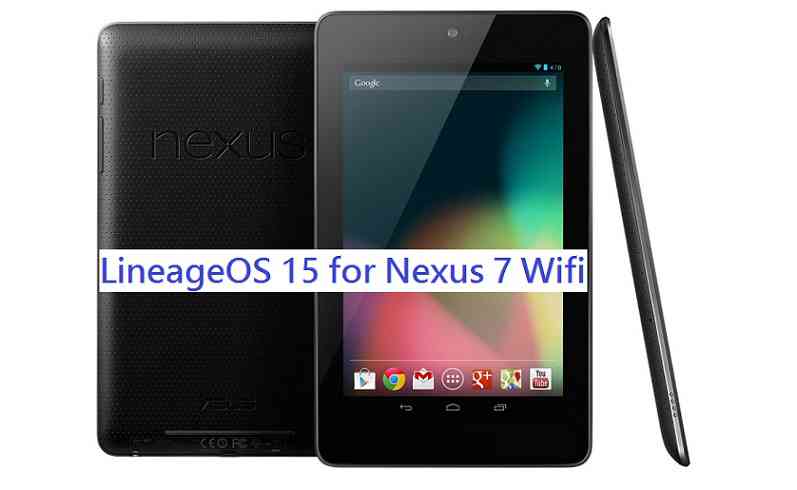
How to Enable ROOT on CyanogenMod 14 based Resurrection Remix ROM.Stay tuned or Subscribe to the Nexus 5x (bullhead) forum For other Android Nougat ROMs, CyanogenMod 14 ROMs, other ROMs and all other device specific topics.Android Oreo 8.1 ROM, LineageOS 15.1 for Nexus 7 has now arrived via a development build. This post provides the download link to LineageOS 15.1 ROM for Nexus 7 and guides through the installation process of the same. If you want the OFFICIAL LineageOS 15.1 update or some more Android Oreo ROMs then stay tuned to the LineageOS 15 ROM page or the AOSP Android Oreo ROMs devices list page. This LineageOS 15.1 Oreo ROM for Nexus 7 is brought to you by developer flex1911.
Follow the links to get LineageOS 16 and Android Pie ROM builds.
DONATION TO DEVELOPER(s):
If you like flex1911’s work and want him to keep up this good work then you can consider donating him:
Donate to flex1911DISCLAIMER:
THIS IS AN INITIAL BUILD WHICH HAS MANY BUGS. HAVE A BACKUP BEFORE FLASHING THIS AND TRY AT YOUR OWN RISK. Installing a custom ROM on a Nexus 7 (flo) requires an unlocked bootloader on Nexus 7 (flo), which may VOID your warranty and may delete all your data. Before proceeding further you may consider backup all data on the phone. You are the only person doing changes to your phone and I cannot be held responsible for the mistakes done by you.Content structure:
Status of LineageOS 15.1 for Nexus 7 Oreo 8 ROM:
WHAT’S WORKING:
– Wi-Fi
– Bluetooth
– Audio
– Sensors
– Lights
– GPS
– DRM
– NFC?KNOWN ISSUES:
– Camera is broken
– NFC is incomplete for now and can be messy
– SELinux is in permissive mode
REQUIRED LINKS AND FILES FOR THIS LineageOS 15.1 for Nexus 7 OREO CUSTOM ROM INSTALLATION:
- TWRP recovery download for Nexus 7 (flo)
– Here is theTWRP update guide for the Nexus 7. This TWRP recovery guide requires an unlocked bootloader on the Nexus 7.
- ROM Download link of LineageOS 15.1 for Nexus 7
- Oreo GApps Download Link for this ROM
Root binary is NOT inbuilt in LineageOS ROM, so you may need a separate SuperSu package or LineageOS su binary to install to gain ROOT access. Here is LineageOS 15.1 Rooting guide
If there is no in-built ROOT or it does not work for some reason then you can try SuperSU rooting guide to enable ROOT access.
HOW TO INSTALL/DOWNLOAD/FLASH/UPDATE THE Nexus 7 TO THE LineageOS 15.1 BASED ANDROID OREO ROM:
Follow this if you are flashing LineageOS 15.1 on the Nexus 7 for the first time, or coming from another ROM:
Points to NOTE:
– Try to avoid restoring apps backup using Titanium Backup. It may break things up.
– Don’t restore system data using Titanium Backup! It will definitely break the current installation.
– It is also discouraged to Restoring Apps + Data using Titanium Backup.- Download and Copy the GApps and the LineageOS 15.1 for Nexus 7 Oreo ROM ZIP to your phone.
- Boot into Recovery.
Make sure to have a Custom recovery like CWM or TWRP or any other custom recovery. If not then download the recovery for Nexus 7 from above link and follow the Custom Recovery Installation Guide (it’s a generic guide which will work for TWRP as well as CWM recovery or any other recovery) - Wipe data factory reset, Cache partition, Dalvik Cache and Format the System partition.
– Here is a guide explaining how to wipe data using TWRP recovery.This will delete all your data on your phone. You may consider complete backup of your phone data or take a NANDROID backup of the current ROM
– How to backup all data on your Android Device
– how to take NANDROID backup using TWRP recovery - First flash the LineageOS 15.1 for Nexus 7 Oreo ROM ZIP from device. Then flash the GApps zip from your device memory.
– Here is a post explaining how to install LineageOS - Then reboot into recovery (don’t skip this) and flash the Gapps for LineageOS 15.1 package.
– Here is a post explaining how to flash GApps using TWRP recovery. - Reboot and Enjoy Android Oreo with LineageOS 15.1 ROM on Nexus 7.
Upgrading from earlier version of LineageOS 15.1 for Nexus 7 (flo):
- Copy the latest Nexus 7 LineageOS 15.1 ROM ZIP file to your phone.
- Boot into Recovery.
- Flash the LineageOS ROM ZIP from your phone.
– Here is a post explaining how to install LineageOS - Then flash the LineageOS 15.1 Oreo GApps package.
– Here is a post explaining how to flash GApps using TWRP recovery. - Reboot and Enjoy
Complete the initial setup and enjoy Android Oreo 8.1 with LineageOS on the Nexus 7. After the installing LineageOS 15.1 for Nexus 7, you may want to enable ROOT access on your phone and here is how you can do that:
How to ROOT for LineageOS 15.1.Stay tuned or Subscribe to the Nexus 7 (flo) forum For other Android Oreo, Nougat ROMs, LineageOS 15.1 ROMs, other custom ROMs and all other device specific topics.If you have found any BUG or have any issues on this ROM then here is the dev thread, where you can put your concerns.
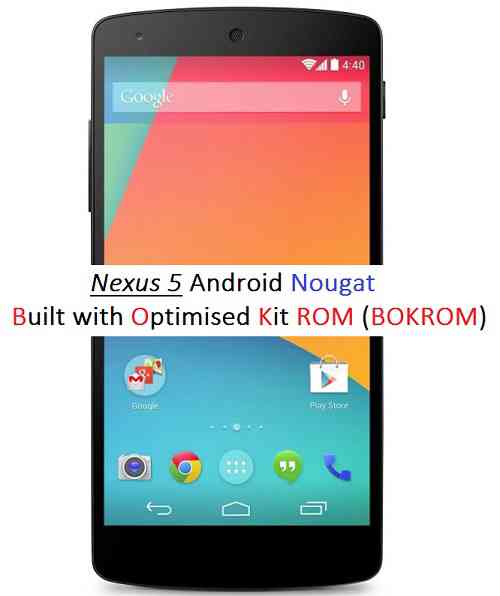
Android Nougat was released on August 22 but Nexus 5 Android Nougat was missing. But after the Android Nougat Source code release now the Nexus 5 Android Nougat BOKROM AOSP ROM is available unofficially which is brought to you by developer bokbokan. If you want to try then the Nexus 5 CyanogenMod 14 ROM is also available.
THIS IS JUST AN ALPHA ROM AND CANNOT BE USED AS A DAILY DRIVER SOFTWARE. CHECK THE WORKING AND NON-WORKING LIST BEFORE FLASHING AND PROCEED AT YOUR OWN RISK.
 DISCLAIMER:
Installing a custom ROM on a Nexus device requires the bootloader to be unlocked on the Nexus phone, which may VOID your warranty and may delete all your data. Before proceeding further you may consider backup all data on the phone. You are the only person doing changes to your phone and I cannot be held responsible for the mistakes done by you.Status of BOKROM Nexus 5 Nougat ROM:
BOKROM stands for – Built with Optimizing Kit ROM
WHAT’S WORKING:
– Not knownKNOWN ISSUES:
– Not knownREQUIRED DOWNLOADS AND LINKS FOR NEXUS 5 BOKROM NOUGAT AOSP ROM:
- Unlocked bootloader on Nexus 5 and Nexus 5 with TWRP recovery installed
- ROM Download link of Nexus 5 BOKROM Nougat ROM by bokbokan
- Google Apps download link for the Nexus 5 BOKROM Nougat ROM
- Enable ROOT on Nexus 5 Nougat ROM (if not pre-rooted)
Make sure you have a Linux/Windows PC or a MAC installed with Fastboot and adb binaries. If not then you can follow one of the following guides based on your PC OS:
– 15 Seconds ADB Installer for Windows
– Minimal ADB and Fastboot for Windows
ADB Fastboot Installation guide for Linux or MACINSTALL/FLASH NEXUS 5 NOUGAT BOKROM ROM (ANDROID 7.0 AOSP ROM):
- Download the Nexus 5 BOKROM Nougat AOSP ROM zip file and a suitable Nougat Gapps zip file from the above download link and copy both the files to phone.
- Boot into Recovery by one of the following method:
– Power off the phone and keep pressing key combinations: Power Button + Volume Down while turning on your Nexus.
– If you have enabled USB debugging and you have ADB utility installed on your PC then you can execute the following command on a console or command prompt:adb reboot recovery
If you don’t have a custom recovery on Nexus 5 then you can follow this guide:
How to install TWRP recovery on Nexus 5 - Wipe data factory reset, Cache partition, Dalvik Cache and Format the System partition using the recovery.
– Here is a guide explaining how to wipe data using TWRP recovery.This will delete all your data on your phone. IGNORE IF YOU DON’T WANT TO OR IF YOU HAVE ALREADY DONE THIS. You may consider complete backup of your phone data or take a NANDROID backup of the current ROM.
– How to backup all data on your Android Device.
– how to take NANDROID backup using TWRP recovery. - First flash the Nexus 5 Nougat BOKROM ROM ZIP from device.
– Here is a post explaining how to flash a custom ROM using TWRP recovery. - Now flash the Google Apps package.
– Here is a post explaining how to flash GApps using TWRP recovery.
Stay tuned or Subscribe to the Nexus 5 forum For other Android Nougat ROMs, CyanogenMod 14 ROMs, other ROMs and all other device specific topics.