- Search Results
Galaxy S4 Sprint CM13 (cyanogenMod 13) Marshmallow ROM (Device Codename: jfltespr) goes official on CyanogenMod servers. Official NIGHTLY build are automated builds which makes sure the build is not broken by daily code changes made by developers. NIGHTLY builds are not stable as compared to SNAPSHOT builds and may contain some minor bugs. Here is some brief explanation of the difference between a NIGHTLY and SNAPSHOT.
DISCLAIMER:
Installing custom ROM requires a custom recovery to be installed on your device, which may VOID your warranty and may delete all your data. Before proceeding further you may consider backup your all data or take a NANDROID backup using a recovery. You are the only person doing changes to your phone and I cannot be held responsible for the mistakes done by you. Neither the developer nor we will be held responsible for any disaster that happens to your device.
REQUIRED DOWNLOADS AND LINKS FOR THE Galaxy S4 Sprint CM13 ROM UPDATE GUIDE:
- TWRP recovery download link for Galaxy S4 Sprint.
– Download the .tar extension TWRP file for YOUR DEVICE ONLY which can be flashed with ODIN. Follow this guide: How to Install TWRP on Samsung using Odin for the img.tar TWRP file.– If you already have an unlocked bootloader then you can download the .img file extension. Then follow this guide: How to flash TWRP using fastboot.
- ROM download link for Sprint Galaxy S4 Official CyanogenMod 13
- GApps download link
Root binary is inbuilt since CyanogenMod 12, so you don’t need a separate SuperSu package to install to gain ROOT access. Here is How to Enable ROOT Access on CM13/CyanogenMod 13
For more Custom ROMs, TWRP Recovery Installation guide, Rooting Guide you can have a look at the Galaxy S4 Sprint forum and also you can subscribe to stay updated for this device specific topics.
FLASHING OFFICIAL GALAXY S4 SPRINT CM13 (CyanogenMod 13) MARSHMALLLOW CUSTOM ROM:
Follow this if you are flashing CyanogenMod 13 for the first time to your Sprint Galaxy S5, or coming from another ROM:
This will delete all your data on your phone. You may consider backing up your phone data or take a nandroid backup. Here is how to take NANDROID backup using TWRP recovery.
Points to NOTE:
– Try to avoid restoring apps backup using Titanium Backup. It may break things up.
– Don’t restore system data using Titanium Backup! It will definitely break the current installation.
– It is also discouraged to Restoring Apps + Data using Titanium Backup.- Make sure you have a TWRP installed on your Galaxy S4 Sprint.
If you don’t have a recovery then download it from the above link and see if the below guide works for you:
– How to Install TWRP on Samsung using Odin for the .tar TWRP file. - Download and Copy the GApps and CyanogenMod ROM ZIP to your device.
- Take a backup using a synchronization application or using Samsung Smart Switch or if you have TWRP installed then you can take a NANDROID backup using the TWRP itself.
- Boot into Recovery. Make sure to have already flashed a Custom recovery like CWM or TWRP on the phone.
- Wipe data factory reset, Cache partition, Dalvik Cache and Format the System partition.
– Here is a guide explaining how to wipe data using TWRP recovery. - First flash the CM ROM ZIP from device. Then flash the GApps zip from your device memory.
– Here is a post explaining how to flash a custom ROM using TWRP recovery.
Use the same guide to flash the GApps too. - Reboot and Enjoy the CyanogenMod 13 Marshmallow ROM on your Galaxy S4 Sprint.
- Make sure you have a TWRP installed on your Galaxy S4 Sprint.
Upgrading from earlier version of CyanogenMod 13.0:
- Copy the CyanogenMod 13 ROM ZIP file to your phone.
- Boot into Recovery.
- Flash the latest CM ROM ZIP from your phone.
– Here is a post explaining how to flash a custom ROM using TWRP recovery. - Reboot and Enjoy
The first boot may take long time, so don’t panic and be sure that you have enough battery backup. Let the phone reboot and then enjoy the official CyanogenMod 13 Marshmallow ROM on Galaxy S4 Sprint.
After this CM13 installation you may want to enable ROOT access on your phone and here is how you can do that:
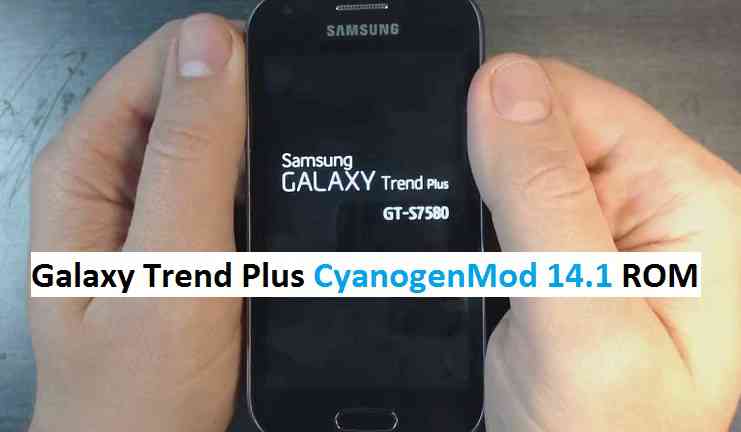
How to Enable ROOT Access on CM13/CyanogenMod 13.CM14.1 for Galaxy Trend Plus CM14.1/CyanogenMod 14.1 has now arrived through an UNOFFICIAL build. In addition to this CM14.1 ROM we also have the Lineage OS 14.1 for Galaxy trend Plus. For latest updates, stay tuned to the Lineage OS device list page. Since Google released Android Nougat Source code, we have update many Android NOUGAT AOSP ROMs and also many CyanogenMod 14/CM14 ROMs updated and many are yet to come. This CyanogenMod 14.1/CM14.1 for Galaxy Trend Plus is brought to you by developer ishant.
DISCLAIMER:
THIS IS STILL AN EARLY BUILD. THIS ROM MAY NOT BOOT AT ALL OR EVEN IF IT BOOTS IT MAY CONTAIN MANY BUGS THAN YOU CAN IMAGINE MAKING IT UNUSABLE AS A DAILY DRIVER. TRY AT YOUR OWN RISK. Installing custom ROM requires a custom recovery to be installed on your device, which may VOID your warranty and may delete all your data. Before proceeding further you may consider backup your all data. You are the only person doing changes to your phone and neither the developer(s) nor we can be held responsible for the mistakes done by you.Status of (s7580, kylepro) Galaxy Trend Plus CM14.1/CyanogenMod 14.1 Nougat 7.1 ROM:
WHAT’S WORKING:
– Not KnownKNOWN ISSUES:
– Not Known
REQUIRED LINKS AND FILES FOR GALAXY TREND PLUS CM14.1/CYANOGENMOD 14.1 NOUGAT 7.1 CUSTOM ROM:
- TWRP download for Galaxy Trend Plus
– Here is: Custom Recovery Installation Guide for Samsung Galaxy Trend Plus (s7580, kylepro) (This guide is only for .tar.md5 TWRP file).
– For the img TWRP file follow this TWRP flashing guide using fastboot. - ROM Download link to ishant’s CM14.1 for Galaxy Trend Plus Nougat 7.1 ROM (s7580, kylepro)
- Nougat GApps download link for Galaxy Trend Plus CM14.1 ROM
Root binary is inbuilt since CyanogenMod 12, so you don’t need a separate SuperSu package to install to gain ROOT access. Here is How to Enable ROOT on CM14.1/CyanogenMod 14.1
HOW TO INSTALL/DOWNLOAD/FLASH/UPDATE GALAXY TREND PLUS CM14.1/CYANOGENMOD 14.1 (s7580, kylepro) NOUGAT 7.1 CUSTOM ROM:
Follow this if you are flashing Galaxy Trend Plus CM14.1/CyanogenMod 14.1 for the first time, or coming from another ROM:
This will delete all your data on your phone. You may consider backing up your phone data or take a nandroid backup. Here is how to take NANDROID backup using TWRP recovery.
Points to NOTE:
– Try to avoid restoring apps backup using Titanium Backup. It may break things up.
– Don’t restore system data using Titanium Backup! It will definitely break the current installation.
– It is also discouraged to Restoring Apps + Data using Titanium Backup.- Download and Copy the GApps and Galaxy Trend Plus CM14.1/CyanogenMod 14.1 ROM ZIP to your phone.
- Boot into Recovery.
- Wipe data factory reset, Cache partition, Dalvik Cache and Format the System partition.
– Here is a guide explaining how to wipe data using TWRP recovery.This will delete all your data on your phone. You may consider complete backup of your phone data or take a NANDROID backup of the current ROM
– How to backup all data on your Android Device
– how to take NANDROID backup using TWRP recovery - First flash the CM14.1 ROM ZIP from device.
– Here is a post explaining how to flash a custom ROM using TWRP recovery. - Then reboot into recovery (don’t skip this) and flash the CyanogenMod 14.1 Nougat GApps package.
– Here is a post explaining how to flash GApps using TWRP recovery. - Reboot and Enjoy the CM14.1 for Galaxy Trend Plus.
Upgrading from earlier version of CyanogenMod 14.1/CM14.1 for Trend Plus:
- Copy the latest Galaxy Trend Plus CM14.1/CyanogenMod 14.1 ROM ZIP file to your phone.
- Boot into Recovery.
- Flash the latest CM ROM ZIP from your phone.
– Here is a post explaining how to flash a custom ROM using TWRP recovery. - Then flash the CM14.1 Nougat GApps package.
– Here is a post explaining how to flash GApps using TWRP recovery. - Reboot and Enjoy
Complete the initial setup and enjoy Android Nougat 7.1 with CyanogenMod 14.1/CM14.1 for S5 (s7580, kylepro). After this CM14.1 installation you may want to enable ROOT access on your phone and here is how you can do that:
How to Enable ROOT on CM14.1/CyanogenMod 14.1.Stay tuned or Subscribe to the Galaxy Trend Plus (s7580, kylepro) forum For other Android Nougat ROMs, CyanogenMod 14.1 ROMs, other ROMs and all other device specific topics.Android Oreo 8.1 ROM, LineageOS 15.1 for Galaxy S5 has now arrived via a development build. This post provides the download link to LineageOS 15.1 for Galaxy S5 and guides through the installation process of the same. If you want the latest LineageOS: here is the LineageOS 16 for Galaxy S5.
If you want the OFFICIAL LineageOS 15.1 update or some more Android Oreo ROMs then stay tuned to the Android Oreo LineageOS page or the AOSP Android Oreo ROMs devices list page. This LineageOS 15.1 Oreo ROM for S5 (klte, G800F) is brought to you by developer afaneh92 (mohammad.afaneh) and another build is brought to you by J0SH1X
DONATION TO DEVELOPER(s):
If you like this ROM, then do consider a small contribution to afaneh92 and J0SH1X:
– Donate to afaneh92 (mohammad.afaneh)
– Donate to J0SH1XDISCLAIMER:
THIS IS AN INITIAL BUILD WHICH HAS MANY BUGS. HAVE A BACKUP BEFORE FLASHING THIS AND TRY AT YOUR OWN RISK. Installing a custom ROM may require an unlocked bootloader, which may VOID your warranty and may delete all your data. Before proceeding further you may consider backup all data on the phone. You are the only person doing changes to your phone and I cannot be held responsible for the mistakes done by you.Status of LineageOS 15.1 for Galaxy S5 Android Oreo 8.1 ROM:
WHAT’S WORKING:
– RIL
– Wifi
– NFC
– Fingerprint
– LED
– Audio
– Video
– Sensors
– Home button
– Camera
– Flash LightKNOWN ISSUES:
– GPS
– Sound recording
– Many other things
REQUIRED LINKS AND FILES FOR THIS LineageOS 15.1 for Galaxy S5 OREO CUSTOM ROM INSTALLATION:
- TWRP download for Galaxy S5 (klte, G800F)- Here is theTWRP update guide for the Galaxy S5. This TWRP recovery guide requires an unlocked bootloader on the Galaxy S5.
- ROM Download link of LineageOS 15.1 for Galaxy S5 by afaneh92
- ROM Download link of LineageOS 15 for Galaxy S5 by J0SH1X (updated on 8th November)
- Oreo GApps Download Link for this ROM
Root binary is NOT inbuilt in LineageOS ROM, so you may need a separate SuperSu package or LineageOS su binary to install to gain ROOT access. Here is LineageOS Rooting guide
If there is no in-built ROOT or it does not work for some reason then you can try SuperSU rooting guide to enable ROOT access.HOW TO INSTALL/DOWNLOAD/FLASH/UPDATE THE Galaxy S5 TO THE LineageOS 15 BASED ANDROID OREO ROM:
Follow this if you are flashing LineageOS 15.1 on the Galaxy S5 for the first time, or coming from another ROM:
Points to NOTE:
– Try to avoid restoring apps backup using Titanium Backup. It may break things up.
– Don’t restore system data using Titanium Backup! It will definitely break the current installation.
– It is also discouraged to Restoring Apps + Data using Titanium Backup.- Download and Copy the GApps and the LineageOS 15.1 ROM zip file for the Galaxy S5 to your phone.
- Boot into Recovery.
Make sure to have a Custom recovery like CWM or TWRP or any other custom recovery. If not then download the recovery for Galaxy S5 from above link and follow the Custom Recovery Installation Guide (it’s a generic guide which will work for TWRP as well as CWM recovery or any other recovery) - Wipe data factory reset, Cache partition, Dalvik Cache and Format the System partition.
– Here is a guide explaining how to wipe data using TWRP recovery.This will delete all your data on your phone. You may consider complete backup of your phone data or take a NANDROID backup of the current ROM
– How to backup all data on your Android Device
– how to take NANDROID backup using TWRP recovery - First flash the LineageOS 15.1 for Galaxy S5 Oreo ROM ZIP from device. Then flash the GApps zip from your device memory.
– Here is a post explaining how to install LineageOS - Then reboot into recovery (don’t skip this) and flash the Gapps for LineageOS 15.1 package.
– Here is a post explaining how to flash GApps using TWRP recovery. - Reboot and Enjoy Android Oreo with LineageOS 15.1 ROM on your Galaxy S5.
Upgrading from earlier version of LineageOS 15.1 for Galaxy S5:
- Copy the latest Galaxy S5 Lineage 15 ROM ZIP file to your phone.
- Boot into Recovery.
- Flash the LineageOS ROM ZIP from your phone.
– Here is a post explaining how to install LineageOS - Then flash the LineageOS 15.1 Oreo GApps package.
– Here is a post explaining how to flash GApps using TWRP recovery. - Reboot and Enjoy
Complete the initial setup and enjoy Android Oreo 8.1 with LineageOS 15.1 on the Galaxy S5 (klte, G800F). After the installing LineageOS 15.1, you may want to enable ROOT access on your phone and here is how you can do that:
How to Enable ROOT on LineageOS 15.1.Stay tuned or Subscribe to the Galaxy S5 (klte, G800F) forum For other Android Oreo, Nougat ROMs, LineageOS 15.1 ROMs, other custom ROMs and all other device specific topics.If you find any BUGs or issues on this ROM then here is the dev thread where you can place your concerns.
LineageOS 17 for Galaxy S5 is now available to download and install from a developer build. This article explains how to install LineageOS 17 on Galaxy S5 which is based on Android 10, with a step-by-step guide.
This Galaxy S5 LineageOS 17 build is brought to you by developer Couchy.
Follow the links to get other Android 10 builds such as: LineageOS 17.1 / 17 and Android 10 Download for supported devices.
DONATION TO DEVELOPER(S)/PROJECT:
If you like this ROM then do consider for a contribution to Couchy and LineageOS project:
– No donation link found for Couchy
– Donate to LineageOS project
[su_note note_color=”#F9D9D9″ text_color=”#AA4343″ radius=”3″ class=”” id=””]DISCLAIMER:
THIS IS AN INITIAL BUILD OF LineageOS 17 FOR Galaxy S5, WHICH HAS MANY BUGS.
MAKE SURE TO SEE THE KNOWN ISSUES LIST AND BACKUP ALL DATA OF YOUR PHONE BEFORE UPDATING TO THIS ROM.
AND, KEEP IT IN YOUR MIND THAT YOU ARE FLASHING AT YOUR OWN RISK.[/su_note][su_note note_color=”#FBF4DD” text_color=”#A38C68″ radius=”3″ class=”” id=””]Installing LineageOS 17 for Galaxy S5 requires an TWRP recovery on Galaxy S5, which may delete all your data. Before proceeding further you may consider backup all data on the phone.
You are the only person making changes to your phone; neither the developer nor I can be held responsible for the mistakes done by you.[/su_note]
Status of the Galaxy S5 LineageOS 17 Android 10 custom ROM:
WHAT’S WORKING:
– Audio
– Wi-Fi
– Bluetooth
– NFC
– GPS
– Camera
– Sensors/Rotation
– FingerprintKNOWN ISSUES:
– RIL
– SELinux (kernel is permissive)
– Probably some more stuffREQUIRED GUIDES AND DOWNLOADS OF LineageOS 17 FOR Galaxy S5:
- ROM Download Link of Galaxy S5 LineageOS 17
- Galaxy S5 TWRP Download (klte) for this Galaxy S5 LineageOS 17 ROM
- GApps for LineageOS 17
- How to Root LineageOS 17
- Download ADB to sideload the ROM
– 15 Seconds ADB Installer for Windows
– Minimal ADB and Fastboot for Windows
– ADB Fastboot for Linux and MAC
HOW TO DOWNLOAD AND INSTALL Galaxy S5 LineageOS 17 Android 10 CUSTOM ROM?
[su_note note_color=”#D7E3F4″ text_color=”#728095″ radius=”3″ class=”” id=””]
Following are the two sub-sections of this Galaxy S5 LineageOS 17 update guide:- First time installation of LineageOS 17 for Galaxy S5
- Upgrading LineageOS 17 for Galaxy S5 from a previous build of LineageOS 17 ROM
[/su_note]
Download and Install LineageOS 17 for Galaxy S5 for the first time:
[su_note note_color=”#D8F1C6″ text_color=”#769958″ radius=”3″ class=”” id=””]This ROM update process requires few guides to be followed and few files to be downloaded. Everything referred in the below guide is provided in the above downloads section.[/su_note]
- Download and Copy the LineageOS 17 ROM for Galaxy S5 and the GApps for LineageOS 17 to your phone.
- Boot into the TWRP custom Recovery to install this Galaxy S5 LineageOS 17 ROM.
[su_note note_color=”#D7E3F4″ text_color=”#728095″ radius=”3″ class=”” id=””]- By now your phone must have TWRP recovery installed. If not, install a TWRP first and proceed ahead.[/su_note] - Wipe the data partition, Cache partition, and system partition.
[su_note note_color=”#D7E3F4″ text_color=”#728095″ radius=”3″ class=”” id=””]- Here is a guide explaining how to wipe using TWRP recovery.[/su_note]
[su_note note_color=”#FBF4DD” text_color=”#A38C68″ radius=”3″ class=”” id=””]This will delete all your data on your phone. You may consider taking a complete backup of your phone data or take a backup of all relevant partitions.
– How to backup data on Android
– how to take NANDROID backup using TWRP recovery[/su_note] - Install the Galaxy S5 LineageOS 17 ROM file that you have copied into the phone.
[su_note note_color=”#D7E3F4″ text_color=”#728095″ radius=”3″ class=”” id=””]- Here is a post explaining how to install LineageOS[/su_note] - Reboot into the TWRP recovery again.
- Then install the LineageOS 17 GApps package.
[su_note note_color=”#D7E3F4″ text_color=”#728095″ radius=”3″ class=”” id=””]- Here is a post explaining how to install GApps using TWRP recovery.[/su_note] - Reboot and Enjoy the Android 10 based LineageOS 17 for Galaxy S5.
Upgrading from earlier version of LineageOS 17 for Galaxy S5 (klte):
- Copy the latest ROM zip file of LineageOS 17 for Galaxy S5, LineageOS 17 GApps and/or Magisk ROOT package to the phone
- Boot into Recovery to flash the updated LineageOS 17 for Galaxy S5
- Wipe the system partition from the TWRP recovery menu.
- Install the Galaxy S5 LineageOS 17 update.
[su_note note_color=”#D7E3F4″ text_color=”#728095″ radius=”3″ class=”” id=””]- Here is a post explaining how to install LineageOS[/su_note] - Reboot and see you have the GApps and ROOT access or NOT.
[su_note note_color=”#D8F1C6″ text_color=”#769958″ radius=”3″ class=”” id=””]- Gapps is built in such a way that it will sustain across ROM updates.[/su_note] - If you don’t have GApps after upgrading the LineageOS 17 on Galaxy S5, then flash the GApps.
[su_note note_color=”#D7E3F4″ text_color=”#728095″ radius=”3″ class=”” id=””]- Here is a post explaining how to flash GApps using TWRP recovery.[/su_note] - If you don’t have ROOT after upgrading the LineageOS 17 on Galaxy S5, then flash the SuperSU or Magisk or the Lineage SU binary.
[su_note note_color=”#D7E3F4″ text_color=”#728095″ radius=”3″ class=”” id=””]- Here is a post explaining How Root LineageOS 17[/su_note] - Once everything is done, reboot and Enjoy the LineageOS 17 on Galaxy S5.
[su_note note_color=”#D8F1C6″ text_color=”#769958″ radius=”3″ class=”” id=””]Complete the initial setup and enjoy Android 10 with LineageOS 17 on Galaxy S5.[/su_note]
Some Screenshots of LineageOS 17
[rl_gallery id=”103801″]
After installing LineageOS 17 on Galaxy S5 you may want to install Google Camera (GCam) or enable ROOT access on your phone and here is how you can do that:
– How Root LineageOS 17Where to Download Google Camera for Galaxy S5 LineageOS 17?
GCam 7.2 and GCam 7.0 are compatible with LineageOS 17 or any Android 10 ROM in general.
In case you won’t get your device in the above lists, you can always look into the big list of GCam APK for Android 10 (this page contains a huge list of GCam for all available devices)[su_note note_color=”#D7E3F4″ text_color=”#728095″ radius=”3″ class=”” id=””]If there is no ROOT access for some reason even after installing the LineageOS SU binary, then you can try the SuperSU zip to enable ROOT access.[/su_note]
Stay tuned or Subscribe to the Galaxy S5 (klte) LineageOS forum For other Android 10, Android Oreo ROMs, Nougat ROMs, or other ROMs and all other device specific topics.Android Nougat 7.1 ROM, LineageOS 14.1 for Galaxy S5 Plus has now arrived via an OFFICIAL build. If you want some more LineageOS ROMs then stay tuned to the LineageOS 14.1 ROM Devices list page. This Galaxy S5 Plus LineageOS 14.1 is an OFFICIAL LineageOS for Galaxy S5 Plus, which means you will be getting weekly updates of this ROM for your device. I am not sure but I think this OFFICIAL LineageOS 14.1 for Galaxy S5 Plus is brought to you by cvxda and contributors.
DISCLAIMER:
HAVE A BACKUP BEFORE FLASHING THIS AND TRY AT YOUR OWN RISK. Installing a custom ROM on a Galaxy S5 Plus (kccat6, SM-G901F) may require the bootloader to be unlocked, which may VOID your warranty and may delete all your data. Before proceeding further you may consider backup all data on the phone. You are the only person doing changes to your phone and I cannot be held responsible for the mistakes done by you.Status of LineageOS 14.1 for Galaxy S5 Plus (kccat6, SM-G901F) Nougat 7.1 ROM:
WHAT’S WORKING:
– Not KnownKNOWN ISSUES:
– Not Known
REQUIRED LINKS AND FILES FOR LineageOS 14.1 for Galaxy S5 Plus NOUGAT 7.1 BASED CUSTOM ROM:
- TWRP download link for Galaxy S5 Plus
– Here is: Custom Recovery Installation Guide for Samsung Galaxy S5 Plus (This guide is only for .tar or .tar.md5 TWRP file)
– To flash .img file you can follow this TWRP update guide using fastboot or you can use Flashify to update the .img TWRP. [YOUR DEVICE MIGHT NEED TO BE BOOTLOADER UNLOCKED IF YOU ARE FOLLOWING THIS] - ROM Download link of OFFICIAL LineageOS 14.1 for Galaxy S5 Plus (kccat6, SM-G901F)
- LineageOS 14.1 GApps download link for Galaxy S5 Plus LineageOS 14.1 Nougat 7.1 ROM
Root binary is NOT inbuilt in LineageOS 14.1, so you may need a separate SuperSu package or LineageOS su binary to install to gain ROOT access. Here is How to Enable ROOT on LineageOS 14.1
If there is no in-built ROOT or it does not work for some reason then you can try flashing SuperSU zip using recovery to gain ROOT access.HOW TO INSTALL/DOWNLOAD/FLASH/UPDATE Galaxy S5 Plus LineageOS 14.1 NOUGAT CUSTOM ROM:
Follow this if you are flashing LineageOS 14.1 for Galaxy S5 Plus (kccat6, SM-G901F) for the first time, or coming from another ROM:
Points to NOTE:
– Try to avoid restoring apps backup using Titanium Backup. It may break things up.
– Don’t restore system data using Titanium Backup! It will definitely break the current installation.
– It is also discouraged to Restoring Apps + Data using Titanium Backup.- Download and Copy the GApps and LineageOS 14.1 for Galaxy S5 Plus ROM ZIP to your phone.
- Boot into Recovery. Make sure to have a Custom recovery like CWM or TWRP or any other custom recovery. If not then follow the Custom Recovery Installation Guide for Galaxy S5 Plus (kccat6, SM-G901F) (it’s a generic guide which will work for TWRP as well as CWM recovery or any other recovery)
- Wipe data factory reset, Cache partition, Dalvik Cache and Format the System partition.
– Here is a guide explaining how to wipe data using TWRP recovery.This will delete all your data on your phone. You may consider complete backup of your phone data or take a NANDROID backup of the current ROM
– How to backup all data on your Android Device
– how to take NANDROID backup using TWRP recovery - First flash the Galaxy S5 Plus LineageOS 14.1 ROM ZIP from device. Then flash the GApps zip from your device memory.
– Here is a post explaining how to install LineageOS. - DO NOT REBOOT yet. Then flash the LineageOS 14.1 GApps package.
– Here is a post explaining how to flash LineageOS 14.1 GApps using TWRP recovery. - Reboot and Enjoy the Nougat 7.1 LineageOS 14.1 ROM for Galaxy S5 Plus (kccat6, SM-G901F).
Upgrading from earlier version of Galaxy S5 Plus LineageOS 14.1 (kccat6, SM-G901F):
- Copy the latest LineageOS 14.1 for Galaxy S5 Plus ROM ZIP file to your phone.
- Boot into Recovery.
- Flash the latest LineageOS ROM ZIP from your phone.
– Here is a post explaining how to install LineageOS. - Then flash the LineageOS 14.1 Nougat GApps package.
– Here is a post explaining how to flash GApps using TWRP recovery. - Reboot and Enjoy
Complete the initial setup and enjoy Android Nougat 7.1 with LineageOS 14.1 for Galaxy S5 Plus (kccat6, SM-G901F). After the installation of Galaxy S5 Plus LineageOS 14.1 ROM (kccat6, SM-G901F) you may want to enable ROOT access on your phone and here is how you can do that:
How to Enable ROOT on LineageOS 14.1.Stay tuned or Subscribe to the Galaxy S5 Plus (kccat6, SM-G901F) forum For other Android Nougat ROMs, LineageOS 14.1 ROMs, other ROMs and all other device specific topics.Resurrection Remix Oreo for Galaxy S5 is now available to download via a development version. This Resurrection Remix v6.0.0 Android Oreo 8.1 ROM for Galaxy S5 (klte) is brought to you by developer Blackjubel.
DONATION TO DEVELOPER(s):
If you like this ROM then do consider a small contribution to Blackjubel:
– donation to BlackjubelIf you want the OFFICIAL Resurrection Remix update or some more Android Oreo Custom ROMs then stay tuned to the LineageOS 15 Download page or the AOSP Oreo ROMs Download devices list page.
DISCLAIMER:
THIS IS AN INITIAL BUILD OF RESURRECTION REMIX ANDROID OREO (8.1), WHICH MAY HAVE MINOR BUGS. BACKUP THE CURRENT ROM BEFORE FLASHING. TRY AT YOUR OWN RISK.
Installing a custom ROM on a the Galaxy S5 requires a custom recovery to be installed, which may VOID your warranty and may delete all your data. Before proceeding further you may consider backup all data on the phone. You are the only person making changes to your phone and I cannot be held responsible for the mistakes done by you..content_layout_width { width: 270px; }
@media(min-width: 800px) { .content_layout_width { width: 500px; } }Content structure:
Status of Galaxy S5 Resurrection Remix 6.0.0 Android 8.1 Oreo ROM Download:
WHAT’S WORKING:
– UnknownKNOWN ISSUES:
– Unknown
REQUIRED DOWNLOADS AND LINKS TO UPDATE Galaxy S5 RESURRECTION REMIX OREO ROM:
- TWRP recovery download link for Galaxy S5 Resurrection Remix Oreo ROM
– Follow this guide: Flash TWRP using Odin
- ROM Download link to Resurrection Remix 6.0.0 Android 8.1 Oreo ROM for Galaxy S5
- Oreo GApps Download Link for Galaxy S5 Resurrection Remix Oreo ROM
- Rooting guide for RR Oreo
HOW TO INSTALL/FLASH/UPDATE RESURRECTION REMIX OREO ROM FOR Galaxy S5 (ANDROID OREO 8.1, RR v6.0.0 ROM):
Follow this to Install Resurrection Remix Android Oreo on Galaxy S5 for the first time or coming from another Android ROM:
Points to NOTE on BACKUP before updating:
– Try to avoid restoring apps backup using Titanium Backup. It may break things up.
– Don’t restore system data using Titanium Backup! It will definitely break the current installation.
– It is also discouraged to Restoring Apps + Data using Titanium Backup.- Boot into Recovery by one of the following method:
– Power off the phone and keep pressing key combinations while turning on your phone.
– If you have enabled USB debugging and you have ADB utility installed on your PC then you can execute the following command on a console or command prompt:adb reboot recovery
- Wipe data factory reset, Cache partition, Dalvik Cache and Format the System partition using the recovery.
– Here is a guide explaining how to wipe data using TWRP recovery.This will delete all your data on your phone. IGNORE IF YOU DON’T WANT TO OR IF YOU HAVE ALREADY DONE THIS. You may consider complete backup of your phone data or take a NANDROID backup of the current ROM.
– How to backup all data on your Android Device.
– how to take NANDROID backup using TWRP recovery. - Download the Galaxy S5 Android Oreo ROM zip file from the above download link and copy the files to phone.
- Flash the Galaxy S5 RR Oreo ROM zip from device.
– Here is a post explaining how to flash a ROM zip using TWRP.
Upgrading from earlier version of RR Android 8.1 Oreo ROM on Galaxy S5:
- Copy the latest Resurrection Remix Oreo ROM ZIP file to your phone.
- Boot into Recovery.
- Flash the latest RR Oreo ROM ZIP from your phone and wait till it finishes flashing.
– Here is a post explaining how to flash a custom ROM using TWRP recovery. - Reboot and Enjoy
Reboot to system after flashing is done completely. Do the required initial setup and enjoy the Android Oreo ROM for Galaxy S5. If you face any problem following this guide or post installation then just login and leave a comment to get an instant reply.
Rooting Resurrection Remix Android Oreo ROM on Galaxy S5:
There is no inbuilt ROOT functionality available on this ROM.
Here is how to How to ROOT RR Oreo ROM, a step-by-step guide !!!The above link is for LineageOS 15.1 Rooting guide, because RR Oreo is based on LineageOS 15.1.
Stay tuned or Subscribe to the Galaxy S5 custom ROMs forum For other Android Oreo ROMs, Android Nougat ROMs, LineageOS ROMs, Resurrection Remix ROM, Omni ROM, AICP ROM, crDroid ROM, and all other device specific topics.Android Nougat 7.1 ROM, Galaxy S5 DUOS LineageOS 14.1 has now arrived via an UNOFFICIAL build. If you want some more Lineage ROMs or wanna taste the OFFICIAL Lineage build then stay tuned the LineageOS 14.1 ROM collection page. Here we also have the CM14 for Galaxy S5 DUOS. This Lineage 14.1 for Galaxy S5 DUOS (klteduos) is brought to you by developer haggertk.
DISCLAIMER:
THIS IS AN INITIAL BUILD WHICH MAY NOT BOOT AT ALL. HAVE A BACKUP BEFORE FLASHING THIS AND TRY AT YOUR OWN RISK. Installing a custom ROM on a Galaxy S5 DUOS (klteduos) may require the bootloader to be unlocked on the Galaxy S5 DUOS (klteduos) phone, which may VOID your warranty and may delete all your data. Before proceeding further you may consider backup all data on the phone. You are the only person doing changes to your phone and I cannot be held responsible for the mistakes done by you.Status of Galaxy S5 DUOS Lineage 14.1 Nougat 7.1 Custom ROM:
WHAT’S WORKING:
– Not KnownKNOWN ISSUES:
– Not Known
REQUIRED LINKS AND FILES FOR GALAXY S5 DUOS LineageOS 14.1 NOUGAT CUSTOM ROM:
- TWRP recovery for Galaxy S5 DUOS (klteduos)
– Here is theTWRP update guide for the Galaxy S5 DUOS (klteduos). This TWRP recovery guide may require an unlocked bootloader on the Galaxy S5 DUOS (klteduos).
- ROM Download link of Lineage 14.1 for Galaxy S5 DUOS (klteduos)
- Lineage Nougat GApps download link for Galaxy S5 DUOS LineageOS 14.1 Nougat 7.1 ROM
Root binary is inbuilt in LineageOS 14.1, so you don’t need a separate SuperSu package to install to gain ROOT access. Here is How to Enable ROOT on LineageOS 14.1
If there is no in-built ROOT or it does not work for some reason then you can try flashing SuperSU zip using recovery to gain root access.HOW TO INSTALL/DOWNLOAD/FLASH/UPDATE LINEAGE 14.1 FOR Galaxy S5 DUOS NOUGAT CUSTOM ROM:
Follow this if you are flashing LineageOS 14.1 for Galaxy S5 DUOS (klteduos) for the first time, or coming from another ROM:
Points to NOTE:
– Try to avoid restoring apps backup using Titanium Backup. It may break things up.
– Don’t restore system data using Titanium Backup! It will definitely break the current installation.
– It is also discouraged to Restoring Apps + Data using Titanium Backup.- Download and Copy the GApps and Galaxy S5 DUOS Lineage 14.1 ROM ZIP to your phone.
- Boot into Recovery. Make sure to have a Custom recovery like CWM or TWRP or any other custom recovery. If not then follow the Custom Recovery Installation Guide for Galaxy S5 DUOS (klteduos) (it’s a generic guide which will work for TWRP as well as CWM recovery or any other recovery)
- Wipe data factory reset, Cache partition, Dalvik Cache and Format the System partition.
– Here is a guide explaining how to wipe data using TWRP recovery.This will delete all your data on your phone. You may consider complete backup of your phone data or take a NANDROID backup of the current ROM
– How to backup all data on your Android Device
– how to take NANDROID backup using TWRP recovery - First flash the Galaxy S5 DUOS Lineage 14.1 ROM ZIP from device. Then flash the GApps zip from your device memory.
– Here is a post explaining how to install LineageOS. - Then reboot into recovery (don’t skip this) and flash the Lineage 14.1 Nougat GApps package.
– Here is a post explaining how to flash GApps using TWRP recovery. - Reboot and Enjoy the Nougat 7.1 Lineage 14.1 ROM for Galaxy S5 DUOS (klteduos).
Upgrading from earlier version of Lineage 14.1 for Galaxy S5 DUOS (klteduos):
- Copy the latest Galaxy S5 DUOS Lineage 14.1 ROM ZIP file to your phone.
- Boot into Recovery.
- Flash the latest CM ROM ZIP from your phone.
– Here is a post explaining how to install LineageOS. - Then flash the Lineage 14.1 Nougat GApps package.
– Here is a post explaining how to flash GApps using TWRP recovery. - Reboot and Enjoy
Complete the initial setup and enjoy Android Nougat 7.1 with Lineage 14.1 for Galaxy S5 DUOS (klteduos). After the installation of Lineage 14.1 for Galaxy S5 DUOS (klteduos) you may want to enable ROOT access on your phone and here is how you can do that:
How to Enable ROOT on LineageOS 14.1.Stay tuned or Subscribe to the Galaxy S5 DUOS (klteduos) forum For other Android Nougat ROMs, LineageOS 14.1 ROMs, other ROMs and all other device specific topics.Android Oreo 8.0 ROM, LineageOS 15 for Galaxy S5 Mini has now arrived via a development build. This post provides the download link to LineageOS 15 ROM for Galaxy S5 Mini and guides through the installation process of the same. If you want the OFFICIAL LineageOS 15 update or some more Android Oreo ROMs then stay tuned to the Android Oreo Lineage ROMs page or the AOSP Android Oreo ROMs devices list page. This LineageOS 15 Oreo ROM for Galaxy S5 Mini (kminilte, G800F/G800M/G800Y) is brought to you by developer hennymcc.
DONATION TO DEVELOPER(s):
No donation link found for hennymcc.
DISCLAIMER:
THIS LINEAGEOS 15 IS NOT FOR G800H.
THIS IS AN INITIAL BUILD WHICH HAS MANY BUGS. HAVE A BACKUP BEFORE FLASHING THIS AND TRY AT YOUR OWN RISK. Installing a custom ROM on a Galaxy S5 Mini requires an unlocked bootloader on Galaxy S5 Mini, which may VOID your warranty and may delete all your data. Before proceeding further you may consider backup all data on the phone. You are the only person doing changes to your phone and I cannot be held responsible for the mistakes done by you.Content structure:
Status of LineageOS 15 for Galaxy S5 Mini Oreo 8 ROM:
WHAT’S WORKING:
– Hardware Acceleration
– Sound
– Fingerprint scanner
– Hardware sensors (Orientation, Compass, Proximity, Acceleration, Hall sensor, Step counter)
– Light sensor (needed for auto-brightness)
– Pulse sensor (preliminary and very inaccurate. Works with Apps like Kardiograph)
– Wifi
– Mobile DataKNOWN ISSUES:
– callings
– Camera
– Flash Light
– GPS
– SELinux
– NFC
REQUIRED LINKS AND FILES FOR THIS LineageOS 15 for Galaxy S5 Mini OREO CUSTOM ROM INSTALLATION:
- TWRP download for Galaxy S5 Mini (kminilte, G800F/G800M/G800Y)
– Here is theTWRP update guide for the Galaxy S5 Mini. This TWRP recovery guide requires an unlocked bootloader on the Galaxy S5 Mini.
- ROM Download link of LineageOS 15 for Galaxy S5 Mini
- Oreo GApps Download Link for this ROM
Root binary is NOT inbuilt in LineageOS ROM, so you may need a separate SuperSu package or LineageOS su binary to install to gain ROOT access. Here is LineageOS Rooting guide
If there is no in-built ROOT or it does not work for some reason then you can try SuperSU rooting guide to enable ROOT access.HOW TO INSTALL/DOWNLOAD/FLASH/UPDATE THE Galaxy S5 Mini TO THE LineageOS 15 BASED ANDROID OREO ROM:
Follow this if you are flashing LineageOS 15 on the Galaxy S5 Mini for the first time, or coming from another ROM:
Points to NOTE:
– Try to avoid restoring apps backup using Titanium Backup. It may break things up.
– Don’t restore system data using Titanium Backup! It will definitely break the current installation.
– It is also discouraged to Restoring Apps + Data using Titanium Backup.- Download and Copy the GApps and the LineageOS 15 for Galaxy S5 Mini Oreo ROM ZIP to your phone.
- Boot into Recovery.
Make sure to have a Custom recovery like CWM or TWRP or any other custom recovery. If not then download the recovery for Galaxy S5 Mini from above link and follow the Custom Recovery Installation Guide (it’s a generic guide which will work for TWRP as well as CWM recovery or any other recovery) - Wipe data factory reset, Cache partition, Dalvik Cache and Format the System partition.
– Here is a guide explaining how to wipe data using TWRP recovery.This will delete all your data on your phone. You may consider complete backup of your phone data or take a NANDROID backup of the current ROM
– How to backup all data on your Android Device
– how to take NANDROID backup using TWRP recovery - First flash the LineageOS 15 for Galaxy S5 Mini Oreo ROM ZIP from device. Then flash the GApps zip from your device memory.
– Here is a post explaining how to install LineageOS - Then reboot into recovery (don’t skip this) and flash the Gapps for LineageOS 15 package.
– Here is a post explaining how to flash GApps using TWRP recovery. - Reboot and Enjoy Android Oreo with LineageOS 15 ROM on Galaxy S5 Mini.
Upgrading from earlier version of LineageOS 15 for Galaxy S5 Mini:
- Copy the latest Galaxy S5 Mini Lineage 15 ROM ZIP file to your phone.
- Boot into Recovery.
- Flash the LineageOS ROM ZIP from your phone.
– Here is a post explaining how to install LineageOS - Then flash the LineageOS 15 Oreo GApps package.
– Here is a post explaining how to flash GApps using TWRP recovery. - Reboot and Enjoy
Complete the initial setup and enjoy Android Oreo 8.0 with LineageOS on the Galaxy S5 Mini (kminilte, G800F/G800M/G800Y). After the installing LineageOS 15 for Galaxy S5 Mini, you may want to enable ROOT access on your phone and here is how you can do that:
How to Enable ROOT on LineageOS 15.Stay tuned or Subscribe to the Galaxy S5 Mini (kminilte, G800F/G800M/G800Y) forum For other Android Oreo, Nougat ROMs, LineageOS 15 ROMs, other custom ROMs and all other device specific topics.If you find any BUGs or issues on this ROM then here is the dev thread where you can place your concerns.
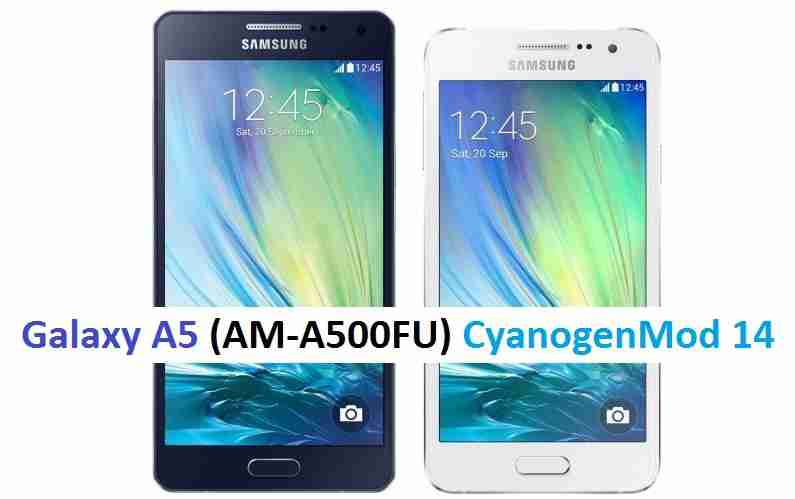
CM14 for Galaxy A5 CM14/CyanogenMod 14 has now arrived through an UNOFFICIAL build. This Nougat 7.0 has come for Galaxy A5 via CyanogenMod 14 ROM. Since Google released Android Nougat Source code, we have update many Android NOUGAT AOSP ROMs and also many CyanogenMod 14/CM14 ROMs updated and many are yet to come. This CyanogenMod 14/CM14 for Galaxy A5 2015 is brought to you by developer Deadsquirrel01.
DISCLAIMER:
THIS IS STILL AN EARLY BUILD. BECAUSE OF SOME BUGS THIS ROM IS UNUSABLE AS A DAILY DRIVER. TRY AT YOUR OWN RISK. Installing custom ROM requires a custom recovery to be installed on your device, which may VOID your warranty and may delete all your data. Before proceeding further you may consider backup your all data. You are the only person doing changes to your phone and neither the developer(s) nor we can be held responsible for the mistakes done by you.Status of (A500F, A500FU, a5ultexx) Galaxy A5 CM14/CyanogenMod 14 Nougat 7.0 ROM:
WHAT’S WORKING:
– Not knownKNOWN ISSUES:
– Not known
REQUIRED LINKS AND FILES FOR GALAXY A5 CM14/CYANOGENMOD 14 NOUGAT 7.0 CUSTOM ROM:
- TWRP download link for Galaxy A5 Europe. Here is: Custom Recovery Installation Guide for Samsung Galaxy A5 2015 (A500F, A500FU, a5ultexx) (This guide is only for .tar TWRP file)
- ROM Download link to Deadsquirrel01’s CM14 for Galaxy A5 2015 Nougat 7.0 ROM (A500F, A500FU, a5ultexx)
- Wifi FIX Download link for Galaxy A5 CM14 ROM
- Nougat GApps download link for Galaxy A5 CM14 ROM
Root binary is inbuilt since CyanogenMod 12, so you don’t need a separate SuperSu package to install to gain ROOT access. Here is How to Enable ROOT on CM14/CyanogenMod 14
HOW TO INSTALL/DOWNLOAD/FLASH/UPDATE GALAXY A5 CM14/CYANOGENMOD 14 (A500F, A500FU, a5ultexx) NOUGAT 7.0 CUSTOM ROM:
Follow this if you are flashing Galaxy A5 CM14/CyanogenMod 14 for the first time, or coming from another ROM:
This will delete all your data on your phone. You may consider backing up your phone data or take a nandroid backup. Here is how to take NANDROID backup using TWRP recovery.
Points to NOTE:
– Try to avoid restoring apps backup using Titanium Backup. It may break things up.
– Don’t restore system data using Titanium Backup! It will definitely break the current installation.
– It is also discouraged to Restoring Apps + Data using Titanium Backup.- Download and Copy the GApps and Galaxy A5 CM14/CyanogenMod 14 ROM ZIP to your phone.
- Boot into Recovery.
- Wipe data factory reset, Cache partition, Dalvik Cache and Format the System partition.
– Here is a guide explaining how to wipe data using TWRP recovery.This will delete all your data on your phone. You may consider complete backup of your phone data or take a NANDROID backup of the current ROM
– How to backup all data on your Android Device
– how to take NANDROID backup using TWRP recovery - First flash the A5 CM14 ROM ZIP from device and then the Wifi FIX.
– Here is a post explaining how to flash a custom ROM using TWRP recovery. - Then reboot into recovery (don’t skip this) and flash the CyanogenMod 14 Nougat GApps package.
– Here is a post explaining how to flash GApps using TWRP recovery. - Reboot and Enjoy the CM14 for Galaxy A5 2015 (AM-A500F/U).
Upgrading from earlier version of CyanogenMod 14/CM14 for Galaxy A5 2015 (AM-A500F/U):
- Copy the latest Galaxy A5 CM14/CyanogenMod 14 ROM ZIP file to your phone.
- Boot into Recovery.
- Flash the latest CM ROM ZIP from your phone.
– Here is a post explaining how to flash a custom ROM using TWRP recovery. - Then flash the CM14 Nougat GApps package.
– Here is a post explaining how to flash GApps using TWRP recovery. - Reboot and Enjoy
Complete the initial setup and enjoy Android Nougat 7.0.0 with CyanogenMod 14/CM14 for S5 (A500F, A500FU, a5ultexx). After this CM14 installation you may want to enable ROOT access on your phone and here is how you can do that:
How to Enable ROOT on CM14/CyanogenMod 14.Stay tuned or Subscribe to the Galaxy A5 (A500FU, a5ultexx) forum For other Android Nougat ROMs, CyanogenMod 14 ROMs, other ROMs and all other device specific topics.Topic: apk protonmail pour ROM 14.1
Bonjour,
heureux utilisateur de LineageOS, (que depuis 2 jours ^^, il n’est jamais trop tard…), Je viens vers vous car j’ai un soucis avec une application.
Mon téléphone, un Samsung Galaxy S5 mini SM-G800F. après plusieurs essais, la ROM 16 ne fonctionne pas, je suis donc redescendu à la version 14.1.
J’ai également testé plusieurs versions de Gapps (pour de l’ARM, android 7.1, full, nano, mivro, stock….je crois que je les ai toutes testées).L’application qui ne va pas est protonmail. En dessous de la version 1.10, et au dessus de la 1.10.5, l’application plante dès le lancement.
Pour les versions entre les 1.10 et 1.10.5, je peux saisir mon adresse mail et mon 1er mot de passe (double authentification), mais après, le résultat est le même, ça plante :(.Si quelqu’un à une idée, je suis preneur.
Peut-être me faut-il d’autres applis, dépendances, ou que sais-je encore…
Merci d’avance.
- TWRP recovery download link for Galaxy S4 Sprint.