- Search Results
Android 8.1 Oreo based LineageOS 15.1 for Galaxy NOTE 3 China is now available to download via an unofficial build. This Android 8.1 Oreo based LineageOS 15.1 for Galaxy NOTE 3 China (hltechn) is brought to you by developer EdricChan03.
DONATION TO DEVELOPER(S):
If you like this ROM then do consider for a contribution to EdricChan03 and LineageOS project:
– No donation link found for EdricChan03
– Donate to LineageOS projectIf you want the OFFICIAL LineageOS 15.1 then here is the OFFICIAL LineageOS 15.1 supported devices list or the Android Oreo ROMs devices list page.
DISCLAIMER:
THIS IS AN INITIAL BUILD AND MAY HAVE MANY THINGS BROKEN.
FLASH AT YOUR OWN RISK.
Installing a custom ROM requires a custom recovery on Galaxy NOTE 3 China, which may VOID your warranty and may delete all your data. Before proceeding further you may consider backup all data on the phone. You are the only person doing changes to your phone; neither the developer nor I can be held responsible for the mistakes done by you.Status of LineageOS 15.1 for Galaxy NOTE 3 China – Android 8.1 Oreo ROM:
WHAT’S WORKING:
– Almost EverythingKNOWN ISSUES:
– Nothing known
REQUIRED LINKS AND FILES FOR THIS LineageOS 15.1 for Galaxy NOTE 3 China ANDROID 8.1 OREO CUSTOM ROM:
- TWRP for Galaxy NOTE 3 China (hltechn)
- ROM Download link of LineageOS 15.1 for Galaxy NOTE 3 China
- GApps for LineageOS 15.1
su Root binary is NOT inbuilt in LineageOS 15.1, so you may need to install a separate SuperSu package or LineageOS su binary to gain ROOT access. Here is LineageOS 15.1 Root guide
If there is no in-built ROOT or it does not work for some reason then you can try SuperSU rooting guide to enable ROOT access.
HOW TO UPDATE/INSTALL LineageOS 15.1 FOR Galaxy NOTE 3 China; ANDROID 8.1 OREO CUSTOM ROM:
– Fresh LineageOS 15.1 installation guide
– LineageOS 15.1 update on top of previous LineageOS 15.1 ROMFollow this if you are flashing LineageOS 15.1 on Galaxy NOTE 3 China for the first time, or coming from another ROM:
Points to NOTE:– Try to avoid restoring apps backup using Titanium Backup. It may break things up.
– Don’t restore system data using Titanium Backup! It will definitely break the current installation.
– It is also discouraged to Restoring Apps + Data using Titanium Backup.- Download and Copy the GApps and Galaxy NOTE 3 China LineageOS 15.1 ROM ZIP files to your phone.
- Boot into the TWRP custom Recovery to install this LineageOS 15.1 for Galaxy NOTE 3 China.
– Make sure to have a Custom recovery like a TWRP recovery or any other custom recovery.
If not then download the TWRP recovery from Downloads link and follow this guide to install TWRP on Galaxy NOTE 3 China - Wipe the data partition (or do a factory reset), Cache partition, Dalvik Cache or ART cache and Format the System partition.
– Here is a guide explaining how to wipe using TWRP recovery.This will delete all your data on your phone. You may consider complete backup of your phone data or take a NANDROID backup of the current ROM
– How to backup all data on your Android Device
– how to take NANDROID backup using TWRP recovery - Install the Galaxy NOTE 3 China LineageOS 15.1 ROM file that you have copied into the phone.
– Here is a post explaining how to install LineageOS
- Then reboot into recovery (don’t skip this) and install the Oreo Gapps for LineageOS 15.1 package.
– Here is a post explaining how to install GApps using TWRP recovery. - Reboot and Enjoy the Android 8.1 Oreo LineageOS 15.1 on Galaxy NOTE 3 China.
Upgrading from earlier version of LineageOS 15.1 on Galaxy NOTE 3 China (hltechn):
- Copy the latest LineageOS 15.1 for Galaxy NOTE 3 China ROM ZIP file, Oreo 8.1 GApps and/or supersu ROOT package to the phone
- Boot into Recovery.
– Make sure you have a latest custom Recovery that should be able to flash the LineageOS 15.1 ROM update.
- Format or wipe the system partition from the custom recovery menu.
- Install the LineageOS 15.1 ROM for Galaxy NOTE 3 China.
– Here is a post explaining how to install LineageOS
- Reboot and see you have the GApps and ROOT access or NOT.
– Gapps is built in such a way that it will sustain across ROM updates.
- If you don’t have GApps after upgrading the LineageOS 15.1 on Galaxy NOTE 3 China, then flash the GApps.
– Here is a post explaining how to flash GApps using TWRP recovery.
- If you don’t have ROOT after upgrading the LineageOS 15.1 on Galaxy NOTE 3 China, then flash the SuperSU or Magisk or the Lineage SU binary.
– Here is a post explaining How to Enable ROOT for LineageOS 15.1 ROM
- Once everything is done, reboot and Enjoy the LineageOS 15.1 for Galaxy NOTE 3 China.
Complete the initial setup and enjoy Android 8.1 Oreo with LineageOS 15.1 on Galaxy NOTE 3 China. After the installation of LineageOS 15.1 for Galaxy NOTE 3 China you may want to enable ROOT access on your phone and here is how you can do that:
– LineageOS 15.1 ROOT.Stay tuned or Subscribe to the Galaxy NOTE 3 China (hltechn) LineageOS forum For other Android Oreo, Nougat ROMs, LineageOS 15.1 ROMs, or other ROMs and all other device specific topics.Great NEWS For Micromax A116/IQ451/A919i/wikocink5/QmobleA600 phone users. Developer sai3811 brings the Samsung Galaxy S6 ROM for Canvas HD Micromax A116 users based on Android KitKat that gives you the feel of Samsung Galaxy S6 on your Canvas HD.
 Features :
– Awesome UI
– Good Battery Backup
– Buttery Smooth
– Playing Games smoothly
– Latest Playstore
– New Dialer
– New Contacts
– New Messages– And Many MORE
WARNING:
Installing custom ROMs require custom recovery to be installed on your device which may lead to VOID your warranty and erase your data. Understand the fact that we are not responsible for the disasters going to happen because of your mistakes. Consider backing up your data to avoid data loss.Files needed for Galaxy s6 ROM for canvas HD installation:
– Partition zip package (IMPORTANT)
– Download link of Philz recovery
– ROM download linkInstalling Galaxy S6 ROM for canvas HD Micromax A116:
– Before starting the actual installation be sure to backup all your data.
– Copy all your application data and settings using Titanium backup or any other application.
– Perform a nandroid backup using CWM or TWRP custom recovery.
– Now copy all your internal phone data to a PC.
– After completing the above things head on to the following installation guide.STEP 1:Copy the Partition zip, ROM package to your phone’s SD card.
And then boot into recovery.STEP 2:Flash the Partition zip package using the custom recovery
Then in the recovery, Select power options -> Reboot RecoverySTEP 3:Wipe data and do a factory reset.
Wipe Dalvik Cache and Cache
Then wipe System Data.STEP 4:Flash the Galaxy S6 ROM zip package using the custom recovery
STEP 5:Reboot your phone and check out the Galaxy S6 ROM on your Micromax Canvas HD.
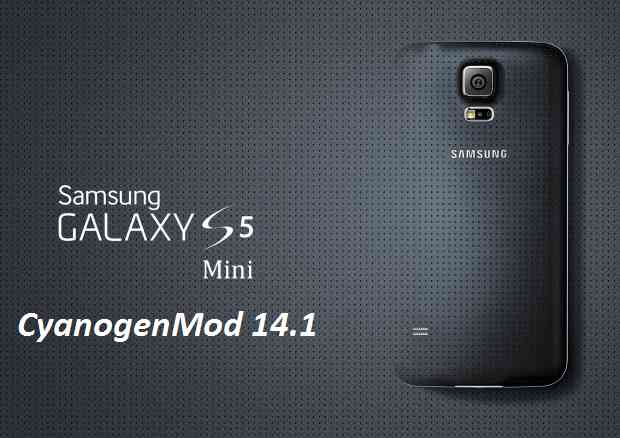
Android Nougat 7.1 ROM, Galaxy S5 Mini CM14/14.1 (CyanogenMod 14/14.1) has now arrived via an UNOFFICIAL build. In addition to this we also have the Galaxy S5 Mini LineageOS 15, Lineage 14.1 for Galaxy S5 Mini (kminilte) which you can try. For latest updates, stay tuned to the Lineage OS device list page. Alongside this you may like to stay tuned to the page where all official cyanogenmod14.1 ROMs are updated and also we have update a big list of available CM14/14.1 (CyanogenMod 14/14.1) Nougat 7.1 ROMs. This CM14/14.1 for Galaxy S5 Mini Exynos is brought to you by developer hennymcc.
DISCLAIMER:
THIS IS AN INITIAL BUILD. THIS MAY NOT BOOT AT ALL OR IF IT BOOTS IT MAY HAVE MANY MORE BUGS THAN YOU CAN IMAGINE. TRY AT YOUR OWN RISK. Installing a custom ROM on a Galaxy S5 Mini (kminilte) requires the bootloader to be unlocked on the Galaxy S5 Mini (kminilte) phone, which may VOID your warranty and may delete all your data. Before proceeding further you may consider backup all data on the phone. You are the only person doing changes to your phone and I cannot be held responsible for the mistakes done by you.Status of CM14/14.1 for Galaxy S5 Mini CM14 (CyanogenMod 14/14.1) Nougat 7.1 ROM:
WHAT’S WORKING:
– HW accelerated GUI
– Camera (pictures+video: Back+Front) (switching between camera and video-recording might crash the camera-app)
– MTP storage
– Flash Light
– Bluetooth (A2DP, HFP, HID)
– IR
– Sound
– SMS
– Initiate and receive calls (the first ongoing call seems to have no sound)
– Wifi
– Mobile Data
– USB-OTG (Keyboard, Mouse, USB-Audio, Mass-Storage)
– NFC
– Hardware sensors (Orientation, Compass, Proximity, Acceleration, Hall sensor, Step counter)
– Light sensor (needed for auto-brightness)
– Pulse sensor (preliminary and very inaccurate. Works with Apps like Kardiograph)
– SD-Card as internal storage (new Android M feature)
– GPS
– Fingerprint scannerKNOWN ISSUES:
– SE Linux
REQUIRED LINKS AND FILES FOR GALAXY S5 MINI EXYNOS CM14/14.1 (CYANOGENMOD 14/14.1, NOUGAT) CUSTOM ROM:
- Your Galaxy S5 Mini (kminilte) must be on latest firmware and bootloader.
- TWRP download for the Galaxy S5 Mini (kminilte)
– Follow this guide to flash .tar TWRP file on S5 Mini and this guide to flash .img TWRP: Install TWRP on Galaxy S5 Mini (.img) (This recovery installation guide may require an Unlocked bootloader on Galaxy S5 Mini)
- ROM Download link of CyanogenMod 14/14.1 (CM14/14.1) for Galaxy S5 Mini Exynos
- Nougat GApps download link for Galaxy S5 Mini CM14/14.1 (CyanogenMod 14/14.1) Nougat 7.1 ROM
Root binary is inbuilt since CyanogenMod 12, so you don’t need a separate SuperSu package to install to gain ROOT access. Here is How to Enable ROOT on CM14/14.1 (CyanogenMod 14/14.1)
If there is no in-built ROOT or it does not work for some reason then you can try flashing SuperSU zip using recovery to gain ROOT access.HOW TO INSTALL/DOWNLOAD/FLASH/UPDATE CM14/14.1 FOR GALAXY S5 MINI (CYANOGENMOD 14/14.1) NOUGAT CUSTOM ROM:
Follow this if you are flashing CyanogenMod 14/14.1 (CM14/14.) for Galaxy S5 Mini for the first time, or coming from another ROM:
Points to NOTE:
– Try to avoid restoring apps backup using Titanium Backup. It may break things up.
– Don’t restore system data using Titanium Backup! It will definitely break the current installation.
– It is also discouraged to Restoring Apps + Data using Titanium Backup.- Download and Copy the GApps and Galaxy S5 Mini CM14/14.1 (CyanogenMod 14/14.1) ROM ZIP to your phone.
- Boot into Recovery. Make sure to have a Custom recovery like CWM or TWRP or any other custom recovery. If not then follow the Custom Recovery Installation Guide for Galaxy S5 Mini (it’s a generic guide which will work for TWRP as well as CWM recovery or any other recovery)
- Wipe data factory reset, Cache partition, Dalvik Cache and Format the System partition.
– Here is a guide explaining how to wipe data using TWRP recovery.This will delete all your data on your phone. You may consider complete backup of your phone data or take a NANDROID backup of the current ROM
– How to backup all data on your Android Device
– how to take NANDROID backup using TWRP recovery - First flash the Galaxy S5 Mini CM14/14.1 ROM ZIP from device. Then flash the GApps zip from your device memory.
– Here is a post explaining how to flash a custom ROM using TWRP recovery. - Then reboot into recovery (don’t skip this) and flash the CyanogenMod 14/14.1 (CM14/14.1) Nougat GApps package.
– Here is a post explaining how to flash GApps using TWRP recovery. - Reboot and Enjoy the Nougat 7.1 ROM CyanogenMod 14/14.1 (CM14/14.1) for Galaxy S5 Mini.
Upgrading from earlier version of CyanogenMod 14/14.1 (CM14/14.1) for Galaxy S5 Mini (kminilte):
- Copy the latest Galaxy S5 Mini CM14/14.1 ROM ZIP file to your phone.
- Boot into Recovery.
- Flash the latest CM ROM ZIP from your phone.
– Here is a post explaining how to flash a custom ROM using TWRP recovery. - Then flash the CM14/14.1 Nougat GApps package.
– Here is a post explaining how to flash GApps using TWRP recovery. - Reboot and Enjoy
Complete the initial setup and enjoy Android Nougat 7.1 with CM14/14.1 for Galaxy S5 Mini (kminilte). After the installation of CM14/14.1 for Galaxy S5 Mini (kminilte) you may want to enable ROOT access on your phone and here is how you can do that:
How to Enable ROOT on CM14/14.1 (CyanogenMod 14/14.1).Stay tuned or Subscribe to the Galaxy S5 Mini forum For other Android Nougat ROMs, CyanogenMod 14/14.1 ROMs, other ROMs and all other device specific topics.Development thread by hennymcc is here.
CM14 for Galaxy Tab 3 8.0 Wifi CM14/CyanogenMod 14 has now arrived through an UNOFFICIAL build. In addition to this we also have the latest Lineage OS 14.1 for Galaxy Tab 3 8.0 Wifi. For latest updates, stay tuned to the Lineage OS device list page. Since Google released Android Nougat Source code, we have update many Android NOUGAT AOSP ROMs and also many CyanogenMod 14/CM14 ROMs updated and many are yet to come. This CyanogenMod 14/CM14 for Galaxy Tab 3 8.0 Wifi is brought to you by developer argraur.
DISCLAIMER:
THIS IS STILL AN EARLY BUILD. THIS MAY NOT BOOT AT ALL OR EVEN IF IT BOOTS IT MAY HAVE MANY BUGS AND MAY NOT BE USED AS A DAILY DRIVER. TRY AT YOUR OWN RISK. Installing custom ROM requires a custom recovery to be installed on your device, which may VOID your warranty and may delete all your data. Before proceeding further you may consider backup your all data. You are the only person doing changes to your phone and neither the developer(s) nor we can be held responsible for the mistakes done by you.Status of (lt01wifi, T310) Galaxy Tab 3 8.0 Wifi CM14 (CyanogenMod 14) Nougat 7.0 ROM:
WHAT’S WORKING:
– Not knownKNOWN ISSUES:
– Not known
REQUIRED LINKS AND FILES FOR GALAXY Tab 3 8.0 Wifi CM14/CYANOGENMOD 14 NOUGAT 7.0 CUSTOM ROM:
- TWRP recovery for Galaxy Tab 3 8.0 Wifi
PhilZ recovery flashable for Galaxy Tab 3 8.0 Wifi (All TWRP recoveries are by gr8nole)– Here is: Custom Recovery Installation Guide for Samsung Galaxy Tab 3 8.0 Wifi (This guide is only for .tar.md5 TWRP file)
– To flash .img file you can follow this TWRP update guide using fatboot or you can use Flashify to update the .img TWRP.
– To flash Recovery flashable Recovery image you can follow this guide: TWRP update guide using existing recovery - ROM Download link to argraur’s CM14 for Galaxy Tab 3 8.0 Wifi Nougat 7.0 ROM (lt01wifi, T310)
- Nougat GApps download link for Galaxy Tab 3 8.0 Wifi CM14 ROM
Root binary is inbuilt since CyanogenMod 12, so you don’t need a separate SuperSu package to install to gain ROOT access. Here is How to Enable ROOT on CM14/CyanogenMod 14
HOW TO INSTALL/DOWNLOAD/FLASH/UPDATE GALAXY Tab 3 8.0 Wifi CM14/CYANOGENMOD 14 (lt01wifi, T310) NOUGAT 7.0 CUSTOM ROM:
Follow this if you are flashing Galaxy Tab 3 8.0 Wifi CM14/CyanogenMod 14 for the first time, or coming from another ROM:
This will delete all your data on your phone. You may consider backing up your phone data or take a nandroid backup. Here is how to take NANDROID backup using TWRP recovery.
Points to NOTE:
– Try to avoid restoring apps backup using Titanium Backup. It may break things up.
– Don’t restore system data using Titanium Backup! It will definitely break the current installation.
– It is also discouraged to Restoring Apps + Data using Titanium Backup.- Download and Copy the GApps and Galaxy Tab 3 8.0 Wifi CM14/CyanogenMod 14 ROM ZIP to your phone.
- Boot into Recovery.
- Wipe data factory reset, Cache partition, Dalvik Cache and Format the System partition.
– Here is a guide explaining how to wipe data using TWRP recovery.This will delete all your data on your phone. You may consider complete backup of your phone data or take a NANDROID backup of the current ROM
– How to backup all data on your Android Device
– how to take NANDROID backup using TWRP recovery - First flash the CM14 ROM ZIP from device.
– Here is a post explaining how to flash a custom ROM using TWRP recovery. - Then reboot into recovery (don’t skip this) and flash the CyanogenMod 14 Nougat GApps package.
– Here is a post explaining how to flash GApps using TWRP recovery. - Reboot and Enjoy the CM14 for Galaxy Tab 3 8.0 Wifi.
Upgrading from earlier version of CyanogenMod 14/CM14 for Galaxy Tab 3 8.0 Wifi:
- Copy the latest Galaxy Tab 3 8.0 Wifi CM14/CyanogenMod 14 ROM ZIP file to your phone.
- Boot into Recovery.
- Flash the latest CM ROM ZIP from your phone.
– Here is a post explaining how to flash a custom ROM using TWRP recovery. - Then flash the CM14 Nougat GApps package.
– Here is a post explaining how to flash GApps using TWRP recovery. - Reboot and Enjoy
Complete the initial setup and enjoy Android Nougat 7.0.0 with CyanogenMod 14/CM14 for Tab 3 8.0 wifi (lt01wifi, T310). After this CM14 installation you may want to enable ROOT access on your phone and here is how you can do that:
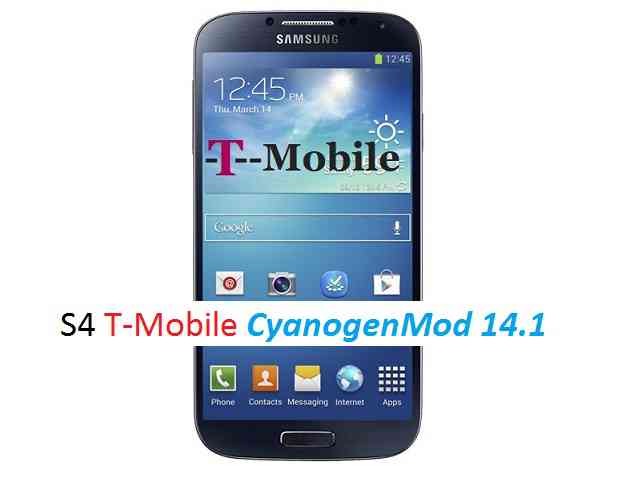
How to Enable ROOT on CM14/CyanogenMod 14.Stay tuned or Subscribe to the Galaxy Tab 3 8.0 Wifi (lt01wifi, T310) forum For other Android Nougat ROMs, CyanogenMod 14 ROMs, other ROMs and all other device specific topics.CM14.1 for Galaxy S4 T-Mobile CM14/14.1 (CyanogenMod 14/14.1) has now arrived through an UNOFFICIAL build. For latest updates, stay tuned to the Lineage OS device list page. This Nougat 7.1 has come for Galaxy S4 T-Mobile via CyanogenMod 14.1 ROM. Since Google released Android Nougat Source code, we have update many Android NOUGAT AOSP ROMs, also many CyanogenMod 14/CM14 ROMs and Official CyanogenMod 14.1 (CM14.1) list. This CyanogenMod 14/14.1 (CM14/14.1) for Galaxy S4 T-Mobile is brought to you by developer javelinanddart.
DISCLAIMER:
THIS IS STILL AN EARLY BUILD. THIS ROM MAY NOT BOOT AT ALL OR EVEN IF IT BOOTS IT MAY CONTAIN MANY BUGS THAN YOU CAN IMAGINE MAKING IT UNUSABLE AS A DAILY DRIVER. TRY AT YOUR OWN RISK. Installing custom ROM requires a custom recovery to be installed on your device, which may VOID your warranty and may delete all your data. Before proceeding further you may consider backup your all data. You are the only person doing changes to your phone and neither the developer(s) nor we can be held responsible for the mistakes done by you.Status of (SGH-M919, jfltetmo) Galaxy S4 T-Mobile CM14/14.1 (CyanogenMod 14/14.1) Nougat 7.1 ROM:
WHAT’S WORKING:
– Not KnownKNOWN ISSUES:
– Not Known
REQUIRED LINKS AND FILES FOR GALAXY S4 T-MOBILE CM14/14.1 (CYANOGENMOD 14/14.1) NOUGAT 7.1 CUSTOM ROM:
- TWRP download link for Galaxy S4 T-Mobile
– Here is: Custom Recovery Installation Guide for Samsung Galaxy S4 T-Mobile (SGH-M919, jfltetmo) (This guide is only for .tar TWRP file).
– For the img TWRP file follow this TWRP flashing guide using fastboot. - ROM Download link to javelinanddart’s CM14.1 for Galaxy S4 T-Mobile Nougat 7.1 ROM (SGH-M919, jfltetmo)
– ROM with Camera FIX 1 - Nougat 7.1 GApps download link for Galaxy S4 T-Mobile CM14.1 ROM
Root binary is inbuilt since CyanogenMod 12, so you don’t need a separate SuperSu package to install to gain ROOT access. Here is How to Enable ROOT on CM14/14.1 (CyanogenMod 14/14.1)
If there is no in-built ROOT then you can try flashing SuperSU zip using recovery to gain ROOT access.HOW TO INSTALL/DOWNLOAD/FLASH/UPDATE GALAXY S4 T-MOBILE CM14/14.1 (CYANOGENMOD 14/14.1) (SGH-M919, jfltetmo) NOUGAT 7.1 CUSTOM ROM:
Follow this if you are flashing Galaxy S4 T-Mobile CM14/14.1 (CyanogenMod 14/14.1) for the first time, or coming from another ROM:
This will delete all your data on your phone. You may consider backing up your phone data or take a nandroid backup. Here is how to take NANDROID backup using TWRP recovery.
Points to NOTE:
– Try to avoid restoring apps backup using Titanium Backup. It may break things up.
– Don’t restore system data using Titanium Backup! It will definitely break the current installation.
– It is also discouraged to Restoring Apps + Data using Titanium Backup.- Download and Copy the GApps and Galaxy S4 T-Mobile CM14/14.1 (CyanogenMod 14/14.1) ROM ZIP to your phone.
- Boot into Recovery.
- Wipe data factory reset, Cache partition, Dalvik Cache and Format the System partition.
– Here is a guide explaining how to wipe data using TWRP recovery.This will delete all your data on your phone. You may consider complete backup of your phone data or take a NANDROID backup of the current ROM
– How to backup all data on your Android Device
– how to take NANDROID backup using TWRP recovery - First flash the CM14.1 ROM ZIP from device.
– Here is a post explaining how to flash a custom ROM using TWRP recovery. - Then reboot into recovery (don’t skip this) and flash the CyanogenMod 14.1 Nougat GApps package.
– Here is a post explaining how to flash GApps using TWRP recovery. - Reboot and Enjoy the CM14.1 for Galaxy S4 T-Mobile.
Upgrading from earlier version of CyanogenMod 14/14.1 (CM14/14.1) for S4 T-Mobile:
- Copy the latest Galaxy S4 T-Mobile CM14/14.1 (CyanogenMod 14/14.1) ROM ZIP file to your phone.
- Boot into Recovery.
- Flash the latest CM ROM ZIP from your phone.
– Here is a post explaining how to flash a custom ROM using TWRP recovery. - Then flash the CM14.1 Nougat GApps package.
– Here is a post explaining how to flash GApps using TWRP recovery. - Reboot and Enjoy
Complete the initial setup and enjoy Android Nougat 7.1 with CyanogenMod 14/14.1 (CM14/14.1) for S4 T-Mobile (SGH-M919, jfltetmo). After this CM14.1 installation you may want to enable ROOT access on your phone and here is how you can do that:
How to Enable ROOT on CM14/14.1 (CyanogenMod 14/14.1).Stay tuned or Subscribe to the Galaxy S4 T-Mobile (SGH-M919, jfltetmo) forum For other Android Nougat ROMs, CyanogenMod 14.1 ROMs, other ROMs and all other device specific topics.Topic: Samsung Xcover2 ROM upgrade
Hi!
I am new to all these stuff.
I have the Samsung xcover2 (GT-S7710)
I want to upgrade my 4.1.2 JellyBean to Marshmallow version or newer.I have searched internet and I managed to root my device. (I don’t really know if this was necessary, anyway!!)
Now I am in the step where I have to flash my ROM, but as I read first I have to find the appropriate ROM for my device.
I cannot find it!!! Can anyone help me out?
I am stacked and I dont know how to proceed!!!Thank you in advance!!
Android Nougat 7.1 ROM, Galaxy S5 Mini LineageOS 14.1 has now arrived via an UNOFFICIAL build. Also, recently came, the Galaxy S5 Mini LineageOS 15, which you can try. If you want some more Lineage ROMs or wanna taste the OFFICIAL Lineage build then stay tuned the LineageOS 14.1 ROM collection page. Here we also have the CM14 for Galaxy S5 Mini. As always, this LineageOS 14.1 for Galaxy S5 Mini (kminilte) is brought to you by the following developer(s):
– hennymcc
– mirhciulica
– Zocker1304
– RendevDONATION TO DEVELOPER(S):
If you like the ROM then consider the efforts of the developer(s) and you can make a donation.
– Donate to Rendev
– No donation link found for other developersDISCLAIMER:
THIS IS AN INITIAL BUILD WHICH MAY NOT BOOT AT ALL. HAVE A BACKUP BEFORE FLASHING THIS AND TRY AT YOUR OWN RISK. Installing a custom ROM on a Galaxy S5 Mini (kminilte) may require the bootloader to be unlocked on the Galaxy S5 Mini (kminilte) phone, which may VOID your warranty and may delete all your data. Before proceeding further you may consider backup all data on the phone. You are the only person doing changes to your phone and I cannot be held responsible for the mistakes done by you.Status of Galaxy S5 Mini LineageOS 14.1 Nougat 7.1 Custom ROM:
WHAT’S WORKING:
– Not KnownKNOWN ISSUES:
– Not known
REQUIRED LINKS AND FILES FOR Galaxy S5 Mini LineageOS 14.1 NOUGAT CUSTOM ROM:
- TWRP recovery for Galaxy S5 Mini (kminilte)
– Here is theTWRP update guide for the Galaxy S5 Mini (kminilte). This TWRP recovery guide may require an unlocked bootloader on the Galaxy S5 Mini (kminilte).
- LineageOS 14.1 for Galaxy S5 Mini [by hennymcc]
- LineageOS 14.1 for Galaxy S5 Mini [by mirhciulica]
- LineageOS 14.1 for Galaxy S5 Mini [by Zocker1304]
- LineageOS 14.1 for Galaxy S5 Mini [by Rendev]
– ALL BUILDS ARE FOR kminilte ONLY
- LineageOS 14.1 Nougat GApps download link for Galaxy S5 Mini LineageOS 14.1 Nougat 7.1 ROM
Root binary is inbuilt in LineageOS 14.1, so you don’t need a separate SuperSu package to install to gain ROOT access. Here is How to Enable ROOT on LineageOS 14.1
If there is no in-built ROOT or it does not work for some reason then you can try flashing SuperSU zip using recovery or else install the CF auto root for Galaxy S5 Mini: http://download.chainfire.eu/523/CF-Root1/CF-Auto-Root/CF-Auto-Root-kminilte-kminiltexx-smg800f.zip?retrieve_file=1 to gain ROOT access.HOW TO INSTALL/DOWNLOAD/FLASH/UPDATE LineageOS 14.1 FOR Galaxy S5 Mini NOUGAT CUSTOM ROM:
Follow this if you are flashing LineageOS 14.1 for Galaxy S5 Mini (kminilte) for the first time, or coming from another ROM:
Points to NOTE:
– Try to avoid restoring apps backup using Titanium Backup. It may break things up.
– Don’t restore system data using Titanium Backup! It will definitely break the current installation.
– It is also discouraged to Restoring Apps + Data using Titanium Backup.- Download and Copy the GApps and Galaxy S5 Mini LineageOS 14.1 ROM ZIP to your phone.
- Boot into Recovery. Make sure to have a Custom recovery like CWM or TWRP or any other custom recovery. If not then follow the Custom Recovery Installation Guide for Galaxy S5 Mini (kminilte) (it’s a generic guide which will work for TWRP as well as CWM recovery or any other recovery)
- Wipe data factory reset, Cache partition, Dalvik Cache and Format the System partition.
– Here is a guide explaining how to wipe data using TWRP recovery.This will delete all your data on your phone. You may consider complete backup of your phone data or take a NANDROID backup of the current ROM
– How to backup all data on your Android Device
– how to take NANDROID backup using TWRP recovery - First flash the Galaxy S5 Mini LineageOS 14.1 ROM ZIP from device. Then flash the GApps zip from your device memory.
– Here is a post explaining how to install LineageOS. - Then reboot into recovery (don’t skip this) and flash the LineageOS 14.1 Nougat GApps package.
– Here is a post explaining how to flash GApps using TWRP recovery. - Reboot and Enjoy the Nougat 7.1 LineageOS 14.1 ROM for Galaxy S5 Mini (kminilte).
Upgrading from earlier version of LineageOS 14.1 for Galaxy S5 Mini (kminilte):
- Copy the latest Galaxy S5 Mini LineageOS 14.1 ROM ZIP file to your phone.
- Boot into Recovery.
- Flash the latest CM ROM ZIP from your phone.
– Here is a post explaining how to install LineageOS. - Then flash the LineageOS 14.1 Nougat GApps package.
– Here is a post explaining how to flash GApps using TWRP recovery. - Reboot and Enjoy
Complete the initial setup and enjoy Android Nougat 7.1 with LineageOS 14.1 for Galaxy S5 Mini (kminilte). After the installation of LineageOS 14.1 for Galaxy S5 Mini (kminilte) you may want to enable ROOT access on your phone and here is how you can do that:
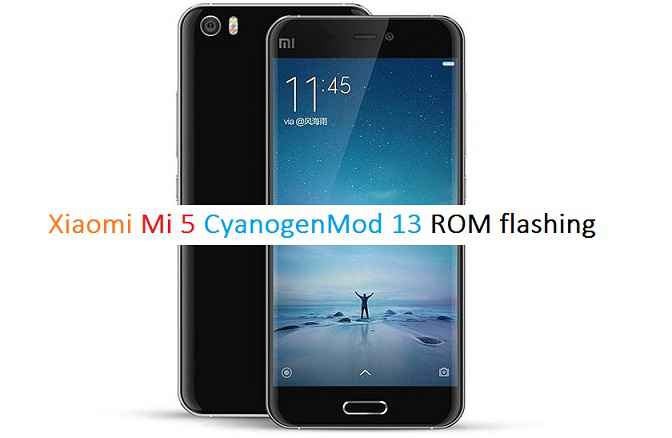
How to Enable ROOT on LineageOS 14.1.Stay tuned or Subscribe to the Galaxy S5 Mini (kminilte) forum For other Android Nougat ROMs, LineageOS 14.1 ROMs, other ROMs and all other device specific topics.Mi 5 CM13 (CyanogenMod 13) Marshmallow Custom ROM has been arrived through an Unofficial build. If you are flashing CyanogenMod for the first time then please be aware that this MAY VOID WARRANTY of your phone and may permanently damage your phone if not handled this guide properly. This Mi 5 CM13 CyanogenMod Marshmallow ROM is ONLY for Mi 5 version and hence make sure on which device you are flashing. We also have the Lineage OS 14.1 for Xiaomi Mi5 and CyanogenMod 14.1 for Xiaomi Mi5.
I don’t know the working status of this build and hence you are requested to take a complete backup of the current ROM before you go to flash this ROM.
DISCLAIMER:
Installing Custom ROM requires your phone to be UNLOCKED in some cases which may VOID WARRANTY. Sometimes if not handled carefully then it may permanently damage your phone and prevent from BOOT. Understand that you are the only person making changes to the device. In case of any damage or any kind of loss as a consequence of this installation, Neither the Developer nor We can be held responsible.
Required Downloads and Links for Mi 5 CM13 Custom ROM flashing:
- TWRP: Mi 5 TWRP recovery download link.
– If you already have an unlocked bootloader then you can download the .img file extension. Then follow this guide: How to flash TWRP using fastboot.
- ROM DOWNLOAD: Mi 5 CyanogenMod 13 ROM Download link
- GAPPS DOWNLOAD: GApps download link
Root binary is inbuilt since CyanogenMod 12, so you don’t need a separate SuperSu package to install to gain ROOT access. Here is How to Enable ROOT Access on CM13/CyanogenMod 13
Flashing Mi 5 CM13 CyanogenMod 13 Marshmallow Custom ROM:
Follow this if you are flashing CyanogenMod 13 for the first time to your Mi 5, or coming from another ROM:
- Install the TWRP recovery on the Mi 5. (Bootloader has to be unlocked before flashing a recovery)
If you have the bootloader unlocked but you don’t have a recovery then download it from the above link and follow the below guide to flash:
– How to Install TWRP on Android using Fastboot. - Then download and Copy the GApps and CyanogenMod ROM ZIP to your device.
- Boot into Recovery. Make sure to have a Custom recovery like CWM or TWRP.
- Take a backup using a synchronization application or using Samsung Smart Switch or if you have TWRP installed then you can take a NANDROID backup using the TWRP itself.
- Wipe data factory reset, Cache partition, Dalvik Cache and Format the System partition. Here is a guide explaining how to wipe data using TWRP recovery.
- First flash the CM ROM ZIP from device. Then flash the GApps zip from your device memory.
– Here is a post explaining how to flash a custom ROM using TWRP recovery.
Use the same guide to flash the GApps too. - Reboot and Enjoy the CyanogenMod 13 Marshmallow ROM on your Xiaomi Mi 5.
- Install the TWRP recovery on the Mi 5. (Bootloader has to be unlocked before flashing a recovery)
Upgrading from earlier version of CyanogenMod 13.0:
- Copy the CyanogenMod 13 ROM ZIP file to your phone.
- Boot into Recovery.
- Flash the latest CM ROM ZIP from your phone.
– Here is a post explaining how to flash a custom ROM using TWRP recovery. - Reboot and Enjoy
Points to NOTE:
– Try to avoid restoring apps backup using Titanium Backup. It may break things up.
– Don’t restore system data using Titanium Backup! It will definitely break the current installation.
– It is also discouraged to Restoring Apps + Data using Titanium Backup.The first boot may take long time, so don’t panic and be sure that you have enough battery backup. Let the phone reboot and then enjoy the official CyanogenMod 13 Marshmallow ROM on Mi 5.
After this CM13 installation you may want to enable ROOT access on your phone and here is how you can do that:
How to Enable ROOT Access on CM13/CyanogenMod 13.Android 8.1 Oreo, LineageOS 15.1 for Galaxy S4 Mini is now available via a development build. This LineageOS 15.1 for Galaxy S4 Mini (serranodsdd/3gxx/ltexx/velte) is brought to you by developer arco68 and the S4 Mini VELTE build is by Danil_e71.
DONATION TO DEVELOPER(S):
If you like this ROM then do consider for a small contribution to Danil_e71, arco68 and LineageOS project:
– Donate to arco68
– Donate to Danil_e71
– Donate to LineageOS projectIf you want the OFFICIAL LineageOS 15 then here is the OFFICIAL LineageOS 15.1 supported devices list or the Android Oreo ROMs devices list page.
DISCLAIMER:
THIS IS AN INITIAL BETA BUILD WHICH MAY HAVE MINOR BUGS.
FLASH AT YOUR OWN RISK.
Installing a custom ROM on a Galaxy S4 Mini (serranodsdd/3gxx/ltexx/velte) may require an unlocked bootloader, which may VOID your warranty and may delete all your data. Before proceeding further you may consider backup all data on the phone. You are the only person doing changes to your phone; neither the developer nor I can be held responsible for the mistakes done by you.Status of LineageOS 15.1 for Galaxy S4 Mini (serranodsdd/3gxx/ltexx/velte) Android 8.1 Oreo ROM:
Supported devices:
Galaxy S4 Mini 3G: serrano3gxx (I9190)
Galaxy S4 Mini Dual SIM: serranodsdd (I9192)
Galaxy S4 Mini LTE: serranoltexx (I9195)
Galaxy S4 Mini Value Edition: serranovelte (I9195i)WHAT’S WORKING:
– Almost everything except fewKNOWN ISSUES:
– Unknown
REQUIRED LINKS AND FILES FOR THIS LineageOS 15.1 for Galaxy S4 Mini ANDROID 8.1 OREO CUSTOM ROM:
- TWRP recovery for Galaxy S4 Mini 3G (serrano3gxx)
TWRP recovery for Galaxy S4 Mini LTE (serranoltexx)
TWRP recovery for Galaxy S4 Mini Dual SIM (serranodsdd)– Here is the TWRP update guide for the Galaxy S4 Mini.
- LineageOS 15.1 Download link for Galaxy S4 Mini 3G, for Galaxy S4 Mini LTE, for Galaxy S4 Mini Dual SIM and for Galaxy S4 Mini Value Edition
- Android 8.1 GApps download for Galaxy S4 Mini LineageOS 15.1 Oreo ROM
– Download any Oreo 8.1 ARM32 or ARM GApps for the Galaxy S4 Mini.
Root binary is NOT inbuilt in LineageOS 15.1, so you may need to install a separate SuperSu package or LineageOS su binary to gain ROOT access. Here is LineageOS 15.1 Root guide
If there is no in-built ROOT or it does not work for some reason then you can try SuperSU rooting guide to enable ROOT access.
HOW TO INSTALL/DOWNLOAD/FLASH/UPDATE LineageOS 15.1 FOR Galaxy S4 Mini; ANDROID 8.1 OREO CUSTOM ROM:
Follow this if you are flashing LineageOS 15.1 on Galaxy S4 Mini for the first time, or coming from another ROM:
Points to NOTE:
– Try to avoid restoring apps backup using Titanium Backup. It may break things up.
– Don’t restore system data using Titanium Backup! It will definitely break the current installation.
– It is also discouraged to Restoring Apps + Data using Titanium Backup.- Download and Copy the GApps and Galaxy S4 Mini LineageOS 15.1 ROM ZIP files to your phone.
- Boot into the custom Recovery.
– Make sure to have a Custom recovery like a TWRP recovery or any other custom recovery. If not then download the TWRP recovery from Downloads link and follow the Custom Recovery Installation Guide (this only works for tar and tar.md5 file types) - Wipe the data partition (or do a factory reset), Cache partition, Dalvik Cache or ART cache and Format the System partition.
– Here is a guide explaining how to wipe using TWRP recovery.This will delete all your data on your phone. You may consider complete backup of your phone data or take a NANDROID backup of the current ROM
– How to backup all data on your Android Device
– how to take NANDROID backup using TWRP recovery - First flash the Galaxy S4 Mini LineageOS 15.1 ROM file that you have copied into the phone.
– Then flash the Oreo 8.1 ARM GApps zip from your phone memory.– Here is a post explaining how to install LineageOS
- Then reboot into recovery (don’t skip this) and flash the Oreo Gapps for LineageOS 15.1 package.
– Here is a post explaining how to flash GApps on TWRP recovery. - Reboot and Enjoy the Android 8.1 Oreo LineageOS 15.1 on Galaxy S4 Mini.
Upgrading from earlier version of LineageOS 15.1 on Galaxy S4 Mini (serranodsdd/3gxx/ltexx/velte):
- Copy the latest Galaxy S4 Mini Lineage 15.1 ROM ZIP file to your phone.
- Boot into Recovery.
- Flash the latest LineageOS 15.1 ROM ZIP that you copied on your phone.
– Here is a post explaining how to install LineageOS - Then flash the Lineage 15.1 Oreo GApps package.
(Mostly the GApps is kind of self sustainable across ROM updates. You may need to follow this only If you don’t have Gapps after updating to the latest LineageOS 15.1 on your device.)– Here is a post explaining how to flash GApps using TWRP recovery.
- Done. Reboot and Enjoy
Complete the initial setup and enjoy Android 8.1 Oreo with LineageOS 15.1 on Galaxy S4 Mini. After the installation of LineageOS 15.1 for Galaxy S4 Mini you may want to enable ROOT access on your phone and here is how you can do that:
– LineageOS 15.1 ROOT.Stay tuned or Subscribe to the Galaxy S4 Mini (serranodsdd/3gxx/ltexx/velte) LineageOS forum For other Android Oreo, Nougat ROMs, LineageOS 15.1 ROMs, or other ROMs and all other device specific topics.CM14 for Galaxy Grand DUOS CM14/CyanogenMod 14 has now arrived through an UNOFFICIAL build. We also have the Lineage 14.1 for Galaxy Grand Duos. For latest updates, stay tuned to the Lineage OS device list page. Since Google released Android Nougat Source code, we have update many Android NOUGAT AOSP ROMs and also many CyanogenMod 14/CM14 ROMs updated and many are yet to come. This CyanogenMod 14/CM14 for Galaxy Grand DUOS is brought to you by developer osas514.
DISCLAIMER:
THIS IS STILL AN EARLY BUILD. BECAUSE OF SOME BUGS THIS ROM IS UNUSABLE AS A DAILY DRIVER. TRY AT YOUR OWN RISK. Installing custom ROM requires a custom recovery to be installed on your device, which may VOID your warranty and may delete all your data. Before proceeding further you may consider backup your all data. You are the only person doing changes to your phone and neither the developer(s) nor we can be held responsible for the mistakes done by you.Status of (i9082) Galaxy Grand DUOS CM14/CyanogenMod 14 Nougat 7.0 ROM:
WHAT’S WORKING:
– Wi-Fi
– Bluetooth
– Network (Calls, SMS, Mobile Data)
– Sensors (Accelerometer, Compass, Light, Proximity, etc.)
– Video (playback only)
– Audio (playback & recording)
– GPS
– MTP (sometimes the com.android.mtp crashes though)
– Everything else not listed under “known issues” belowKNOWN ISSUES:
– Wake up causes music stutter (sometimes)
– Works only on 4.2 or later bootloader versions (4.1 bootloader does not work)
– Camera
– Selinux is in permissive mode
– Screenshots are blank
– Video playback does not work on built-in WebView browser (Use Chrome browser to get the video playback working)
– Dual SIM works only once
– Both SIMs are always enabled (no way to disable one SIM)
– “Receive incoming call while data is enabled” is always enabled
REQUIRED LINKS AND FILES FOR GALAXY Grand DUOS CM14/CYANOGENMOD 14 NOUGAT 7.0 CUSTOM ROM:
- TWRP recovery download link for Galaxy Grand DUOS (i9082).
– Here is: Custom Recovery Installation Guide for Samsung Galaxy Grand DUOS (i9082) (This guide is only for .tar TWRP file. To flash .img file you can follow this TWRP update guide using fatboot or you can use Flashify to update the .img TWRP.)
- ROM Download link to osas514’s CM14 for Galaxy Grand DUOS Nougat 7.0 ROM (i9082)
- Nougat GApps download link for Galaxy Grand DUOS CM14 ROM
Root binary is inbuilt since CyanogenMod 12, so you don’t need a separate SuperSu package to install to gain ROOT access. Here is How to Enable ROOT on CM14/CyanogenMod 14
HOW TO INSTALL/DOWNLOAD/FLASH/UPDATE GALAXY GRAND DUOS CM14/CYANOGENMOD 14 (i9082) NOUGAT 7.0 CUSTOM ROM:
Follow this if you are flashing Galaxy Grand DUOS CM14/CyanogenMod 14 for the first time, or coming from another ROM:
This will delete all your data on your phone. You may consider backing up your phone data or take a nandroid backup. Here is how to take NANDROID backup using TWRP recovery.
Points to NOTE:
– Try to avoid restoring apps backup using Titanium Backup. It may break things up.
– Don’t restore system data using Titanium Backup! It will definitely break the current installation.
– It is also discouraged to Restoring Apps + Data using Titanium Backup.- Download and Copy the GApps and Galaxy Grand DUOS CM14/CyanogenMod 14 ROM ZIP to your phone.
- Boot into Recovery.
- Wipe data factory reset, Cache partition, Dalvik Cache and Format the System partition.
– Here is a guide explaining how to wipe data using TWRP recovery.This will delete all your data on your phone. You may consider complete backup of your phone data or take a NANDROID backup of the current ROM
– How to backup all data on your Android Device
– how to take NANDROID backup using TWRP recovery - First flash the Grand DUOS CM14 ROM ZIP from device.
– Here is a post explaining how to flash a custom ROM using TWRP recovery. - Then reboot into recovery (don’t skip this) and flash the CyanogenMod 14 Nougat GApps package.
– Here is a post explaining how to flash GApps using TWRP recovery. - Reboot and Enjoy the CM14 for Galaxy Grand DUOS (i9082).
Upgrading from earlier version of CyanogenMod 14/CM14 for Galaxy Grand DUOS (i9082):
- Copy the latest Galaxy Grand DUOS CM14/CyanogenMod 14 ROM ZIP file to your phone.
- Boot into Recovery.
- Flash the latest CM ROM ZIP from your phone.
– Here is a post explaining how to flash a custom ROM using TWRP recovery. - Then flash the CM14 Nougat GApps package.
– Here is a post explaining how to flash GApps using TWRP recovery. - Reboot and Enjoy
Complete the initial setup and enjoy Android Nougat 7.0.0 with CyanogenMod 14/CM14 for Grand DUOS (i9082. After this CM14 installation you may want to enable ROOT access on your phone and here is how you can do that:
How to Enable ROOT on CM14/CyanogenMod 14.Stay tuned or Subscribe to the Galaxy Grand DUOS (i9082) forum For other Android Nougat ROMs, CyanogenMod 14 ROMs, other ROMs and all other device specific topics.Dev thread for this Galaxy Grand DUOS CM14/CyanogenMod 14 by Osas514 is here.