- Search Results
CyanogenMod 12.1 based v5.5.9 latest Resurrection Remix ROM for Galaxy S3 Neo is brought to you by developer sreinst1. Resurrection Remix ROM has a mix of features from many ROMs, including Paranoid Android, Omni, Slim and AOKP. This ROM also includes fix for viper4android, so you can install viper4android without having to change SELinux mode.
 DISCLAIMER:
Installing custom ROM requires a custom recovery to be installed on your device, which may VOID your warranty and may delete all your data. before proceeding you may consider backup your all data. Understand that YOU are the only person making changes to YOUR PHONE. Neither the developer nor we can be held responsible for any disaster that may happen to your phone as a consequence of this ROM flashing.IMPORTANT:
Resurrection Remix ROM Versions after 10.06.2015 include changes to RIL for S3 Neo DUOS i9300i. Please make a backup if you update from an older version, in case something isn’t working after installation you can revert back.Custom recovery guide for Galaxy S3 NEO: i9300i and i9301i
If you have not yet installed a custom recovery on your S3 Neo then head on to the next link to get it done.
Galaxy S3 Neo Rooting guide and custom recovery installationFiles needed to install Resurrection Remix ROM for S3 Neo:
ROM Download link
Google Apps download link
Camera FIXWe also have the CM 12.1 ROM for the S3 NEO. Here is the CyanogenMod 12.1 Lollipop ROM for Galaxy S3 NEO.
Installing Resurrection Remix ROM for S3 Neo:
STEP 1:Download the Resurrection Remix ROM, GApps and Copy these zip file to your phone (By using a USB cable or via adb push command).
STEP 2:Reboot your phone into recovery mode.
Or if you have a PC in hand with USB driver for your phone and fastboot binaries installed, then connect your phone to the PC and type the following command to enter into recovery mode:$ adb reboot recovery
STEP 3:If you are using CWM recovery then, do a factory reset, wipe cache and in mounts and storage section format system partition.
If you are using TWRP recovery then, choose advanced in wipe section and wipe dalvik (If coming from KitKat), cache, system and data.STEP 4:Install the ROM zip and then install the GApps package.
The flashing may take a while. When it will be done just reboot your phone, configure the initial setup and enjoy the beauty of Resurrection REMIX ROM for S3 Neo and the combination of all other features.
If you want to know Resurrection Remix ROM closely, then see the below link:
Resurrection Remix ROM featuresOnePlus 3 BeanStalk Nougat 7.0 ROM is now available through UNOFFCIAL build. Earlier developers had brought the OnePlus 3 CM14/CyanogenMod 14 Nougat 7.0 ROM. Here we have BeanStalk for OnePlus 3 Nougat 7.0 ROM brought to you by developer Taker18 and flo071. If you want to donate Taker18 for his awesome work, you can donate Taker18 using this Link. If you want to donate flo071 for his awesome work, you can donate flo071 using this Link. Since Google released Android Nougat Source code, we have update many Android NOUGAT ROMs and also many CyanogenMod 14/CM14 ROMs updated and many are yet to come. Staty tuned with us for more custom ROMs for your device.
DISCLAIMER:
THIS COULD BE AN INITIAL ALPHA ROM OR JUST A DEVELOPMENT ROM. IT MAY NOT BOOT AT ALL OR IF AT ALL IT BOOTS THEN IT MAY NOT BE USABLE AS A DAILY DRIVER. I JUST FOUND THE ROM AND POSTED HERE. TRY AT YOUR OWN RISK. ALSO MAKE SURE TO TAKE NANDROID BACKUP OF YOUR CURRENT ROM.Installing a custom ROM on a the OnePlus 3 may require the bootloader to be unlocked on Oneplus 3 and a Custom Recovery on OnePlus 3, which may VOID your warranty and may delete all your data. Before proceeding further you may consider backup all data on the phone. You are the only person doing changes to your phone and I cannot be held responsible for the mistakes done by you.
Status of OnePlus 3 BeanStalk Nougat 7.0 ROM build:
WHAT’S WORKING:
– EverythingKNOWN ISSUES:
– NONE (some minor bug might be there)
REQUIRED DOWNLOADS AND LINKS ONEPLUS 3 BEANSTALK NOUGAT 7.0 ROM UPDATE GUIDE:
- TWRP download link for OnePlus 3.
– Unlocked bootloader on OnePlus 3 and TWRP recovery installed on OnePlus 3
- ROM download link to Taker18’s OnePlus 3 BeanStalk Nougat 7.0 ROM
- Android Nougat 7.0 GApps download link for OnePlus 3 BeanStalk ROM
How to enable ROOT on OnePlus 3 BeanStalk Nougat 7.0 AOSP [OPTIONAL]
HOW TO INSTALL/FLASH/UPDATE BeanStalk FOR ONEPLUS 3 NOUGAT 7.0 ROM:
Follow these steps if you are flashing Nougat 7.0 BeanStalk for OnePlus 3 for the first time, or coming from another ROM:
Points to NOTE on BACKUP:
– Try to avoid restoring apps backup using Titanium Backup. It may break things up.
– Don’t restore system data using Titanium Backup! It will definitely break the current installation.
– It is also discouraged to Restoring Apps + Data using Titanium Backup.- Download and Copy the Nougat GApps and OnePlus 3 BeanStalk Nougat 7.0 ROM zip to the phone memory.
- Boot into Recovery. Make sure to have a Custom recovery like CWM or TWRP or any other custom recovery.
- Wipe data factory reset, Cache partition, Dalvik Cache and Format the System partition.
– Here is a guide explaining how to wipe data using TWRP recovery.This will delete all your data on your phone. You may consider complete backup of your phone data or take a NANDROID backup of the current ROM.
– How to backup all data on your Android Device.
– how to take NANDROID backup using TWRP recovery. - First flash the ROM zip of OnePlus 3 BeanStalk from device.
– Here is a post explaining how to flash a custom ROM using TWRP recovery. - Then reboot into recovery (don’t skip this) and flash the BeanStalk Nougat Google Apps package.
– Here is a post explaining how to flash GApps using TWRP recovery. - Reboot and Enjoy the BeanStalk Nougat for OnePlus 3.
Upgrading from earlier version of OnePlus 3 BeanStalk Nougat 7.0 ROM:
- Copy the OnePlus 3 BeanStalk ROM ZIP file to your phone.
- Boot into Recovery.
- Flash the latest ROM zip of OnePlus 3 BeanStalk from your phone.
– Here is a post explaining how to flash a custom ROM using TWRP recovery. - Then flash the BeanStalk Nougat Google Apps package.
– Here is a post explaining how to flash GApps using TWRP recovery. - Reboot and Enjoy
Complete the initial setup and enjoy Android Nougat 7.0 with BeanStalk for OnePlus 3 (codename: rain). After this BeanStalk installation you may want to enable ROOT access on your phone and here is how you can do that:
Enable ROOT on OnePlus 3 BeanStalk Nougat 7.0 AOSPStay tuned or Subscribe to the OnePlus 3 (rain) forum For other Android Nougat ROMs, CyanogenMod 14 ROMs, other ROMs and all other device specific topics.Dev link for Taker18’s OnePlus 3 BeanStalk Nougat 7.0 ROM is here.
Here is the OFFICIAL CyanogenMod 14.1 (CM14.1) for Galaxy S3 VERIZON (d2vzw). You might know that CyanogenMod is now continued as Lineage OS. Stay tuned to the Lineage OS 14.1 Devices list page to get more updates on Lineage OS ROMs. This is an OFFICIAL CyanogenMod 14.1 NIGHTLY update for Galaxy S3 VERIZON. In addition to this we have update many OFFICIAL CM14.1 (CyanogenMod 14.1) for many supported devices and many Unofficial CyanogenMod 14/14.1 ROM updates.
DISCLAIMER:
Installing a custom ROM on a the Galaxy S3 VERIZON may require the bootloader to be unlocked on Galaxy S3 VERIZON and a Custom Recovery on Galaxy S3 VERIZON, which may VOID your warranty and may delete all your data. Before proceeding further you may consider backup all data on the phone. You are the only person doing changes to your phone and I cannot be held responsible for the mistakes done by you. ALSO KNOW THAT THIS IS A DEVELOPMENT BUILD AND CONTAINS MORE BUGS THAN YOU CAN THINK.
REQUIRED DOWNLOADS AND LINKS FOR GALAXY S3 VERIZON OFFICIAL CM14.1 (CYANOGENMOD 14.1) NOUGAT ROM UPDATE GUIDE:
- TWRP download link for Galaxy S3 VERIZON (d2vzw).
– here is a guide: Galaxy S3 VERIZON TWRP recovery installation guide (for .tar or .tar.md5 extension TWRP file) and How to install Cyanogen recovery (or twrp in .img format) on Galaxy S3 VERIZON
- ROM download link of OFFICIAL Cyanogenmod 14.1 for Galaxy S3 VERIZON
- CyanogenMod 14.1 GApps download link for Galaxy S3 VERIZON CyanogenMod 14.1 ROM
Root binary is inbuilt since CyanogenMod 12, so you don’t need a separate SuperSu package to install to gain ROOT access. Here is How to Enable ROOT on CM14.1/CyanogenMod 14.1
HOW TO INSTALL/FLASH/UPDATE CM14.1 FOR GALAXY S3 VERIZON (CYANOGENMOD 14.1 NOUGAT ROM):
Follow these steps if you are flashing CM14.1 for Galaxy S3 VERIZON for the first time, or coming from another ROM:
Points to NOTE on BACKUP:
– Try to avoid restoring apps backup using Titanium Backup. It may break things up.
– Don’t restore system data using Titanium Backup! It will definitely break the current installation.
– It is also discouraged to Restoring Apps + Data using Titanium Backup.- Download and Copy the Nougat GApps and CyanogenMod 14.1 Nougat ROM ZIP to Galaxy S3 VERIZON (d2vzw).
- Boot into Recovery. Make sure to have a Custom recovery like CWM or TWRP or any other custom recovery.
- Wipe data factory reset, Cache partition, Dalvik Cache and Format the System partition.
– Here is a guide explaining how to wipe data using TWRP recovery.This will delete all your data on your phone. You may consider complete backup of your phone data or take a NANDROID backup of the current ROM.
– How to backup all data on your Android Device.
– how to take NANDROID backup using TWRP recovery. - First flash the Galaxy S3 VERIZON CM14.1 ROM ZIP from device.
– Here is a post explaining how to flash a custom ROM using TWRP recovery. - Then reboot into recovery (don’t skip this) and flash the CM14.1 Nougat Google Apps package.
– Here is a post explaining how to flash GApps using TWRP recovery. - Reboot and Enjoy the CyanogenMod 14.1 Nougat ROM on Galaxy S3 VERIZON.
Upgrading from earlier version of Galaxy S3 VERIZON CM14.1 Nougat ROM:
- Copy the Galaxy S3 VERIZON CM14.1 ROM ZIP file to your phone.
- Boot into Recovery.
- Flash the latest CM14.1 ROM ZIP from your phone.
– Here is a post explaining how to flash a custom ROM using TWRP recovery. - Then flash the CM14.1 Nougat Google Apps package.
– Here is a post explaining how to flash GApps using TWRP recovery. - Reboot and Enjoy
Complete the initial setup and enjoy Android Nougat 7.1 with CyanogenMod 14.1 On Galaxy S3 VERIZON (codename: d2vzw). After this CM14.1 installation you may want to enable ROOT access on your phone and here is how you can do that:
How to Enable ROOT on CM14.1/CyanogenMod 14.1.Stay tuned or Subscribe to the Galaxy S3 VERIZON (d2vzw) forum For other Android Nougat ROMs, CyanogenMod 14 ROMs, other ROMs and all other device specific topics.Samsung Galaxy S3 crDroid Nougat 7.1 ROM is now available through UNOFFCIAL build. We also have Lineage OS 14.1 for Galaxy S3, Nougat 7.1 Resurrection Remix ROM for Galaxy S3 and CM14.1 ROM for Galaxy S3. This crDroid Nougat 7.1 ROM for Galaxy S3 brought to you by developer gianogli.
If you want crDroid for other devices then here is a list of crDroid Nougat 7.1 ROMs. If you want other Nougat ROMs then checkout the following Nougat ROM collections: Lineage OS 14.1 ROMs collection, Resurrection Remix Nougat ROMs collection.
Installing a custom ROM on a the Galaxy S3 may require the bootloader to be unlocked on Galaxy S3 and a Custom Recovery on Galaxy S3. Before proceeding further you may consider backup all data on the phone. You are the only person doing changes to your phone and I cannot be held responsible for the mistakes done by you.Status of Samsung Galaxy S3 crDroid Nougat 7.1 ROM build:
WHAT’S WORKING:
– Not KnownKNOWN ISSUES:
– Not Known
REQUIRED DOWNLOADS AND LINKS Galaxy S3 crDroid NOUGAT 7.1 ROM UPDATE GUIDE:
- TWRP download link for Galaxy S3- TWRP Installation Guide for Galaxy S3 (i9300) (This guide is only for .tar TWRP file)
- ROM download link for Galaxy S3 crDroid Nougat 7.1 ROM
- Android 7.1 Nougat GApps download link for Galaxy S3 crDroid ROM
Root binary is inbuilt since CyanogenMod 12, so you don’t need a separate SuperSu package to install to gain ROOT access on a CM14 ROM or a CM14 based ROM. As crDroid is a CM14 based ROM, so here is How to Enable ROOT on crDroid ROM
HOW TO INSTALL/FLASH/UPDATE crDroid FOR Galaxy S3 NOUGAT 7.1 ROM:
Follow these steps if you are flashing Nougat 7.1 crDroid for Galaxy S3 for the first time, or coming from another ROM:
Points to NOTE on BACKUP:
– Try to avoid restoring apps backup using Titanium Backup. It may break things up.
– Don’t restore system data using Titanium Backup! It will definitely break the current installation.
– It is also discouraged to Restoring Apps + Data using Titanium Backup.- Download and Copy the Nougat GApps and Galaxy S3 crDroid Nougat 7.1 ROM zip to the phone memory.
- Boot into Recovery. Make sure to have a Custom recovery like CWM or TWRP or any other custom recovery.
- Wipe data factory reset, Cache partition, Dalvik Cache and Format the System partition.
– Here is a guide explaining how to wipe data using TWRP recovery.This will delete all your data on your phone. You may consider complete backup of your phone data or take a NANDROID backup of the current ROM.
– How to backup all data on your Android Device.
– how to take NANDROID backup using TWRP recovery. - First flash the ROM zip of Galaxy S3 crDroid from device.
– Here is a post explaining how to flash a custom ROM using TWRP recovery. - Then reboot into recovery (don’t skip this) and flash the crDroid Nougat Google Apps package.
– Here is a post explaining how to flash GApps using TWRP recovery. - Reboot and Enjoy the crDroid Nougat for Galaxy S3.
Upgrading from earlier version of Galaxy S3 crDroid Nougat 7.1 ROM:
- Copy the Galaxy S3 crDroid ROM ZIP file to your phone.
- Boot into Recovery.
- Flash the latest ROM zip of Galaxy S3 crDroid from your phone.
– Here is a post explaining how to flash a custom ROM using TWRP recovery. - Then flash the crDroid Nougat Google Apps package.
– Here is a post explaining how to flash GApps using TWRP recovery. - Reboot and Enjoy
Complete the initial setup and enjoy Android Nougat 7.1 with crDroid for Galaxy S3 (codename: i9300). After this crDroid installation you may want to enable ROOT access on your phone and here is how you can do that:
As crDroid is a CM14 based ROM, so here is How to Enable ROOT on crDroid ROMStay tuned or Subscribe to the Galaxy S3 (i9300) forum For other Android Nougat ROMs, CyanogenMod 14 ROMs, other ROMs and all other device specific topics.Samsung Galaxy S6 Edge Plus has got the March 2018 security update G928PVPS3DRC1. Here is a very simple Step By Step guide to update the security OTA Update Manually on the Samsung Galaxy S6 Edge Plus SM-G928P (Sprint).
Just download the Firmware update using the SamFirm utility or SamMobile website as provided in the below section and then follow the manual OTA update guide to get the latest security firmware update.
 Before downloading the OTA and update the same manually, you should check if the firmware OTA is available for your device or not.
To check for the OTA Update, Go to Settings -> About Phone -> Software Update -> Check for UpdateDISCLAIMER:
Manually updating the firmware will WIPE EVERYTHING on your phone. Make sure you do a backup of your phone or backup using Samsung Smart Switch or if you have TWRP installed then you can take a NANDROID backup using the TWRP.
I am not at all responsible if anything happens to your phone as a consequence of following this guide but I can assure you that I will help you as far as possible to get you out of the problem (if something happens).Galaxy S6 Edge Plus (SM-G928P) Official Nougat March 2018 Firmware Update Details:
- Supported Device: Galaxy S6 Edge Plus
- Supported Model Numbers: SM-G928P
- Android OS version: 7.0
- Available for: Sprint
- Build Number: G928PVPS3DRC1
- Update Type: Official Full-OTA
- File Size: 1.9 GB
REQUIRED DOWNLOADS AND LINKS TO UPDATE Samsung Galaxy S6 Edge Plus (Sprint) to G928PVPS3DRC1:
- Samsung USB drivers
- Samsung Odin Download (for Windows OS)
- How to install Samsung Stock Firmware.
- Download Stock Samsung Firmware Image using SamFirm:
– Download Stock Samsung Firmware Using SamFirm
– Use the following data to download in Auto mode:
Use Model: SM-G928P
Region: SPR for Sprint
Region: XAS for XAS - Download Stock Samsung Firmware Image From Sam Mobile: [NOT RECOMMENDED BECAUSE FREE DOWNLOAD SPEED IS VERY SLOW AND YOU HAVE TO PAY FOR MEMBERSHIP TO GET HIGH SPEED DOWNLOADS]
– G928PVPS3DRC1 for Sprint SM-G928P (Sprint)
– G928PVPS3DRC1 for XAS SM-G928P (XAS variant)
INSTALLING THE Samsung Galaxy S6 Edge Plus SM-G928P (Sprint) March 2018 Security Nougat OTA UPDATE:
- Download and install the Samsung drivers for your phone.
- Download and install the Samsung ODIN application on your Windows PC before you proceed further.
- Take backup of your Android phone or using Samsung Smart Switch or if you have TWRP installed then you can take a NANDROID backup using the TWRP.
- Download the latest March 2018 Nougat OTA update for Galaxy S6 Edge Plus SM-G928P, using the SamFirm Samsung Stock Firmware download utility using the following guide:
– Here I have compiled a guide explaining How To Download Stock Samsung Firmware easily and Quickly Using SamFirm.
– Or you can download the OTA updates from Sam Mobile links I have linked above. - After downloading the OTA update install the Samsung stock OTA update using the ODIN application:
– Here is How to install Samsung stock firmware.
That’s all!!!
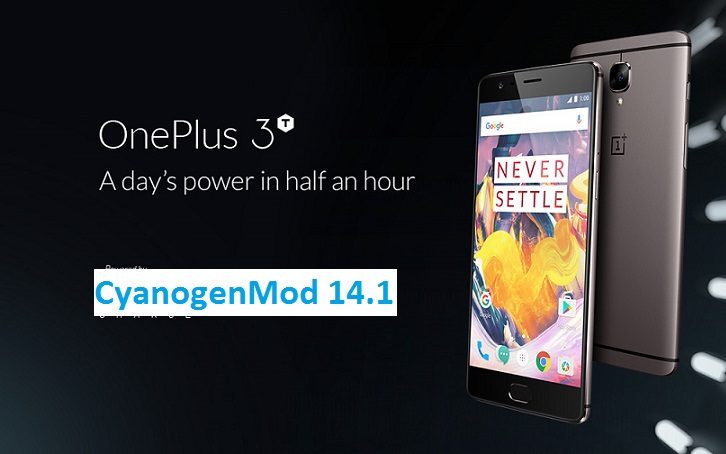
Your phone will now be booting into the Latest G928PVPS3DRC1 Samsung Galaxy S6 Edge Plus March 2018 security Update. If you have any concerns while following this update then just login to comment. Till the next update just stay tuned.Here is the OFFICIAL CyanogenMod 14.1 (CM14.1) for OnePlus 3 (rain). You might know that CyanogenMod is now continued as Lineage OS. Stay tuned to the Lineage OS 14.1 Devices list page to get more updates on Lineage OS ROMs. This is an OFFICIAL CyanogenMod 14.1 NIGHTLY update for OnePlus 3. Here are some more OnePlus 3 Nougat ROMs: CM14 for OnePlus 3, AOKP Nougat 7.0 ROM for OnePlus 3 (rain), BeanStalk Nougat 7.0 ROM for OnePlus 3, AICP Nougat 7.0 ROM for OnePlus 3 (rain), TESLA Nougat 7.0 ROM for OnePlus 3 (rain). In addition to all these ROMs we have update many OFFICIAL CM14.1 (CyanogenMod 14.1) for many supported devices and many Unofficial CyanogenMod 14/14.1 ROM updates.
DISCLAIMER:
Installing a custom ROM on a the OnePlus 3 may require the bootloader to be unlocked on OnePlus 3 and a Custom Recovery on OnePlus 3, which may VOID your warranty and may delete all your data. Before proceeding further you may consider backup all data on the phone. You are the only person doing changes to your phone and I cannot be held responsible for the mistakes done by you. ALSO KNOW THAT THIS IS A DEVELOPMENT BUILD AND CONTAINS MORE BUGS THAN YOU CAN THINK.
REQUIRED DOWNLOADS AND LINKS FOR OFFICIAL ONEPLUS 3 CM14.1 (CYANOGENMOD 14.1) NOUGAT ROM UPDATE GUIDE:
- Unlocked bootlaoder on OnePlus 3 and TWRP download link for OnePlus 3 (rain).
– here is a guide: How to install TWRP recovery/Cyanogen recovery on OnePlus 3
- ROM download link of OFFICIAL Cyanogenmod 14.1 for OnePlus 3
- CyanogenMod 14.1 GApps download link for OnePlus 3 CyanogenMod 14.1 ROM
Root binary is inbuilt since CyanogenMod 12, so you don’t need a separate SuperSu package to install to gain ROOT access. Here is How to Enable ROOT on CM14.1/CyanogenMod 14.1
HOW TO INSTALL/FLASH/UPDATE CM14.1 FOR ONEPLUS 3 (CYANOGENMOD 14.1 NOUGAT ROM):
Follow these steps if you are flashing CM14.1 for OnePlus 3 for the first time, or coming from another ROM:
Points to NOTE on BACKUP:
– Try to avoid restoring apps backup using Titanium Backup. It may break things up.
– Don’t restore system data using Titanium Backup! It will definitely break the current installation.
– It is also discouraged to Restoring Apps + Data using Titanium Backup.- Download and Copy the Nougat GApps and CyanogenMod 14.1 Nougat ROM ZIP to OnePlus 3 (rain).
- Boot into Recovery. Make sure to have a Custom recovery like CWM or TWRP or any other custom recovery.
- Wipe data factory reset, Cache partition, Dalvik Cache and Format the System partition.
– Here is a guide explaining how to wipe data using TWRP recovery.This will delete all your data on your phone. You may consider complete backup of your phone data or take a NANDROID backup of the current ROM.
– How to backup all data on your Android Device.
– how to take NANDROID backup using TWRP recovery. - First flash the OnePlus 3 CM14.1 ROM ZIP from device.
– Here is a post explaining how to flash a custom ROM using TWRP recovery. - Then reboot into recovery (don’t skip this) and flash the CM14.1 Nougat Google Apps package.
– Here is a post explaining how to flash GApps using TWRP recovery. - Reboot and Enjoy the CyanogenMod 14.1 Nougat ROM on OnePlus 3.
Upgrading from earlier version of OnePlus 3 CM14.1 Nougat ROM:
- Copy the OnePlus 3 CM14.1 ROM ZIP file to your phone.
- Boot into Recovery.
- Flash the latest CM14.1 ROM ZIP from your phone.
– Here is a post explaining how to flash a custom ROM using TWRP recovery. - Then flash the CM14.1 Nougat Google Apps package.
– Here is a post explaining how to flash GApps using TWRP recovery. - Reboot and Enjoy
Complete the initial setup and enjoy Android Nougat 7.0.0_r1 with CyanogenMod 14.1 On OnePlus 3 (codename: rain). After this CM14.1 installation you may want to enable ROOT access on your phone and here is how you can do that:
How to Enable ROOT on CM14.1/CyanogenMod 14.1.Stay tuned or Subscribe to the OnePlus 3 (rain) forum For other Android Nougat ROMs, CyanogenMod 14 ROMs, other ROMs and all other device specific topics.Galaxy S3 AICP Nougat 7.0 ROM is now available through UNOFFCIAL build. Earlier developers had brought the Lineage OS 14.1 for Galaxy S3, Galaxy S3 CM14/CyanogenMod 14 Nougat 7.0 ROM. Here we have AICP for Galaxy S3 Nougat 7.0 ROM brought to you by developer alial04. If you like this ROM and want the developer to keep up this good work then consider a donation to alial04.
DISCLAIMER:
THIS IS STILL AN EARLY BUILD. THIS ROM MAY NOT BOOT AT ALL OR EVEN IF IT BOOTS IT MAY CONTAIN MANY BUGS THAN YOU CAN IMAGINE MAKING IT UNUSABLE AS A DAILY DRIVER. TRY AT YOUR OWN RISK. Installing custom ROM may require a custom recovery to be installed on your device, which may VOID your warranty and may delete all your data. Before proceeding further you may consider backup your all data. You are the only person doing changes to your phone and neither the developer(s) nor we can be held responsible for the mistakes done by you.Status of (i9300) Galaxy S3 AICP 12.1 Nougat 7.1 ROM:
WHAT’S WORKING:
– Not KnownKNOWN ISSUES:
– Not Known
REQUIRED LINKS AND FILES FOR GALAXY S3 AICP NOUGAT 7.0 CUSTOM ROM:
- TWRP recovery for S3 (i9300)
– Custom Recovery Installation Guide for Samsung Galaxy S3 (i9300) (This guide is only for .tar TWRP file)
- ROM Download link to Nougat 7.1 AICP 12.1 for Galaxy S3 (i9300)
- Nougat GApps download link for Galaxy S3 AICP ROM
To enable ROOT you need to flash the SuperSu binary via recovery. Here is How to Enable ROOT on AICP Nougat 7.0 ROM
HOW TO INSTALL/DOWNLOAD/FLASH/UPDATE (i9300) GALAXY S3 AICP NOUGAT 7.0 CUSTOM ROM:
Follow this if you are flashing Galaxy S3 AICP Nougat 7.0 ROM for the first time, or coming from another ROM:
This will delete all your data on your phone. You may consider backing up your phone data or take a nandroid backup. Here is how to take NANDROID backup using TWRP recovery.
Points to NOTE:
– Try to avoid restoring apps backup using Titanium Backup. It may break things up.
– Don’t restore system data using Titanium Backup! It will definitely break the current installation.
– It is also discouraged to Restoring Apps + Data using Titanium Backup.- Download and Copy the GApps and Galaxy S3 AICP ROM ZIP to your phone.
- Boot into Recovery. Make sure to have a Custom recovery like CWM or TWRP or any other custom recovery. If not then follow the Custom Recovery Installation Guide for Samsung Galaxy S3 (i9300) (it’s a generic guide which will work for TWRP as well as CWM recovery)
- Wipe data factory reset, Cache partition, Dalvik Cache and Format the System partition.
– Here is a guide explaining how to wipe data using TWRP recovery.This will delete all your data on your phone. You may consider complete backup of your phone data or take a NANDROID backup of the current ROM
– How to backup all data on your Android Device
– how to take NANDROID backup using TWRP recovery - First flash the AICP ROM ZIP from device.
– Here is a post explaining how to flash a custom ROM using TWRP recovery. - Then reboot into recovery (don’t skip this) and flash the CyanogenMod 14 Nougat GApps package.
– Here is a post explaining how to flash GApps using TWRP recovery. - Reboot and Enjoy the AICP for Galaxy S3.
Upgrading from earlier version of Nougat 7.0 AICP ROM for Galaxy S3:
- Copy the latest Galaxy S3 AICP ROM ZIP file to your phone.
- Boot into Recovery.
- Flash the latest CM ROM ZIP from your phone.
– Here is a post explaining how to flash a custom ROM using TWRP recovery. - Then flash the Nougat 7.0 GApps package.
– Here is a post explaining how to flash GApps using TWRP recovery. - Reboot and Enjoy
Complete the initial setup and enjoy Android Nougat 7.1 with AICP ROM for S3 (i9300). After this AICP Nougat ROM installation you may want to enable ROOT access on your phone and here is how you can do that:
How to Enable ROOT on AICP Nougat 7.0 ROM.Stay tuned or Subscribe to the Galaxy S3 (i9300) forum For other Android Nougat ROMs, CyanogenMod 14 ROMs, other ROMs and all other device specific topics.OnePlus 3 AICP Nougat 7.0 ROM is now available through UNOFFCIAL build. Earlier developers had brought the OnePlus 3 CM14/CyanogenMod 14 Nougat 7.0 ROM. Here we have AICP for OnePlus 3 Nougat 7.0 ROM brought to you by developer RajGopi.
Since Google released Android Nougat Source code, we have update many Android NOUGAT ROMs and also many CyanogenMod 14/CM14 ROMs updated and many are yet to come.
Installing a custom ROM on a the OnePlus 3 may require the bootloader to be unlocked on Oneplus 3 and a Custom Recovery on OnePlus 3. OnePlus retains warranty even after installing third party software but this process will delete all your data. Before proceeding further you may consider backup all data on the phone. You are the only person doing changes to your phone and I cannot be held responsible for the mistakes done by you.Status of OnePlus 3 AICP Nougat 7.0 ROM build:
WHAT’S WORKING:
– Not knownKNOWN ISSUES:
– Not known
REQUIRED DOWNLOADS AND LINKS ONEPLUS 3 AICP NOUGAT 7.0 ROM UPDATE GUIDE:
- TWRP download link for OnePlus 3
– Unlocked bootloader on OnePlus 3 and TWRP recovery installed on OnePlus 3
- ROM download link to RajGopi’s OnePlus 3 AICP Nougat 7.0 ROM
- Nougat 7.0 GApps download link for OnePlus 3 AICP ROM
How to enable ROOT on OnePlus 3 AICP Nougat 7.0 AOSP [OPTIONAL]HOW TO INSTALL/FLASH/UPDATE AICP FOR ONEPLUS 3 NOUGAT 7.0 ROM:
Follow these steps if you are flashing Nougat 7.0 AICP for OnePlus 3 for the first time, or coming from another ROM:
Points to NOTE on BACKUP:
– Try to avoid restoring apps backup using Titanium Backup. It may break things up.
– Don’t restore system data using Titanium Backup! It will definitely break the current installation.
– It is also discouraged to Restoring Apps + Data using Titanium Backup.- Download and Copy the Nougat GApps and OnePlus 3 AICP Nougat 7.0 ROM zip to the phone memory.
- Boot into Recovery. Make sure to have a Custom recovery like CWM or TWRP or any other custom recovery.
- Wipe data factory reset, Cache partition, Dalvik Cache and Format the System partition.
– Here is a guide explaining how to wipe data using TWRP recovery.This will delete all your data on your phone. You may consider complete backup of your phone data or take a NANDROID backup of the current ROM.
– How to backup all data on your Android Device.
– how to take NANDROID backup using TWRP recovery. - First flash the ROM zip of OnePlus 3 AICP from device.
– Here is a post explaining how to flash a custom ROM using TWRP recovery. - Then reboot into recovery (don’t skip this) and flash the AICP Nougat Google Apps package.
– Here is a post explaining how to flash GApps using TWRP recovery. - Reboot and Enjoy the AICP Nougat for OnePlus 3.
Upgrading from earlier version of OnePlus 3 AICP Nougat 7.0 ROM:
- Copy the OnePlus 3 AICP ROM ZIP file to your phone.
- Boot into Recovery.
- Flash the latest ROM zip of OnePlus 3 AICP from your phone.
– Here is a post explaining how to flash a custom ROM using TWRP recovery. - Then flash the AICP Nougat Google Apps package.
– Here is a post explaining how to flash GApps using TWRP recovery. - Reboot and Enjoy
Complete the initial setup and enjoy Android Nougat 7.0 with AICP for OnePlus 3 (codename: rain). After this AICP installation you may want to enable ROOT access on your phone and here is how you can do that:
Enable ROOT on OnePlus 3 AICP Nougat 7.0 AOSPStay tuned or Subscribe to the OnePlus 3 (rain) forum For other Android Nougat ROMs, CyanogenMod 14 ROMs, other ROMs and all other device specific topics.Here is the much awaited Nougat 7.0 ROM for OnePlus 3T CyanogenMod 14.1 (CM14.1). This Nougat 7.0 has come for OnePlus 3T via CyanogenMod 14.1 ROM. Since Google released Android Nougat Source code, we have update many Android NOUGAT AOSP ROMs and also many CyanogenMod 14 ROMs updated and many are yet to come. This OnePlus 3T CM14.1 Nougat ROM is brought to you by developer PeterCxy.
DISCLAIMER:
Installing a custom ROM on a the OnePlus 3T may require the bootloader to be unlocked on OnePlus 3T and a Custom Recovery on OnePlus 3T. OnePlus covers warranty on software modification but this may delete all your data. Before proceeding further you may consider backup all data on the phone. You are the only person doing changes to your phone and I cannot be held responsible for the mistakes done by you.Status of OnePlus 3T CyanogenMod 14.1 CM14.1 Nougat ROM build:
WHAT’S WORKING:
– Not KnownKNOWN ISSUES:
– Not Known
REQUIRED DOWNLOADS AND LINKS FOR ONEPLUS 3T CM14.1 (CYANOGENMOD 14.1) NOUGAT ROM UPDATE GUIDE:
- TWRP download link for OnePlus 3T
- Unlocked bootloader on OnePlus 3T and TWRP recovery installed on OnePlus 3T
- ROM download link of Cyanogenmod 14.1 for OnePlus 3T by PeterCxy
- CyanogenMod 14.1 GApps download link for CM14.1 OnePlus 3T CyanogenMod 14.1 Nougat Update
Root binary is inbuilt since CyanogenMod 12, so you don’t need a separate SuperSu package to install to gain ROOT access. Here is How to Enable ROOT on CM14.1/CyanogenMod 14.1
HOW TO INSTALL/FLASH/UPDATE CM14.1 ON ONEPLUS 3T (CYANOGENMOD 14.1 NOUGAT ROM):
Follow these steps if you are flashing CyanogenMod 14.1 on OnePlus 3T for the first time, or coming from another ROM:
Points to NOTE on BACKUP:
– Try to avoid restoring apps backup using Titanium Backup. It may break things up.
– Don’t restore system data using Titanium Backup! It will definitely break the current installation.
– It is also discouraged to Restoring Apps + Data using Titanium Backup.- Download and Copy the Nougat GApps and CyanogenMod 14.1 Nougat ROM ZIP to your OnePlus 3T phone.
- Boot into Recovery. Make sure to have a Custom recovery like CWM or TWRP or any other custom recovery.
- Wipe data factory reset, Cache partition, Dalvik Cache and Format the System partition.
– Here is a guide explaining how to wipe data using TWRP recovery.This will delete all your data on your phone. You may consider complete backup of your phone data or take a NANDROID backup of the current ROM.
– How to backup all data on your Android Device.
– how to take NANDROID backup using TWRP recovery. - First flash the OnePlus 3T CM14.1 ROM ZIP from device.
– Here is a post explaining how to flash a custom ROM using TWRP recovery. - Then reboot into recovery (don’t skip this) and flash the CM14.1 Nougat Google Apps package.
– Here is a post explaining how to flash GApps using TWRP recovery. - Reboot and Enjoy the CyanogenMod 14.1 Nougat ROM on OnePlus 3T.
Upgrading from earlier version of OnePlus 3T CM14.1 Nougat ROM:
- Copy the CM14.1 ROM ZIP file to your phone.
- Boot into Recovery.
- Flash the latest CM14.1 ROM ZIP from your phone.
– Here is a post explaining how to flash a custom ROM using TWRP recovery. - Then flash the CM14.1 Nougat Google Apps package.
– Here is a post explaining how to flash GApps using TWRP recovery. - Reboot and Enjoy
Complete the initial setup and enjoy Android Nougat 7.0.0_r1 with CyanogenMod 14.1 On OnePlus 3T (codename: rain). After this CM14.1 installation you may want to enable ROOT access on your phone and here is how you can do that:
How to Enable ROOT on CM14.1/CyanogenMod 14.1.Stay tuned or Subscribe to the OnePlus 3 forum For other Android Nougat ROMs, CyanogenMod 14.1 ROMs, other ROMs and all other device specific topics.Dev thread for this ROM by PeterCxy is here.
This is the Resurrection Remix Nougat ROM for Galaxy S5. In addition to this ROM, here comes the Android Oreo based LineageOS 15 for Galaxy S5. We also have the CM14.1 for Galaxy S5. We also have the Lineage OS 14.1 for Galaxy S5. Here is a list of Nougat ROMs for Galaxy S5.
This Nougat Resurrection Remix ROM for Galaxy S5 is brought to you by developer Blackjubel. If you like his work and want him to keep up his good work, then consider a Donation to Blackjubel.
DISCLAIMER:
Installing a custom ROM on a the Galaxy S5 may require the bootloader to be unlocked on Galaxy S5 and a Custom Recovery on Galaxy S5, which may VOID your warranty and may delete all your data. Before proceeding further you may consider backup all data on the phone. You are the only person doing changes to your phone and I cannot be held responsible for the mistakes done by you.
REQUIRED DOWNLOADS AND LINKS FOR GALAXY S5 RESURRECTION REMIX NOUGAT CUSTOM ROM UPDATE GUIDE:
- TWRP download link for Galaxy S5 (klte
– Custom Recovery Installation Guide for Samsung Galaxy S3 (i9300) (This guide is only for .tar TWRP file)
- ROM download link of RR Nougat for Galaxy S5
- RR Nougat GApps download link for Galaxy S5 Resurrection Remix Nougat ROM
Root binary is inbuilt since CyanogenMod 12. As the Resurrection Remix ROM is based on CyanogenMod ROM, so you don’t need a separate SuperSu package to install to gain ROOT access. Here is How to Enable ROOT on CM14/CyanogenMod 14 based ROMsHOW TO INSTALL/FLASH/UPDATE RR NOUGAT ON GALAXY S5 (RESURRECTION REMIX NOUGAT ROM):
Points to NOTE on BACKUP:
– Try to avoid restoring apps backup using Titanium Backup. It may break things up.
– Don’t restore system data using Titanium Backup! It will definitely break the current installation.
– It is also discouraged to Restoring Apps + Data using Titanium Backup.Follow these steps if you are flashing Resurrection Remix Nougat on Galaxy S5 for the first time, or coming from another ROM:
- Download and Copy the Nougat GApps, Resurrection Remix Nougat ROM and the CM setup remover ZIP to Galaxy S5.
- Boot into Recovery. Make sure to have a Custom recovery like CWM or TWRP or any other custom recovery.
- Wipe data factory reset, Cache partition, Dalvik Cache and Format the System partition.
– Here is a guide explaining how to wipe data using TWRP recovery.This will delete all your data on your phone. You may consider complete backup of your phone data or take a NANDROID backup of the current ROM.
– How to backup all data on your Android Device.
– how to take NANDROID backup using TWRP recovery. - First flash the Galaxy S5 RR Nougat ROM ZIP from device.
– Here is a post explaining how to flash a custom ROM using TWRP recovery. - Then reboot into recovery (don’t skip this) and flash the RR Nougat Google Apps package.
– Here is a post explaining how to flash GApps using TWRP recovery. - Reboot and Enjoy the Resurrection Remix Nougat ROM on Galaxy S5.
Upgrading from earlier version of Galaxy S5 Resurrection Remix Nougat ROM:
- Copy the Resurrection Remix Nougat ROM ZIP file to your phone.
- Boot into Recovery.
- Flash the latest Resurrection Remix Nougat ROM ZIP from your phone.
– Here is a post explaining how to flash a custom ROM using TWRP recovery. - Then flash the Resurrection Remix Nougat Google Apps package.
– Here is a post explaining how to flash GApps using TWRP recovery. - Reboot and Enjoy
Complete the initial setup and enjoy Android Nougat 7.0.0_r1 with Resurrection Remix Nougat On Galaxy S5 (codename: klte). After this Resurrection Remix Nougat ROM installation you may want to enable ROOT access on your phone and here is how you can do that:
How to Enable ROOT on CyanogenMod 14 based Resurrection Remix ROM.Stay tuned or Subscribe to the Galaxy S5 (klte) forum For other Android Nougat ROMs, CyanogenMod 14 ROMs, other ROMs and all other device specific topics.- TWRP download link for OnePlus 3.