- Search Results
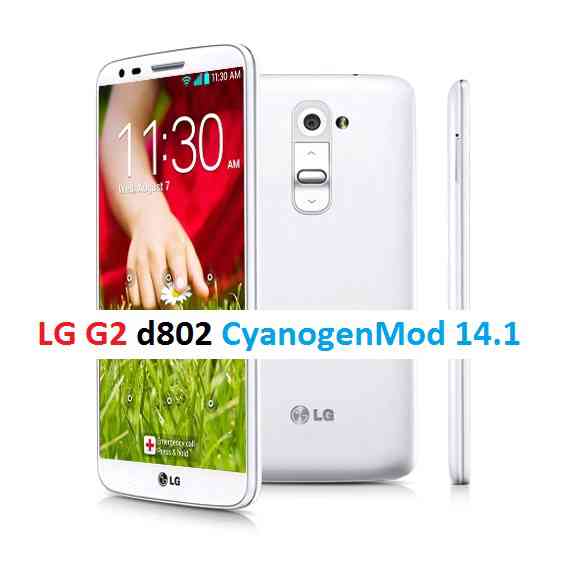
Here comes the Nougat 7.1 ROM for LG G2 CyanogenMod 14/14.1 (CM14/14.1). In addition to this we also have the Lineage 14.1 for LG G2 (d802). For latest updates, stay tuned to the Lineage OS device list page. We also have an AOSP Nougat ROM for LG G2 d802. Apart from all these, here we have a collection of officially available CM14 device list and we also have a big list of officially supported CM14.1 and we also have update many Android NOUGAT AOSP ROMs and also many CyanogenMod 14/14.1 ROMs updated and many are yet to come. This LG G2 for CyanogenMod 14/14.1 is brought to you by developer Valeriano.
DISCLAIMER:
THIS IS STILL AN EARLY BUILD AND MAY CONTAINS BUGS. Installing custom ROM requires a custom recovery to be installed on your device, which may VOID your warranty and may delete all your data. Before proceeding further you may consider backup your all data. You are the only person doing changes to your phone and neither the developer(s) nor we can be held responsible for the mistakes done by you.Status of LG G2 CM14/14.1 (CyanogenMod 14/14.1 ) Nougat 7.1 ROM:
WHAT’S WORKING:
– Not knownKNOWN ISSUES:
– Not known
REQUIRED LINKS AND FILES FOR LG G2 CM14/14.1 (CYANOGENMOD 14/14.1, NOUGAT) CUSTOM ROM:
- TWRP download link for LG G2 (d802)
– Here is How to Install TWRP through fastboot (this guide requires unlocked bootloader on LG G2).
- Download link for LG G2 CM14/14.1 ROM (d802)
- Nougat GApps download link for LG G2 CM14/14.1 ROM
Root binary is inbuilt since CyanogenMod 12, so you don’t need a separate SuperSu package to install to gain ROOT access. Here is How to Enable ROOT on CM14/14.1 (CyanogenMod 14/14.1)
HOW TO INSTALL/DOWNLOAD/FLASH/UPDATE LG G2 (d802) CM14/14.1 (CYANOGENMOD 14/14.1) NOUGAT CUSTOM ROM:
Follow this if you are flashing CyanogenMod 14/14.1 for LG G2 for the first time, or coming from another ROM:
This will delete all your data on your phone. You may consider backing up your phone data or take a nandroid backup. Here is how to take NANDROID backup using TWRP recovery.
Points to NOTE:
– Try to avoid restoring apps backup using Titanium Backup. It may break things up.
– Don’t restore system data using Titanium Backup! It will definitely break the current installation.
– It is also discouraged to Restoring Apps + Data using Titanium Backup.- Download and Copy the GApps and LG G2 CyanogenMod 14/14.1 ROM ZIP to your phone.
- Boot into Recovery. Make sure to have a Custom recovery like CWM or TWRP or any other custom recovery. If not then follow the Custom Recovery Installation Guide for LG G2 (it’s a generic guide which will work for TWRP as well as CWM recovery)
- Wipe data factory reset, Cache partition, Dalvik Cache and Format the System partition.
– Here is a guide explaining how to wipe data using TWRP recovery.This will delete all your data on your phone. You may consider complete backup of your phone data or take a NANDROID backup of the current ROM
– How to backup all data on your Android Device
– how to take NANDROID backup using TWRP recovery - First flash the CM14/14.1 ROM ZIP from device. Then flash the GApps zip from your device memory.
– Here is a post explaining how to flash a custom ROM using TWRP recovery. - Then reboot into recovery (don’t skip this) and flash the CM14/14.1 Nougat Google Apps package.
– Here is a post explaining how to flash GApps using TWRP recovery. - Reboot and Enjoy the CyanogenMod 14/14.1 Nougat ROM on LG G2 (d802).
Upgrading from earlier version of CyanogenMod 14/14.1 for LG G2 (d802):
- Copy the latest LG G2 CyanogenMod 14/14.1 ROM ZIP file to your phone.
- Boot into Recovery.
- Flash the latest CM ROM ZIP from your phone.
– Here is a post explaining how to flash a custom ROM using TWRP recovery. - Then flash the CM14/14.1 Nougat Google Apps package.
– Here is a post explaining how to flash GApps using TWRP recovery. - Reboot and Enjoy
Complete the initial setup and enjoy Android Nougat 7.1.0 with CyanogenMod 14/14.1 for LG G2 (d802). After this CM14/14.1 installation you may want to enable ROOT access on your phone and here is how you can do that:
How to Enable ROOT on CM14/14.1 (CyanogenMod 14/14.1).Stay tuned or Subscribe to the LG G2 (d802) forum For other Android Nougat ROMs, CyanogenMod 14 ROMs, other ROMs and all other device specific topics.LineageOS 15 for LG G2 T-Mobile (d801) is now available to download via a development build. This post provides you the download link to the Android Oreo based Lineage OS 15 for LG G2 T-Mobile (d801) and guides through the installation process of the same. This LineageOS 15 for LG G2 T-Mobile is brought to you by developer Hassan’s.
DONATION TO DEVELOPER(S):
If you like this ROM then do consider a small contribution to Hassan’s:
– Donate to Hassan’sIf you want the OFFICIAL Lineage OS 15 update or some more Android Oreo ROMs then stay tuned to the LineageOS 15 page or the AOSP Oreo ROMs devices list page.
DISCLAIMER:
THIS IS ONLY FOR THE SINGLE SIM VARIANT (F8331) FOR THE USERS WHO FLASHED ODM PARTITION (This one is IMPORTANT).
THIS IS AN INITIAL BUILD WHICH MAY HAVE MANY BUGS. HAVE A BACKUP BEFORE FLASHING THIS AND TRY AT YOUR OWN RISK. Installing a custom ROM requires an unlocked bootloader on LG G2 T-Mobile, which may VOID your warranty and may delete all your data. Before proceeding further you may consider backup all data on the phone. Understand that you are the only person making changes to your phone and I cannot be held responsible for the mistakes done by you.
Content structure:
Status of LineageOS 15 for LG G2 T-Mobile Android Oreo Download:
WHAT’S WORKING:
– UnknownKNOWN ISSUES:
– Unknown
REQUIRED LINKS AND FILES FOR LineageOS 15 for LG G2 T-Mobile OREO ROM:
- TWRP recovery for LG G2 T-Mobile
– Here is the TWRP update guide for LG G2 T-Mobile. This recovery guide requires an unlocked bootloader on the phone.
- LineageOS 15 Download link for LG G2 T-Mobile (d801)
- GApps for LineageOS 15 Oreo ROM
Root binary is NOT inbuilt in Lineage OS ROM, so you may need a separate SuperSu package or LineageOS su binary to install to gain ROOT access. Here is Lineage OS Rooting guide
If there is no in-built ROOT or it does not work for some reason then you can try SuperSU rooting guide to enable ROOT access.HOW TO INSTALL/DOWNLOAD/FLASH/UPDATE THE Lineage OS 15 for LG G2 T-Mobile:
Follow this if you are flashing LineageOS 15 for LG G2 T-Mobile for the first time, or coming from another ROM:
Points to NOTE:
– Try to avoid restoring apps backup using Titanium Backup. It may break things up.
– Don’t restore system data using Titanium Backup! It will definitely break the current installation.
– It is also discouraged to Restoring Apps + Data using Titanium Backup.- Boot into Recovery.
Make sure to have a Custom recovery like CWM or TWRP or any other custom recovery. If not then download the recovery for LG G2 T-Mobile from above link and follow the Custom Recovery Installation Guide (it’s a generic guide which will work for TWRP as well as CWM recovery or any other recovery) - Wipe data factory reset, Cache partition, Dalvik Cache and Format the System partition.
– Here is a guide explaining how to wipe data using TWRP recovery.This will delete all your data on your phone. You may consider complete backup of your phone data or take a NANDROID backup of the current ROM
– How to backup all data on your Android Device
– how to take NANDROID backup using TWRP recovery - Download and Copy the Oreo GApps and the LG G2 T-Mobile LineageOS 15 ROM ZIP to the phone.
- First flash the Lineage OS 15 ROM ZIP file from device. Then flash the GApps zip from your device memory.
– Here is a post explaining how to install Lineage OS - Then reboot into recovery (don’t skip this) and flash the Gapps for LineageOS 15 package.
– Here is a post explaining how to flash GApps using TWRP recovery. - Reboot and Enjoy Android Oreo with LineageOS 15 for LG G2 T-Mobile.
Upgrading from earlier version of Lineage OS 15 for LG G2 T-Mobile (d801):
- Copy the latest Lineage OS 15 for LG G2 T-Mobile ROM ZIP file to the phone.
- Boot into Recovery.
- Flash the ROM ZIP that you copied.
– Here is a post explaining how to install LineageOS - Then flash the LineageOS 15 GApps package.
– Here is a post explaining how to flash GApps using TWRP recovery. - Reboot and Enjoy
Complete the initial setup and enjoy Android Oreo 8.0 with LineageOS 15 for LG G2 T-Mobile. After the installing the LineageOS 15 ROM, you may want to enable ROOT access on your phone and here is how you can do that:
How to Enable ROOT on LineageOS 15 ROM.Stay tuned or Subscribe to the LG G2 T-Mobile (d801) forum For other Android Oreo, Nougat ROMs, LineageOS 15 ROMs, other custom ROMs and all other device specific topics.CyanogenMod 12.1 for LG G2 Mini is an unofficial build by developer Nikita Pro Android. The status of this ROM is marked as stable, which means its a daily usable build.
 DISCLAIMER:
Installing custom ROM requires a custom recovery to be installed on your device, which will VOID your warranty and delete all your data. YOU are the only person making changes to your phone. If any disaster happens as a consequence of this ROM installation then neither the developer nor we will be held responsible for YOUR MISTAKES.Known Issues
– IRRC PortBefore you start the flashing!!!
First of all the bootloader of your phone needs to be unlocked. If you have already done that then its ok, otherwise head over to the below link to unlock the bootloader:
– LG G2 Mini bootloader unlockAfter the bootloader being unlocked, make sure that you have a custom recovery installed on your LG G2 Mini.
If you don’t have a custom recovery, then go to the following link:
– LG G2 Mini D618 TWRP recovery
– LG G2 Mini D620 TWRP recovery
– CyanogenMod 12.1 ROM download link for LG G2 Mini
– Google Apps flashable zip download linkFlashing LG G2 Mini CyanogenMod 12.1 Lollipop ROM:
STEP 1:Download the CyanogenMod 12.1 ROM, Google Apps and Copy these zip file to your phone memory (By using a USB cable or via adb push command).
STEP 2:Reboot your phone into recovery mode
Or if you have a PC in hand with USB driver for your phone and fastboot binaries installed, then connect your phone to the PC and type the following command to enter into recovery mode:$ adb reboot recovery
STEP 3:Initiate a clean flash.
Wipe dalvik cache (If coming from KitKat), cache partition, system partition and data partition.
If you don’t know how to do this then here is how to wipe data using TWRP recovery.This will delete all your data on your phone. You may consider backing up your phone data or take a nandroid backup. Here is how to take NANDROID backup using TWRP recovery.
STEP 4:Install the ROM.
Install the GApps package.
The flashing may take a while, so wait patiently.
Reboot your phone, configure the initial setup and enjoy the beauty of Android Lollipop with CyanogenMod ROMAfter this CyanogenMod 12.1 ROM installation you may want to enable ROOT access on your phone and here is how you can do that:
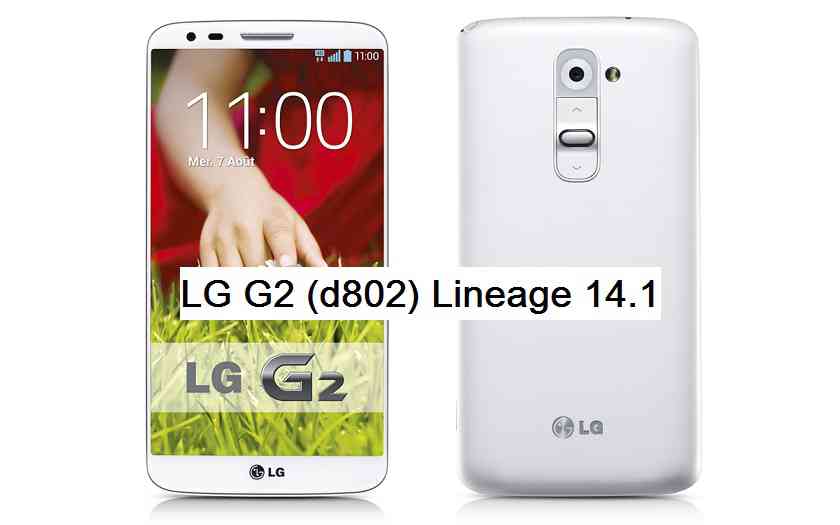
How to Enable ROOT Access on CyanogenMod 12/12.1Android Nougat 7.1 ROM, LineageOS 14.1 for LG G2 has now arrived via an UNOFFICIAL build. If you want some more Lineage ROMs or wanna taste the OFFICIAL Lineage build then stay tuned the LineageOS 14.1 ROM collection page. Before this there was the CM14.1 for LG G2. As always, this LineageOS 14.1 for LG G2 (d802) is brought to you by developer danilo38, the AutoRec app is brought to you by developer Cloudyfa.
DISCLAIMER:
THIS IS AN INITIAL BUILD WHICH MAY NOT BOOT AT ALL. HAVE A BACKUP BEFORE FLASHING THIS AND TRY AT YOUR OWN RISK. Installing a custom ROM requires an unlocked bootloader on LG G2 (d802) phone, which may VOID your warranty and may delete all your data. Before proceeding further you may consider backup all data on the phone. You are the only person doing changes to your phone and I cannot be held responsible for the mistakes done by you.Status of LineageOS 14.1 for LG G2 Nougat 7.1 Custom ROM:
WHAT’S WORKING:
– Not KnownKNOWN ISSUES:
– Not Known
REQUIRED LINKS AND FILES FOR LineageOS 14.1 for LG G2 NOUGAT CUSTOM ROM:
- Download AutoRec apk
- TWRP recovery link (BUMPed) for LG G2 (All variants) by blastagator
- Download Bootstack
- ROM Download link of OFFICIAL LineageOS 14.1 for LG G2 AT&T (d800)
- ROM Download link of OFFICIAL LineageOS 14.1 for LG G2 T-Mobile (d801)
- ROM Download link of OFFICIAL LineageOS 14.1 for LG G2 International (d802)
- ROM Download link of OFFICIAL LineageOS 14.1 for LG G2 Canada (d803)
If you want to upgrade this LineageOS 14.1 on top of CM14.1 ROM without wiping data then you can refer this CyanogenMod to Lineage upgrade guide.
- ROM Download link of LineageOS 14.1 for LG G2 (d802)
- Lineage Nougat GApps download link for LG G2 LineageOS 14.1 Nougat 7.1 ROM
for LG G2 by Cloudyfa
for LG G2 (All variants)
– Here is theTWRP update guide for the LG G2 (d802). This TWRP recovery guide requires an unlocked bootloader on the LG G2 (d802).
Root binary is inbuilt in LineageOS 14.1, so you don’t need a separate SuperSu package to install to gain ROOT access. Here is How to Enable ROOT on LineageOS 14.1
If there is no in-built ROOT or it does not work for some reason then you can try flashing SuperSU zip using recovery to gain ROOT access.Thanks to CristiannL and Sellian for the updates on the actual flashing requirements and detailed update guide.
HOW TO INSTALL/DOWNLOAD/FLASH/UPDATE LineageOS 14.1 FOR LG G2 NOUGAT CUSTOM ROM:
Follow this if you are flashing LineageOS 14.1 for LG G2 (d802) for the first time, or coming from another ROM:
Points to NOTE:
– Try to avoid restoring apps backup using Titanium Backup. It may break things up.
– Don’t restore system data using Titanium Backup! It will definitely break the current installation.
– It is also discouraged to Restoring Apps + Data using Titanium Backup.- First install a BUMPed TWRP for LG G2. This can be done in one of the following ways:
-
#1st method
- – Download the BUMPed TWRP (by blastagator) from above link.
- – Flash the TWRP using existing recovery. The downloaded file is a recovery flashable zip hence follow the below guide to get it flashed:
Flash a recovery flashable zip using existing recovery
#2nd method
– Download and Install the AutoRec apk and follow the instructions to flash TWRP. - Download and Flash the hybrid Bootstack by daniel.stuart14. This is again a recovery flashable xip, so just go to existing recovery and flash it.
- Download and Copy the GApps and LineageOS 14.1 for LG G2 ROM ZIP to your phone.
- Boot into Recovery. Make sure to have a Custom recovery like CWM or TWRP or any other custom recovery. If not then follow the Custom Recovery Installation Guide for LG G2 (d802) (it’s a generic guide which will work for TWRP as well as CWM recovery or any other recovery)
- Wipe data factory reset, Cache partition, Dalvik Cache and Format the System partition.
– Here is a guide explaining how to wipe data using TWRP recovery.This will delete all your data on your phone. You may consider complete backup of your phone data or take a NANDROID backup of the current ROM
– How to backup all data on your Android Device
– how to take NANDROID backup using TWRP recovery - First flash the LineageOS 14.1 for LG G2 ROM ZIP from device. Then flash the GApps zip from your device memory.
– Here is a post explaining how to install LineageOS - Then reboot into recovery (don’t skip this) and flash the LineageOS 14.1 Nougat GApps package.
– Here is a post explaining how to flash GApps using TWRP recovery. - Reboot and Enjoy the Nougat 7.1 LineageOS 14.1 ROM for LG G2 (d802).
- First install a BUMPed TWRP for LG G2. This can be done in one of the following ways:
Upgrading from earlier version of LineageOS 14.1 for LG G2 (d802):
- Copy the latest LineageOS 14.1 for LG G2 ROM ZIP file to your phone.
- Boot into Recovery.
- Flash the latest CM ROM ZIP from your phone.
– Here is a post explaining how to install LineageOS - Then flash the LineageOS 14.1 Nougat GApps package.
– Here is a post explaining how to flash GApps using TWRP recovery. - Reboot and Enjoy
Complete the initial setup and enjoy Android Nougat 7.1 with LineageOS 14.1 for LG G2 (d802). After the installation of LineageOS 14.1 for LG G2 (d802) you may want to enable ROOT access on your phone and here is how you can do that:
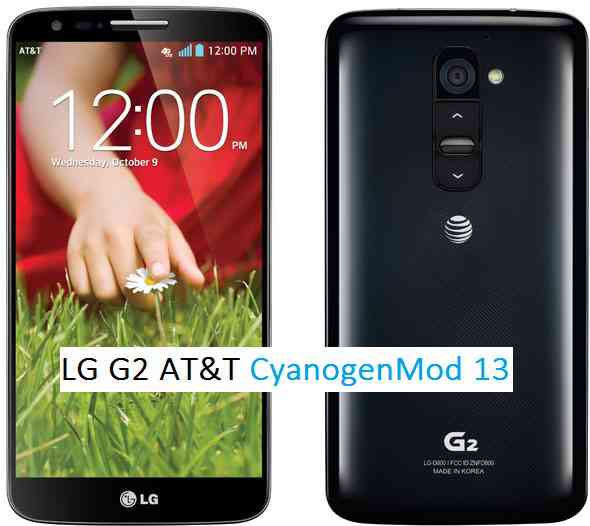
How to Enable ROOT on LineageOS 14.1.Stay tuned or Subscribe to the LG G2 (d802) forum For other Android Nougat ROMs, LineageOS 14.1 ROMs, other ROMs and all other device specific topics.This is an official NIGHTLY & SNAPSHOT CyanogenMod for LG G2 AT&T CM13 (cyanogenMod 13) Marshmallow ROM (Device Codename: d800). Official NIGHTLY build are automated builds which makes sure the build is not broken by daily code changes made by developers. NIGHTLY builds are not stable as compared to SNAPSHOT builds and may contain some minor bugs. Here is some brief explanation of the difference between a NIGHTLY and SNAPSHOT.
DISCLAIMER:
Installing custom ROM requires a custom recovery to be installed on your device, which may VOID your warranty and may delete all your data. Before proceeding further you may consider backup your all data or take a NANDROID backup using a recovery. You are the only person doing changes to your phone and I cannot be held responsible for the mistakes done by you. Neither the developer nor we will be held responsible for any disaster that happens to your device.
REQUIRED DOWNLOADS AND LINKS FOR THE CYANOGENMOD 13 LG G2 AT&T CM13 MARSHMALLOW CUSTOM ROM UPDATE GUIDE:
- Unlocked bootloader on LG G2 AT&T.
- TWRP recovery download link for LG G2 AT&T.
– If you already have an unlocked bootloader then you can download the .img file extension. Then follow this guide: How to flash TWRP using fastboot. - ROM: NIGHTLY ROM download link for LG G2 AT&T CM13 (CyanogenMod 13)
- ROM: SNAPSHOT ROM download link for LG G2 AT&T CM13 (CyanogenMod 13)
- GApps download link
Root binary is inbuilt since CyanogenMod 12, so you don’t need a separate SuperSu package to install to gain ROOT access. Here is How to Enable ROOT Access on CM13/CyanogenMod 13
If you want to know more on different CyanogenMod builds then here is the difference between CyanogenMod NIGHTLY, SNAPSHOT and STABLE builds
If you want to taste Android Nougat then here is one: LG G2 AT&T Nougat 7.0 AOSP ROM
FLASHING OFFICIAL CYANOGENMOD 13 LG G2 AT&T CM13 MARSHMALLOW CUSTOM ROM UPDATE GUIDE:
Follow this if you are flashing CyanogenMod 13 for the first time to your AT&T LG G2, or coming from another ROM:
This will delete all your data on your phone. You may consider backing up your phone data or take a nandroid backup. Here is how to take NANDROID backup using TWRP recovery.
Points to NOTE on BACKUP:
– Try to avoid restoring apps backup using Titanium Backup. It may break things up.
– Don’t restore system data using Titanium Backup! It will definitely break the current installation.
– It is also discouraged to Restoring Apps + Data using Titanium Backup.- Make sure you have a TWRP installed on your LG G2 AT&T.
If you don’t have a recovery then download it from the above link and follow the below guide (Make sure the bootloader is unlocked):
– How to flash TWRP using fastboot. - Download and Copy the GApps and CyanogenMod ROM for G2 AT&T ZIP to your device.
- Boot into Recovery. Make sure to have already flashed a Custom recovery like CWM or TWRP on the phone.
- Wipe data factory reset, Cache partition, Dalvik Cache and Format the System partition.
– Here is a guide explaining how to wipe data using TWRP recovery.This will delete all your data on your phone. IGNORE IF YOU DON’T WANT TO OR IF YOU HAVE ALREADY DONE THIS. You may consider complete backup of your phone data or take a NANDROID backup of the current ROM.
– How to backup all data on your Android Device.
– how to take NANDROID backup using TWRP recovery. - First flash the CM ROM ZIP from device. Then flash the GApps zip from your device memory.
– Here is a post explaining how to flash a custom ROM using TWRP recovery.
Use the same guide to flash the GApps too. - Reboot and Enjoy the CyanogenMod 13 Marshmallow ROM on your LG G2 AT&T.
- Make sure you have a TWRP installed on your LG G2 AT&T.
Upgrading from earlier version of CyanogenMod 13.0:
- Copy the CyanogenMod 13 ROM ZIP file to your phone.
- Boot into Recovery.
- Flash the latest CM ROM ZIP from your phone.
– Here is a post explaining how to flash a custom ROM using TWRP recovery. - Reboot and Enjoy
The first boot may take long time, so don’t panic and be sure that you have enough battery backup. Let the phone reboot and then enjoy the official CyanogenMod 13 Marshmallow ROM on LG G2 AT&T.
After this CM13 installation you may want to enable ROOT access on your phone and here is how you can do that:
How to Enable ROOT Access on CM13/CyanogenMod 13.Stay tuned or Subscribe to the G2 AT&T – d800 forum For upcoming Android Nougat ROMs, CyanogenMod Custom ROMs, other ROMs and all other device specific topics.LineageOS 15 for LG G2 (d802) is now available to download via a development build. This post provides you the download link to the Android Oreo based Lineage OS 15 for LG G2 (d802) and guides through the installation process of the same. This LineageOS 15 for LG G2 is brought to you by developer wangaz78 and another build is by Hassan’s.
DONATION TO DEVELOPER(S):
If you like this ROM then do consider a small contribution to Hassan’s:
– Donate to Hassan’s
– No donation link found for wangaz78.If you want the OFFICIAL Lineage OS 15 update or some more Android Oreo ROMs then stay tuned to the LineageOS 15 ROMs page or the AOSP Oreo ROMs devices list page.
DISCLAIMER:
THIS IS ONLY FOR THE SINGLE SIM VARIANT (F8331) FOR THE USERS WHO FLASHED ODM PARTITION (This one is IMPORTANT).
THIS IS AN INITIAL TEST BUILD WHICH HAS MANY BUGS. HAVE A BACKUP BEFORE FLASHING THIS AND TRY AT YOUR OWN RISK. Installing a custom ROM requires bootloader unlock on LG G2, which may VOID your warranty and may delete all your data. Before proceeding further you may consider backup all data on the phone. Understand that you are the only person making changes to your phone and I cannot be held responsible for the mistakes done by you.
Content structure:
Status of LineageOS 15 for LG G2 Oreo 8 ROM:
WHAT’S WORKING:
– UnknownKNOWN ISSUES:
– Unknown
REQUIRED LINKS AND FILES FOR LineageOS 15 for LG G2 OREO ROM:
- TWRP recovery for LG G2
– Here is the TWRP update guide for LG G2. This recovery guide requires an unlocked bootloader on the phone.
- LineageOS 15 Download link for LG G2 (d802) by Hassan
- LineageOS 15 Download link for LG G2 (d802) by wangaz78
- GApps for LineageOS 15 Oreo ROM
Root binary is NOT inbuilt in Lineage OS ROM, so you may need a separate SuperSu package or LineageOS su binary to install to gain ROOT access. Here is Lineage OS Rooting guide
If there is no in-built ROOT or it does not work for some reason then you can try SuperSU rooting guide to enable ROOT access.HOW TO INSTALL/DOWNLOAD/FLASH/UPDATE THE Lineage OS 15 for LG G2:
Follow this if you are flashing LineageOS 15 for LG G2 for the first time, or coming from another ROM:
Points to NOTE:
– Try to avoid restoring apps backup using Titanium Backup. It may break things up.
– Don’t restore system data using Titanium Backup! It will definitely break the current installation.
– It is also discouraged to Restoring Apps + Data using Titanium Backup.- Boot into Recovery.
Make sure to have a Custom recovery like CWM or TWRP or any other custom recovery. If not then download the recovery for LG G2 from above link and follow the Custom Recovery Installation Guide (it’s a generic guide which will work for TWRP as well as CWM recovery or any other recovery) - Wipe data factory reset, Cache partition, Dalvik Cache and Format the System partition.
– Here is a guide explaining how to wipe data using TWRP recovery.This will delete all your data on your phone. You may consider complete backup of your phone data or take a NANDROID backup of the current ROM
– How to backup all data on your Android Device
– how to take NANDROID backup using TWRP recovery - Download and Copy the Oreo GApps and the LG G2 LineageOS 15 ROM ZIP to the phone.
- First flash the Lineage OS 15 ROM ZIP file from device. Then flash the GApps zip from your device memory.
– Here is a post explaining how to install Lineage OS - Then reboot into recovery (don’t skip this) and flash the Gapps for LineageOS 15 package.
– Here is a post explaining how to flash GApps using TWRP recovery. - Reboot and Enjoy Android Oreo with LineageOS 15 for LG G2.
Upgrading from earlier version of Lineage OS 15 for LG G2 (d802):
- Copy the latest Lineage OS 15 for LG G2 ROM ZIP file to the phone.
- Boot into Recovery.
- Flash the ROM ZIP that you copied.
– Here is a post explaining how to install LineageOS - Then flash the LineageOS 15 GApps package.
– Here is a post explaining how to flash GApps using TWRP recovery. - Reboot and Enjoy
Complete the initial setup and enjoy Android Oreo 8.0 with LineageOS 15 for LG G2. After the installing the LineageOS 15 ROM, you may want to enable ROOT access on your phone and here is how you can do that:
How to Enable ROOT on LineageOS 15 ROM.Stay tuned or Subscribe to the LG G2 (d802) forum For other Android Oreo, Nougat ROMs, LineageOS 15 ROMs, other custom ROMs and all other device specific topics.If you are looking to install/update Android 8.1 Oreo or LineageOS 15.1 for G2 Mini, then it’s now available via a development build. This Android Oreo 8.1 based LineageOS 15.1 for G2 Mini (g2m) is brought to you by developer MobiusM.
Follow the links to get LineageOS 16 and Android Pie ROM builds.
DONATION TO DEVELOPER(S):
If you like this ROM then do consider for a small contribution to MobiusM and LineageOS project:
– Donate to MobiusM
– Donate to LineageOS projectIf you want the OFFICIAL LineageOS 15.1 then here is the OFFICIAL LineageOS 15.1 supported devices list or the Android Oreo ROMs devices list page.
DISCLAIMER:
THIS IS AN INITIAL BUILD WHICH MAY HAVE MANY BUGS OR MAY NOT BOOT AT ALL.
FLASH AT YOUR OWN RISK.
Installing a custom ROM may require an unlock bootloader on G2 Mini, which may VOID your warranty and may delete all your data. Before proceeding further you may consider backup all data on the phone. You are the only person doing changes to your phone; neither the developer nor I can be held responsible for the mistakes done by you.Status of LineageOS 15.1 for G2 Mini – Android 8.1 Oreo ROM:
WHAT’S WORKING:
– UnknownKNOWN ISSUES:
– Unknown
REQUIRED LINKS AND FILES FOR THIS LineageOS 15.1 for G2 Mini ANDROID 8.1 OREO CUSTOM ROM:
- TWRP recovery for G2 Mini (g2m) [THIS IS THE RECOMMENDED TWRP RECOVERY FOR THE LINEAGEOS 15.1 FOR G2 Mini]
This TWRP recovery guide may require an unlocked bootloader on the G2 Mini.
– Here is the G2 Mini unlock bootloader guide - ROM Download link of LineageOS 15.1 for G2 Mini
- GApps for LineageOS 15.1
su Root binary is NOT inbuilt in LineageOS 15.1, so you may need to install a separate SuperSu package or LineageOS su binary to gain ROOT access. Here is LineageOS 15.1 Root guide
If there is no in-built ROOT or it does not work for some reason then you can try SuperSU rooting guide to enable ROOT access.
HOW TO UPDATE/INSTALL LineageOS 15.1 FOR G2 Mini; ANDROID 8.1 OREO CUSTOM ROM:
– Fresh LineageOS 15.1 intallation guide
– LineageOS 15.1 update on top of previous LineageOS 15.1 ROMFollow this if you are flashing LineageOS 15.1 on G2 Mini for the first time, or coming from another ROM:
Points to NOTE:– Try to avoid restoring apps backup using Titanium Backup. It may break things up.
– Don’t restore system data using Titanium Backup! It will definitely break the current installation.
– It is also discouraged to Restoring Apps + Data using Titanium Backup.- Download and Copy the GApps and G2 Mini LineageOS 15.1 ROM ZIP files to your phone.
- Boot into the TWRP custom Recovery to install this LineageOS 15.1 for G2 Mini.
– Make sure to have a Custom recovery like a TWRP recovery or any other custom recovery.
If not then download the TWRP recovery from Downloads link and follow the Custom Recovery Installation Guide (it’s a generic guide which will work for TWRP as well as CWM recovery or any other recovery) - Wipe the data partition (or do a factory reset), Cache partition, Dalvik Cache or ART cache and Format the System partition.
– Here is a guide explaining how to wipe using TWRP recovery.This will delete all your data on your phone. You may consider complete backup of your phone data or take a NANDROID backup of the current ROM
– How to backup all data on your Android Device
– how to take NANDROID backup using TWRP recovery - Install the G2 Mini LineageOS 15.1 ROM file that you have copied into the phone.
– Here is a post explaining how to install LineageOS
- Then reboot into recovery (don’t skip this) and install the Oreo Gapps for LineageOS 15.1 package.
– Here is a post explaining how to install GApps using TWRP recovery. - Reboot and Enjoy the Android 8.1 Oreo LineageOS 15.1 on G2 Mini.
Upgrading from earlier version of LineageOS 15.1 on G2 Mini (g2m):
- Copy the latest LineageOS 15.1 for G2 Mini ROM ZIP file, Oreo 8.1 GApps and/or supersu ROOT package to the phone
- Boot into Recovery.
– Make sure you have a latest custom Recovery that should be able to flash the LineageOS 15.1 ROM update.
- Format or wipe the system partition from the custom recovery menu.
- Install the LineageOS 15.1 ROM for G2 Mini.
– Here is a post explaining how to install LineageOS
- Reboot and see you have the GApps and ROOT access or NOT.
– Gapps is built in such a way that it will sustain across ROM updates.
- If you don’t have GApps after upgrading the LineageOS 15.1 on G2 Mini, then flash the GApps.
– Here is a post explaining how to flash GApps using TWRP recovery.
- If you don’t have ROOT after upgrading the LineageOS 15.1 on G2 Mini, then flash the SuperSU or Magisk or the Lineage SU binary.
– Here is a post explaining How to Enable ROOT for LineageOS 15.1 ROM
- Once everything is done, reboot and Enjoy the LineageOS 15.1 for G2 Mini.
Complete the initial setup and enjoy Android 8.1 Oreo with LineageOS 15.1 on G2 Mini. After the installation of LineageOS 15.1 for G2 Mini you may want to enable ROOT access on your phone and here is how you can do that:
– LineageOS 15.1 ROOT.Stay tuned or Subscribe to the G2 Mini (g2m) LineageOS forum For other Android Oreo, Nougat ROMs, LineageOS 15.1 ROMs, or other ROMs and all other device specific topics.Forum: G2 Canada – d803
LG G2 Canada forum for LineageOS, Google Camera or GCam, Android APK, Stock ROM, Stock Firmware, Android Custom ROM, other ROMs like: Resurrection Remix ROM, OMNI ROM, Slim ROM and many more, TWRP recovery and rooting guide, themes, mods, customization troubleshooting and many more things specific to LG G2 Canada - d803.Topic: Infinity loop
I have lg d620r and use lineageos 15.1 but I have bootloop infinity. I use guide for lg g2 mini but not work.
Please help meForum: G2 AT&T – d800
LG G2 (D800, AT&T) forum for Lineage OS ROM, Android Nougat ROM, other ROMs like: Resurrection Remix ROM, OMNI ROM and many more, recovery and rooting guide, themes, mods, customization troubleshooting and many more things specific to LG G2 AT&T.- TWRP download link for LG G2 (d802)