- Search Results
Hello there.
I mistakely removed my J2 Prime’s os, and i can’t seem to find another one.
Can i please request for a ROM, just any so i can start using my phone again?~Thanks
LG G4 T-Mobile CM13 (cyanogenMod 13) Marshmallow ROM (Device Codename: jfltetmo) goes official on CyanogenMod servers. Official NIGHTLY build are automated builds which makes sure the build is not broken by daily code changes made by developers. NIGHTLY builds are not stable as compared to SNAPSHOT builds and may contain some minor bugs. Here is some brief explanation of the difference between a NIGHTLY and SNAPSHOT.
DISCLAIMER:
Installing custom ROM requires a custom recovery to be installed on your device, which may VOID your warranty and may delete all your data. Before proceeding further you may consider backup your all data or take a NANDROID backup using a recovery. You are the only person doing changes to your phone and I cannot be held responsible for the mistakes done by you. Neither the developer nor we will be held responsible for any disaster that happens to your device.
REQUIRED DOWNLOADS AND LINKS FOR THE LG G4 T-Mobile CM13 MARSHMALLOW CUSTOM ROM UPDATE GUIDE:
- Unlocked bootloader on LG G4
- TWRP recovery download link for LG G4 T-Mobile.
– If you already have an unlocked bootloader then you can download the .img file extension. Then follow this guide: How to flash TWRP using fastboot. - ROM download link of Latest T-Mobile LG G4 Official CyanogenMod 13
- GApps download link
Root binary is inbuilt since CyanogenMod 12, so you don’t need a separate SuperSu package to install to gain ROOT access. Here is How to Enable ROOT Access on CM13/CyanogenMod 13
For more Custom ROMs, TWRP Recovery Installation guide, Rooting Guide you can have a look at the LG G4 T-Mobile forum and also you can subscribe to stay updated for this device specific topics.
FLASHING OFFICIAL LG G4 T-Mobile CM13 (CyanogenMod 13) MARSHMALLLOW CUSTOM ROM:
Follow this if you are flashing CyanogenMod 13 for the first time to your T-Mobile LG G4, or coming from another ROM:
This will delete all your data on your phone. You may consider backing up your phone data or take a nandroid backup. Here is how to take NANDROID backup using TWRP recovery.
Points to NOTE:
– Try to avoid restoring apps backup using Titanium Backup. It may break things up.
– Don’t restore system data using Titanium Backup! It will definitely break the current installation.
– It is also discouraged to Restoring Apps + Data using Titanium Backup.- Make sure you have a TWRP installed on your LG G4 T-Mobile.
If you don’t have a recovery then download it from the above link and follow the below guide (Make sure the bootloader is unlocked):
– How to flash TWRP using fastboot. - Download and Copy the GApps and CyanogenMod ROM ZIP to your device.
- Take a backup using a synchronization application or using Samsung Smart Switch or if you have TWRP installed then you can take a NANDROID backup using the TWRP itself.
- Boot into Recovery. Make sure to have already flashed a Custom recovery like CWM or TWRP on the phone.
- Wipe data factory reset, Cache partition, Dalvik Cache and Format the System partition.
– Here is a guide explaining how to wipe data using TWRP recovery. - First flash the CM ROM ZIP from device. Then flash the GApps zip from your device memory.
– Here is a post explaining how to flash a custom ROM using TWRP recovery.
Use the same guide to flash the GApps too. - Reboot and Enjoy the CyanogenMod 13 Marshmallow ROM on your LG G4 T-Mobile.
- Make sure you have a TWRP installed on your LG G4 T-Mobile.
Upgrading from earlier version of CyanogenMod 13.0:
- Copy the CyanogenMod 13 ROM ZIP file to your phone.
- Boot into Recovery.
- Flash the latest CM ROM ZIP from your phone.
– Here is a post explaining how to flash a custom ROM using TWRP recovery. - Reboot and Enjoy
The first boot may take long time, so don’t panic and be sure that you have enough battery backup. Let the phone reboot and then enjoy the official CyanogenMod 13 Marshmallow ROM on LG G4 T-Mobile.
After this CM13 installation you may want to enable ROOT access on your phone and here is how you can do that:
How to Enable ROOT Access on CM13/CyanogenMod 13.Android Oreo 8.0 ROM, LineageOS 15 for Galaxy J5 has now arrived via an UNOFFICIAL build. This LineageOS 15 supports the following Galaxy J5 variants: J500FN, J500F/G/M/Y. This LineageOS 15 for Galaxy J5 (j5lte) is brought to you by developer Dyneteve.
DONATION TO DEVELOPER:
– No donation link found for Dyneteve.
If you want the OFFICIAL LineageOS update or some more Android Oreo ROMs then stay tuned to the LineageOS 15 ROMs page or the AOSP Android Oreo devices list page or the AICP 13 Oreo ROMs list.
DISCLAIMER:
THIS IS A BETA ROM AND MAY HAVE MANY BUGS. HAVE A BACKUP BEFORE FLASHING THIS LINEAGEOS ROM AND TRY AT YOUR OWN RISK. Installing a custom ROM on a Galaxy J5 (j5lte) requires the bootloader to be unlocked on the Galaxy J5 (j5lte) phone, which may VOID your warranty and may delete all your data. Before proceeding further you may consider backup all data on the phone. You are the only person doing changes to your phone and I cannot be held responsible for the mistakes done by you.Content structure:
Status of LineageOS 15 for Galaxy J5 Oreo ROM:
WHAT’S WORKING:
– UnknownKNOWN ISSUES:
– Unknown
REQUIRED LINKS AND FILES FOR LineageOS 15 for Galaxy J5 OREO CUSTOM ROM:
- TWRP recovery link for Galaxy J5 (j5lte) [You need the TWRP 3.2.1]
– Here is theTWRP update guide for the Galaxy J5 (j5lte).
- LineageOS 15 Download link for Galaxy J5 J500H
- LineageOS 15 Download link for Galaxy J5 J500FN
- LineageOS 15 Download link for Galaxy J5 J500F/G/M/Y
- LineageOS 15 GApps download link for LineageOS 15 for Galaxy J5 Oreo 8.0 ROM
Root binary is NOT inbuilt in LineageOS 15, so you may need a separate SuperSu package or LineageOS su binary to install to gain ROOT access. Here is LineageOS Rooting guide
If there is no in-built ROOT or it does not work for some reason then you can try SuperSU rooting guide to enable ROOT access.HOW TO INSTALL/DOWNLOAD/FLASH/UPDATE LineageOS 15 FOR Galaxy J5 OREO CUSTOM ROM:
Follow this if you are flashing LineageOS 15 for Galaxy J5 for the first time, or coming from another ROM:
Points to NOTE:
– Try to avoid restoring apps backup using Titanium Backup. It may break things up.
– Don’t restore system data using Titanium Backup! It will definitely break the current installation.
– It is also discouraged to Restoring Apps + Data using Titanium Backup.- Boot into Recovery. Make sure to have a Custom recovery like CWM or TWRP or any other custom recovery. If not then follow the Custom Recovery Installation Guide for Galaxy J5 (it’s a generic guide which will work for TWRP as well as CWM recovery or any other recovery)
- Wipe data factory reset, Cache partition, Dalvik Cache and Format the System partition.
– Here is a guide explaining how to wipe data using TWRP recovery.This will delete all your data on your phone. You may consider complete backup of your phone data or take a NANDROID backup of the current ROM
– How to backup all data on your Android Device
– how to take NANDROID backup using TWRP recovery - Download and Copy the LineageOS 15 GApps and the Android Oreo based LineageOS 15 for Galaxy J5 ROM ZIP file to your phone.
- First flash the LineageOS 15 for Galaxy J5 Oreo ROM ZIP from device. Then flash the GApps for LineageOS 15 zip from your device memory.
– Here is a post explaining how to install LineageOS - Then reboot into recovery (don’t skip this) and flash the Gapps for LineageOS 15 package.
– Here is a post explaining how to flash GApps using TWRP recovery. - Reboot and Enjoy the Oreo 8.0 LineageOS 15 ROM for Galaxy J5.
Upgrading from earlier version of LineageOS 15 for Galaxy J5 (j5lte):
- Copy the latest Galaxy J5 Lineage 15 Oreo ROM ZIP file to your phone.
- Boot into Recovery.
- Flash the latest LinegeOS ROM ZIP from your phone.
– Here is a post explaining how to install LineageOS - Then flash the Lineage 15 Oreo GApps package.
– Here is a post explaining how to flash GApps using TWRP recovery. - Reboot and Enjoy
Complete the initial setup and enjoy Android Oreo 8.0 with LineageOS 15 for Galaxy J5. After the installation of LineageOS 15 for Galaxy J5 you may want to enable ROOT access on your phone and here is how you can do that:
How to Enable ROOT on LineageOS 15.Stay tuned or Subscribe to the Galaxy J5 LineageOS forum For other Android Oreo, Nougat ROMs, LineageOS 15 ROMs, other ROMs and all other device specific topics.If you have found any issues on this ROM then here is the dev link where you can place your concerns.
Android Oreo 8.1 ROM, LineageOS 15.1 for Galaxy Grand Prime has now arrived via an UNOFFICIAL build. This LineageOS 15.1 for Galaxy Grand Prime (fortuna3g) is brought to you by developer CarlosArriagaCM, one build is by Boulaxx and another build is by Has.007.
DONATION TO DEVELOPER:
– No donation link found for Boulaxx and Has.007.
– If you like this ROM then do consider a contribution to CarlosArriagaCM for his efforts:
Donate to CarlosArriagaCMIf you want the OFFICIAL LineageOS update or some more Android Oreo ROMs then stay tuned to the LineageOS 15 page or the AOSP Android Oreo devices list page.
DISCLAIMER:
THIS IS AN INITIAL ALPHA ROM AND MAY HAVE MANY BUGS. HAVE A BACKUP BEFORE FLASHING THIS LINEAGEOS ROM AND TRY AT YOUR OWN RISK. Installing a custom ROM on a Galaxy Grand Prime (fortuna3g) requires the bootloader to be unlocked on the Galaxy Grand Prime (fortuna3g) phone, which may VOID your warranty and may delete all your data. Before proceeding further you may consider backup all data on the phone. You are the only person doing changes to your phone and I cannot be held responsible for the mistakes done by you.Status of LineageOS 15.1 for Galaxy Grand Prime Oreo ROM:
WHAT’S WORKING:
– Audio
– BluetoothKNOWN ISSUES:
– Wifi
– Camera
REQUIRED LINKS AND FILES FOR LineageOS 15.1 for Galaxy Grand Prime OREO CUSTOM ROM:
- TWRP recovery link for Galaxy Grand Prime (fortuna3g)- Here is theTWRP update guide for the Galaxy Grand Prime (fortuna3g).
- LineageOS 15.1 Download link for Galaxy Grand Prime by Has.007
– Bootable patch for Has.007’s build - LineageOS 15.1 Download link for Galaxy Grand Prime by CarlosArriagaCM
- LineageOS 15.1 Download link for Galaxy Grand Prime by Boulaxx [UPDATED on 26th NOVEMBER]
- LineageOS 15.1 GApps download link for LineageOS 15.1 for Galaxy Grand Prime Oreo 8.1 ROM (Download the stock ARM64 GApps)
Root binary is NOT inbuilt in LineageOS 15.1, so you may need a separate SuperSu package or LineageOS su binary to install to gain ROOT access. Here is LineageOS Rooting guide
If there is no in-built ROOT or it does not work for some reason then you can try SuperSU rooting guide to enable ROOT access.HOW TO INSTALL/DOWNLOAD/FLASH/UPDATE LineageOS 15.1 FOR Galaxy Grand Prime OREO CUSTOM ROM:
Follow this if you are flashing LineageOS 15.1 for Galaxy Grand Prime for the first time, or coming from another ROM:
Points to NOTE:
– Try to avoid restoring apps backup using Titanium Backup. It may break things up.
– Don’t restore system data using Titanium Backup! It will definitely break the current installation.
– It is also discouraged to Restoring Apps + Data using Titanium Backup.- Boot into Recovery. Make sure to have a Custom recovery like CWM or TWRP or any other custom recovery. If not then follow the Custom Recovery Installation Guide for Galaxy Grand Prime (it’s a generic guide which will work for TWRP as well as CWM recovery or any other recovery)
- Wipe data factory reset, Cache partition, Dalvik Cache and Format the System partition.
– Here is a guide explaining how to wipe data using TWRP recovery.This will delete all your data on your phone. You may consider complete backup of your phone data or take a NANDROID backup of the current ROM
– How to backup all data on your Android Device
– how to take NANDROID backup using TWRP recovery - Download and Copy the LineageOS 15.1 GApps and LineageOS 15.1 for Galaxy Grand Prime ROM ZIP file to your phone.
- First flash the LineageOS 15.1 for Galaxy Grand Prime ROM ZIP from device. Then flash the GApps for LineageOS 15.1 zip from your device memory.
– Here is a post explaining how to install LineageOS - Then reboot into recovery (don’t skip this) and flash the Gapps for LineageOS 15.1 package.
– Here is a post explaining how to flash GApps using TWRP recovery. - Reboot and Enjoy the Oreo 8.1 LineageOS 15.1 ROM for Galaxy Grand Prime.
Upgrading from earlier version of LineageOS 15.1 for Galaxy Grand Prime (fortuna3g):
- Copy the latest Galaxy Grand Prime Lineage 15 ROM ZIP file to your phone.
- Boot into Recovery.
- Flash the latest LinegeOS ROM ZIP from your phone.
– Here is a post explaining how to install LineageOS - Then flash the Lineage 15 Oreo GApps package.
– Here is a post explaining how to flash GApps using TWRP recovery. - Reboot and Enjoy
Complete the initial setup and enjoy Android Oreo 8.1 with LineageOS 15.1 for Galaxy Grand Prime. After the installation of LineageOS 15.1 for Galaxy Grand Prime you may want to enable ROOT access on your phone and here is how you can do that:
How to Enable ROOT on LineageOS 15.1.Stay tuned or Subscribe to the Galaxy Grand Prime LineageOS forum For other Android Oreo, Nougat ROMs, LineageOS 15.1 ROMs, other ROMs and all other device specific topics.If you have found any BUG or any issues with this ROM, then following is the development thread on XDA for Has.007’s build.
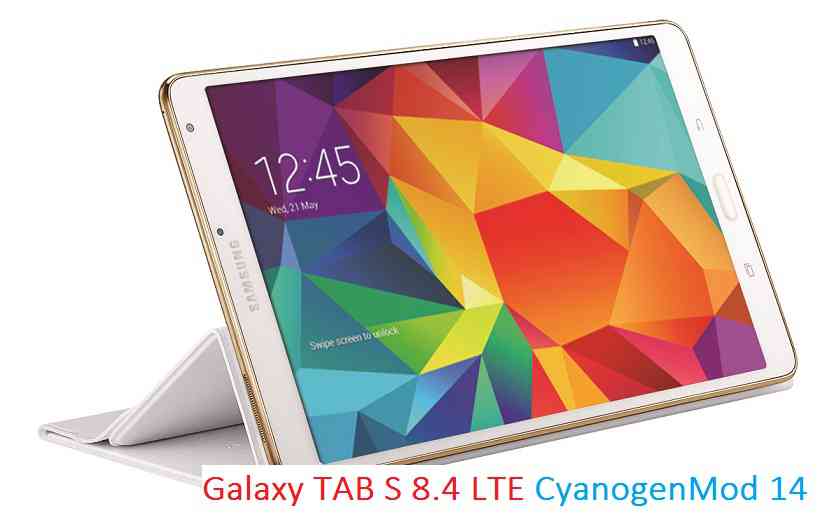
Here is the much awaited Nougat 7.0 ROM for Galaxy TAB S 8.4 LTE CyanogenMod 14 (CM14). For latest updates, stay tuned to the Lineage OS device list page. This Nougat 7.0 has come for Galaxy TAB S 8.4 LTE via CyanogenMod 14 ROM. Since Google released Android Nougat Source code, we have update many Android NOUGAT AOSP ROMs and also many CyanogenMod 14 ROMs updated and many are yet to come. This Galaxy TAB S 8.4 LTE for CyanogenMod 14 is brought to you by developer deadman96385.
DISCLAIMER:
THIS IS STILL AN EARLY BUILD AND CONTAINS BUGS. Installing custom ROM requires a custom recovery to be installed on your device, which may VOID your warranty and may delete all your data. Before proceeding further you may consider backup your all data. You are the only person doing changes to your phone and neither the developer(s) nor we can be held responsible for the mistakes done by you.Status of Galaxy TAB S 8.4 LTE CM14 (CyanogenMod 14) Nougat 7.0 ROM:
WHAT’S WORKING:
– Not knownKNOWN ISSUES:
– Not known
REQUIRED LINKS AND FILES FOR GALAXY TAB S 8.4 LTE CM14 (CYANOGENMOD 14, NOUGAT) CUSTOM ROM:
- TWRP recovery for Galaxy TAB S 8.4 LTE
– Here is How to Install TWRP on Samsung using Odin for the .tar TWRP file.
- Download link fo Galaxy TAB S 8.4 LTE CM14 ROM
- Nougat GApps download link for Galaxy TAB S 8.4 LTE CM14 ROM
Root binary is inbuilt since CyanogenMod 12, so you don’t need a separate SuperSu package to install to gain ROOT access. Here is How to Enable ROOT on CM14/CyanogenMod 14
HOW TO INSTALL/DOWNLOAD/FLASH/UPDATE GALAXY TAB S 8.4 LTE CM14 (CYANOGENMOD 14) NOUGAT CUSTOM ROM:
Follow this if you are flashing CyanogenMod 14 for Galaxy TAB S 8.4 LTE for the first time, or coming from another ROM:
This will delete all your data on your phone. You may consider backing up your phone data or take a nandroid backup. Here is how to take NANDROID backup using TWRP recovery.
Points to NOTE:
– Try to avoid restoring apps backup using Titanium Backup. It may break things up.
– Don’t restore system data using Titanium Backup! It will definitely break the current installation.
– It is also discouraged to Restoring Apps + Data using Titanium Backup.- Download and Copy the GApps and Galaxy TAB S 8.4 LTE CyanogenMod 14 ROM ZIP to your phone.
- Boot into Recovery. Make sure to have a Custom recovery like CWM or TWRP or any other custom recovery. If not then follow the Custom Recovery Installation Guide for Samsung Galaxy TAB S 8.4 LTE (it’s a generic guide which will work for TWRP as well as CWM recovery)
- Wipe data factory reset, Cache partition, Dalvik Cache and Format the System partition.
– Here is a guide explaining how to wipe data using TWRP recovery.This will delete all your data on your phone. You may consider complete backup of your phone data or take a NANDROID backup of the current ROM
– How to backup all data on your Android Device
– how to take NANDROID backup using TWRP recovery - First flash the CM14 ROM ZIP from device. Then flash the GApps zip from your device memory.
– Here is a post explaining how to flash a custom ROM using TWRP recovery. - Then reboot into recovery (don’t skip this) and flash the CM14 Nougat Google Apps package.
– Here is a post explaining how to flash GApps using TWRP recovery. - Reboot and Enjoy the CyanogenMod 14 Nougat ROM on Galaxy TAB S 8.4 LTE.
Upgrading from earlier version of CyanogenMod 14 for TAB S 8.4 LTE:
- Copy the latest Galaxy TAB S 8.4 LTE CyanogenMod 14 ROM ZIP file to your phone.
- Boot into Recovery.
- Flash the latest CM ROM ZIP from your phone.
– Here is a post explaining how to flash a custom ROM using TWRP recovery. - Then flash the CM14 Nougat Google Apps package.
– Here is a post explaining how to flash GApps using TWRP recovery. - Reboot and Enjoy
Complete the initial setup and enjoy Android Nougat 7.0.0 with CyanogenMod 14 for TAB S 8.4 LTE. After this CM14 installation you may want to enable ROOT access on your phone and here is how you can do that:
How to Enable ROOT on CM14/CyanogenMod 14.Stay tuned or Subscribe to the Galaxy TAB S 8.4 LTE forum For other Android Nougat ROMs, CyanogenMod 14 ROMs, other ROMs and all other device specific topics.The good news is that LineageOS 16 for Galaxy S6 is now available to download and install. This build of LineageOS 16 for Galaxy S6 is brought to you by developer enesuzun2002.
DONATION TO DEVELOPER(S)/PROJECT:
If you like this ROM then do consider for a contribution to enesuzun2002 and LineageOS project:
– Donate to enesuzun2002
– Donate to LineageOS project[su_note note_color=”#D7E3F4″ text_color=”#728095″ radius=”3″ class=”” id=””]
Searching where to download LineageOS 16 for Galaxy S6?
Wondering how to install LineageOS 16 on Galaxy S6?
If you have one of the question for your Galaxy S6, then you are at the right place and here is where to download and how to install LineageOS 16 on Galaxy S6, with a step-by-step guide.
[/su_note]Follow the links to get other LineageOS 16 and Android Pie ROM builds.

[su_note note_color=”#F9D9D9″ text_color=”#AA4343″ radius=”3″ class=”” id=””]DISCLAIMER:
THIS IS AN INITIAL BUILD OF Galaxy S6 LineageOS 16 WHICH MAY NOT BOOT AT ALL OR EVEN IF IT BOOTS, IT MAY HAVE MANY BUGS.
MAKE SURE TO BACKUP THE CURRENT ROM AND ALL DATA OF YOUR PHONE BEFORE INSTALLING.[/su_note][su_note note_color=”#FBF4DD” text_color=”#A38C68″ radius=”3″ class=”” id=””]Installing a TWRP recovery on Galaxy S6 may delete all your data. Before proceeding further you may consider backup all data on the phone.
You are the only person doing changes to your phone; neither the developer nor I can be held responsible for the mistakes done by you.[/su_note]
Status of Galaxy S6 LineageOS 16:
WHAT’S WORKING:
– EverythingKNOWN ISSUES:
– IMS services
– HWC
– Samsung features such as: KNOX, Samsung Pay etc.REQUIRED GUIDES AND DOWNLOADS TO INSTALL Galaxy S6 LineageOS 16 ANDROID 9 PIE ROM:
[styledlist style=”yes”]- Download TWRP for Galaxy S6 (zeroflte) to install LineageOS 16
- Install TWRP recovery using ODIN
- ROM Download link of Galaxy S6 LineageOS 16
- Download MindTheGApps for LineageOS 16
- How to Root LineageOS 16
/ Download GApps for LineageOS 16
[/styledlist]
HOW TO UPDATE/INSTALL LineageOS 16 FOR Galaxy S6 – Android 9 Pie CUSTOM ROM:
[su_note note_color=”#D7E3F4″ text_color=”#728095″ radius=”3″ class=”” id=””]
Following are the two sub-sections of this LineageOS 16 guide:- Fresh installation of Galaxy S6 LineageOS 16
- Updating a new Galaxy S6 LineageOS 16 on top of previous LineageOS 16[/su_note]
How to Install LineageOS 16 on Galaxy S6 for the first time:
[su_note note_color=”#FBF4DD” text_color=”#A38C68″ radius=”3″ class=”” id=””]
Points to NOTE:- Try to avoid restoring apps backup using Titanium Backup. It may break things up.
- Don’t restore system data using Titanium Backup! It will definitely break the current installation.
- It is also discouraged to Restoring Apps + Data using Titanium Backup.
[/su_note]
- Download and Copy the LineageOS 16 Gapps and the Galaxy S6 LineageOS 16 ROM ZIP file to your phone.
- Boot into the TWRP custom Recovery to install this LineageOS 16 for Galaxy S6.
[su_note note_color=”#D7E3F4″ text_color=”#728095″ radius=”3″ class=”” id=””]- Make sure to have a Custom recovery like a TWRP recovery or any other custom recovery.
– If not then download the TWRP recovery from Downloads link and follow how to install TWRP on Samsung using ODIN (it’s a generic guide which will work for TWRP as well as any other recovery)[/su_note] - Wipe the data partition (or do a factory reset), Cache partition, Dalvik Cache or ART cache and Format the System partition.
[su_note note_color=”#D7E3F4″ text_color=”#728095″ radius=”3″ class=”” id=””]- Here is a guide explaining how to wipe using TWRP recovery.[/su_note]
[su_note note_color=”#FBF4DD” text_color=”#A38C68″ radius=”3″ class=”” id=””]This will delete all your data on your phone. You may consider complete backup of your phone data or take a NANDROID backup of the current ROM
– How to backup all data on your Android Device
– how to take NANDROID backup using TWRP recovery[/su_note] - Install the Galaxy S6 LineageOS 16 ROM file that you have copied into the phone.
[su_note note_color=”#D7E3F4″ text_color=”#728095″ radius=”3″ class=”” id=””]- Here is a post explaining how to install LineageOS[/su_note] - Then install the Android Pie MindTheGapps for LineageOS 16 package.
[su_note note_color=”#D7E3F4″ text_color=”#728095″ radius=”3″ class=”” id=””]- Here is a post explaining how to install GApps using TWRP recovery.[/su_note] - Reboot and Enjoy the Galaxy S6 LineageOS 16 Android 9 Pie ROM.
Upgrading a new version of LineageOS 16 for Galaxy S6 (zeroflte):
- Copy the latest ROM zip file of LineageOS 16 for Galaxy S6, LineageOS 16 GApps and/or Magisk ROOT package to the phone
- Boot into Recovery.
– Make sure you have a latest custom Recovery that should be able to install the LineageOS 16 update. - Format or wipe the system partition from the custom recovery menu.
- Install the LineageOS 16 on Galaxy S6.
[su_note note_color=”#D7E3F4″ text_color=”#728095″ radius=”3″ class=”” id=””]- Here is a post explaining how to install LineageOS[/su_note] - Reboot and see you have the GApps and ROOT access or NOT.- Gapps is built in such a way that it will sustain across ROM updates.
- If you don’t have GApps after upgrading the LineageOS 16 on Galaxy S6, then install the GApps.
[su_note note_color=”#D7E3F4″ text_color=”#728095″ radius=”3″ class=”” id=””]- Here is a post explaining how to install GApps using TWRP recovery.[/su_note] - If you don’t have ROOT after upgrading the LineageOS 16 on Galaxy S6, then install the SuperSU or Magisk or the Lineage SU binary.
[su_note note_color=”#D7E3F4″ text_color=”#728095″ radius=”3″ class=”” id=””]- Here is a post explaining How to Enable ROOT on LineageOS 16[/su_note] - Once everything is done, reboot and Enjoy the LineageOS 16 for Galaxy S6.
[su_note note_color=”#D8F1C6″ text_color=”#769958″ radius=”3″ class=”” id=””]Complete the initial setup and enjoy Android 9 Pie with LineageOS 16 on Galaxy S6.[/su_note]
After installing LineageOS 16 on Galaxy S6 you may want to install Google Camera (GCam) or enable ROOT access on your phone and here is how you can do that:
– LineageOS 16 ROOT
– Google Camera APK for Android Pie (this page contains a huge list of GCam for all available devices)[su_note note_color=”#D7E3F4″ text_color=”#728095″ radius=”3″ class=”” id=””]If there is no ROOT access for some reason even after installing the LineageOS SU binary, then you can try SuperSU rooting guide to enable ROOT access.[/su_note]
Stay tuned or Subscribe to the Galaxy S6 (zeroflte) LineageOS forum For other Android Pie, Android Oreo ROMs, Nougat ROMs, or other ROMs and all other device specific topics.I would love the lineage OS ROM made available for my device. I am currently using the CM 14.1 (7.1.1) which I am happy with, but I just installed the Lineage version on my wife’s Samsung Galaxy S4 (SPH-720) and the added features would be welcomed for my device. Thank you and keep up the great work!!
Android 8.1 Oreo based LineageOS 15.1 for Galaxy S8 is now available to download via an unofficial build. This Android 8.1 Oreo based LineageOS 15.1 for Galaxy S8 (dreamlte). There are multiple builds and is brought to you by developers alial04, travis82 and GeorgeChilian.
DONATION TO DEVELOPER(S):
If you like this ROM then do consider for a contribution to alial04, travis82, GeorgeChilian and LineageOS project:
– Donate to alial04
– Donate to travis82
– Donate to GeorgeChilian
– Donate to LineageOS projectBy the time the LineageOS 15.1 which is based on Android Oreo 8.1 for Galaxy S8 has come, we already have Android Pie based LineageOS 16 to Download for many devices. you can have a look for the latest update for your device.
If you want the OFFICIAL LineageOS 15.1 then here is the OFFICIAL LineageOS 15.1 supported devices list or the Android Oreo ROM supported devices list page.

[su_note note_color=”#F9D9D9″ text_color=”#AA4343″ radius=”3″ class=”” id=””]DISCLAIMER:
THIS IS AN INITIAL BUILD WHICH MAY NOT BOOT AT ALL OT MAY HAVE MANY THINGS BROKEN.
MAKE SURE TO BACKUP EVERYTHING AND FLASH AT YOUR OWN RISK.Installing a custom ROM requires a custom recovery on Galaxy S8, which may VOID your warranty and may delete all your data. Before proceeding further you may consider backup all data on the phone.
You are the only person doing changes to your phone; neither the developer nor I can be held responsible for the mistakes done by you.[/su_note]
Status of LineageOS 15.1 for Galaxy S8 – Android 8.1 Oreo ROM:
WHAT’S WORKING:
– UnknownKNOWN ISSUES:
– UnknownREQUIRED LINKS AND FILES FOR THIS LineageOS 15.1 for Galaxy S8 ANDROID 8.1 OREO CUSTOM ROM:
- Galaxy S8 TWRP Download (dreamlte)
- ROM Download link to the LineageOS 15.1 for Galaxy S8 by alial04
- ROM Download link to the LineageOS 15.1 for Galaxy S8 by travis82
- ROM Download link to the LineageOS 15.1 for Galaxy S8 by GeorgeChilian
- GApps for LineageOS 15.1
su Root binary is NOT inbuilt in LineageOS 15.1, so you may need to install a separate SuperSu package or LineageOS su binary to gain ROOT access. Here is LineageOS 15.1 Root guide
If there is no in-built ROOT or it does not work for some reason then you can try SuperSU rooting guide to enable ROOT access.
HOW TO UPDATE/INSTALL LineageOS 15.1 FOR Galaxy S8; ANDROID 8.1 OREO CUSTOM ROM:
– Fresh LineageOS 15.1 installation guide
– LineageOS 15.1 update on top of previous LineageOS 15.1 ROMFollow this if you are flashing LineageOS 15.1 on Galaxy S8 for the first time, or coming from another ROM:
[su_note note_color=”#FBF4DD” text_color=”#A38C68″ radius=”3″ class=”” id=””]Points to NOTE:
– Try to avoid restoring apps backup using Titanium Backup. It may break things up.
– Don’t restore system data using Titanium Backup! It will definitely break the current installation.
– It is also discouraged to Restoring Apps + Data using Titanium Backup.
[/su_note]- Download and Copy the GApps and Galaxy S8 LineageOS 15.1 ROM ZIP files to your phone.
- Boot into the TWRP custom Recovery to install this LineageOS 15.1 for Galaxy S8.
– Make sure to have a Custom recovery like a TWRP recovery or any other custom recovery.
If not then download the TWRP recovery from Downloads link and follow this guide to install TWRP on Galaxy S8 - Wipe the data partition (or do a factory reset), Cache partition, Dalvik Cache or ART cache and Format the System partition.
– Here is a guide explaining how to wipe using TWRP recovery.This will delete all your data on your phone. You may consider complete backup of your phone data or take a NANDROID backup of the current ROM
– How to backup all data on your Android Device
– how to take NANDROID backup using TWRP recovery - Install the Galaxy S8 LineageOS 15.1 ROM file that you have copied into the phone.
– Here is a post explaining how to install LineageOS
- Then reboot into recovery (don’t skip this) and install the Oreo Gapps for LineageOS 15.1 package.
– Here is a post explaining how to install GApps using TWRP recovery. - Reboot and Enjoy the Android 8.1 Oreo LineageOS 15.1 on Galaxy S8.
Upgrading from earlier version of LineageOS 15.1 on Galaxy S8 (dreamlte):
- Copy the latest LineageOS 15.1 for Galaxy S8 ROM ZIP file, Oreo 8.1 GApps and/or supersu ROOT package to the phone
- Boot into Recovery.
– Make sure you have a latest custom Recovery that should be able to flash the LineageOS 15.1 ROM update.
- Format or wipe the system partition from the custom recovery menu.
- Install the LineageOS 15.1 ROM for Galaxy S8.
– Here is a post explaining how to install LineageOS
- Reboot and see you have the GApps and ROOT access or NOT.
– Gapps is built in such a way that it will sustain across ROM updates.
- If you don’t have GApps after upgrading the LineageOS 15.1 on Galaxy S8, then flash the GApps.
– Here is a post explaining how to flash GApps using TWRP recovery.
- If you don’t have ROOT after upgrading the LineageOS 15.1 on Galaxy S8, then flash the SuperSU or Magisk or the Lineage SU binary.
– Here is a post explaining How to Enable ROOT for LineageOS 15.1 ROM
- Once everything is done, reboot and Enjoy the LineageOS 15.1 for Galaxy S8.
Complete the initial setup and enjoy Android 8.1 Oreo with LineageOS 15.1 on Galaxy S8. After the installation of LineageOS 15.1 for Galaxy S8 you may want to enable ROOT access on your phone and here is how you can do that:
– LineageOS 15.1 ROOT.Stay tuned or Subscribe to the Galaxy S8 (dreamlte) LineageOS forum For other Android Oreo, Nougat ROMs, LineageOS 15.1 ROMs, or other ROMs and all other device specific topics.Android Nougat 7.1 ROM, LineageOS 14.1 for Galaxy Express has now arrived via an UNOFFICIAL build. If you want some more LineageOS ROMs or wanna taste the OFFICIAL LineageOS build then stay tuned to the LineageOS 14.1 ROM Devices list page. This Galaxy Express LineageOS 14.1 is brought to you by developer kotzir.
DONATION TO DEVELOPER:
If you like this LineageOS 14.1 ROM for Express, then do consider a donation to kotzir.
DISCLAIMER:
THIS IS AN INITIAL BUILD WHICH MAY HAVE MANY MORE BUGS THAN YOU CAN IMAGINE. HAVE A BACKUP BEFORE FLASHING THIS AND TRY AT YOUR OWN RISK. Installing a custom ROM on a Galaxy Express (expressltexx, GT-i8730) may require the bootloader to be unlocked, which may VOID your warranty and may delete all your data. Before proceeding further you may consider backup all data on the phone. You are the only person doing changes to your phone and I cannot be held responsible for the mistakes done by you.Status of LineageOS 14.1 for Galaxy Express (expressltexx, GT-i8730) Nougat 7.1 ROM:
WHAT’S WORKING:
– Not KnownKNOWN ISSUES:
– Not Known
REQUIRED LINKS AND FILES FOR LineageOS 14.1 for Galaxy Express NOUGAT 7.1 BASED CUSTOM ROM:
- Latest stock FW and baseband
- TWRP recovery for Express (i8730/T, expressltexx)
– Here is: Custom Recovery Installation Guide for Samsung Galaxy Express (This guide is only for .tar or .tar.md5 TWRP file)
– To flash .img file you can follow this TWRP update guide using fastboot or you can use Flashify to update the .img TWRP. [YOUR DEVICE MIGHT NEED TO BE BOOTLOADER UNLOCKED IF YOU ARE FOLLOWING THIS] - ROM Download Link of Galaxy Express LineageOS 14.1 ROM (expressltexx, GT-i8730)
- LineageOS 14.1 GApps download link for Galaxy Express LineageOS 14.1 Nougat 7.1 ROM
Root binary is NOT inbuilt in LineageOS 14.1, so you may need a separate SuperSu package or LineageOS su binary to install to gain ROOT access. Here is How to Enable ROOT on LineageOS 14.1
If there is no in-built ROOT or it does not work for some reason then you can try flashing SuperSU zip using recovery to gain ROOT access.HOW TO INSTALL/DOWNLOAD/FLASH/UPDATE Galaxy Express LineageOS 14.1 NOUGAT CUSTOM ROM:
Follow this if you are flashing LineageOS 14.1 for Galaxy Express (expressltexx, GT-i8730) for the first time, or coming from another ROM:
Points to NOTE:
– Try to avoid restoring apps backup using Titanium Backup. It may break things up.
– Don’t restore system data using Titanium Backup! It will definitely break the current installation.
– It is also discouraged to Restoring Apps + Data using Titanium Backup.- Download and Copy the GApps and LineageOS 14.1 for Galaxy Express ROM ZIP to your phone.
- Boot into Recovery. Make sure to have a Custom recovery like CWM or TWRP or any other custom recovery. If not then follow the Custom Recovery Installation Guide for Galaxy Express (expressltexx, GT-i8730) (it’s a generic guide which will work for TWRP as well as CWM recovery or any other recovery)
- Wipe data factory reset, Cache partition, Dalvik Cache and Format the System partition.
– Here is a guide explaining how to wipe data using TWRP recovery.This will delete all your data on your phone. You may consider complete backup of your phone data or take a NANDROID backup of the current ROM
– How to backup all data on your Android Device
– how to take NANDROID backup using TWRP recovery - First flash the Galaxy Express LineageOS 14.1 ROM ZIP from device. Then flash the GApps zip from your device memory.
– Here is a post explaining how to install LineageOS. - DO NOT REBOOT yet. Then flash the LineageOS 14.1 GApps package.
– Here is a post explaining how to flash LineageOS 14.1 GApps using TWRP recovery. - Reboot and Enjoy the Nougat 7.1 LineageOS 14.1 ROM for Galaxy Express (expressltexx, GT-i8730).
Upgrading from earlier version of Galaxy Express LineageOS 14.1 (expressltexx, GT-i8730):
- Copy the latest LineageOS 14.1 for Galaxy Express ROM ZIP file to your phone.
- Boot into Recovery.
- Flash the latest LineageOS ROM ZIP from your phone.
– Here is a post explaining how to install LineageOS. - Then flash the LineageOS 14.1 Nougat GApps package.
– Here is a post explaining how to flash GApps using TWRP recovery. - Reboot and Enjoy
Complete the initial setup and enjoy Android Nougat 7.1 with LineageOS 14.1 for Galaxy Express (expressltexx, GT-i8730). After the installation of Galaxy Express LineageOS 14.1 ROM (expressltexx, GT-i8730) you may want to enable ROOT access on your phone and here is how you can do that:
How to Enable ROOT on LineageOS 14.1.Stay tuned or Subscribe to the Galaxy Express (expressltexx, GT-i8730) forum For other Android Nougat ROMs, LineageOS 14.1 ROMs, other ROMs and all other device specific topics.Android Oreo 8.0 ROM, LineageOS 15.1 for Galaxy Core Prime has now arrived via an UNOFFICIAL build. This LineageOS 15.1 for Galaxy Core Prime (core33g) is brought to you by developer Nikit.
DONATION TO DEVELOPER:
If you like this ROM then do consider a contribution to Nikit for his efforts:
Donate to NikitIf you want the OFFICIAL LineageOS update or some more Android Oreo ROMs then stay tuned to the LineageOS 15.1 page or the AOSP Android Oreo devices list page.
DISCLAIMER:
THIS IS A BETA ROM AND MAY HAVE MANY BUGS. HAVE A BACKUP BEFORE FLASHING THIS LINEAGEOS ROM AND TRY AT YOUR OWN RISK. Installing a custom ROM on a Galaxy Core Prime (core33g) requires the bootloader to be unlocked on the Galaxy Core Prime (core33g) phone, which may VOID your warranty and may delete all your data. Before proceeding further you may consider backup all data on the phone. You are the only person doing changes to your phone and I cannot be held responsible for the mistakes done by you.Status of LineageOS 15.1 for Galaxy Core Prime Oreo ROM:
WHAT’S WORKING:
– Wifi
– Audio (Stereo Playback is a little buggy) (should be fixed)
– USB Tethering
– Storage ( Both internal and external )
– GPS
– BluetoothKNOWN ISSUES:
– RIL ( Completely broken )
– Video Playback (hardware acceleration)
– Camera
– Sensors
– Maybe more ROM specific bugsREQUIRED LINKS AND FILES FOR LineageOS 15.1 for Galaxy Core Prime OREO CUSTOM ROM:
- TWRP recovery link for Galaxy Core Prime (core33g) [Use This TWRP ONLY]- Here is theTWRP update guide for the Galaxy Core Prime (core33g).
- LineageOS 15.1 Download link for Galaxy Core Prime [UPDATED]
- LineageOS 15.1 GApps download link for LineageOS 15.1 for Galaxy Core Prime Oreo 8.0 ROM (Download the stock ARM64 GApps)
Root binary is NOT inbuilt in LineageOS 15.1, so you may need a separate SuperSu package or LineageOS su binary to install to gain ROOT access. Here is LineageOS Rooting guide
If there is no in-built ROOT or it does not work for some reason then you can try SuperSU rooting guide to enable ROOT access.HOW TO INSTALL/DOWNLOAD/FLASH/UPDATE LineageOS 15.1 FOR Galaxy Core Prime OREO CUSTOM ROM:
Follow this if you are flashing LineageOS 15.1 for Galaxy Core Prime for the first time, or coming from another ROM:
Points to NOTE:
– Try to avoid restoring apps backup using Titanium Backup. It may break things up.
– Don’t restore system data using Titanium Backup! It will definitely break the current installation.
– It is also discouraged to Restoring Apps + Data using Titanium Backup.- Boot into Recovery. Make sure to have a Custom recovery like CWM or TWRP or any other custom recovery. If not then follow the Custom Recovery Installation Guide for Galaxy Core Prime (it’s a generic guide which will work for TWRP as well as CWM recovery or any other recovery)
- Wipe data factory reset, Cache partition, Dalvik Cache and Format the System partition.
– Here is a guide explaining how to wipe data using TWRP recovery.This will delete all your data on your phone. You may consider complete backup of your phone data or take a NANDROID backup of the current ROM
– How to backup all data on your Android Device
– how to take NANDROID backup using TWRP recovery - Download and Copy the LineageOS 15.1 GApps and LineageOS 15.1 for Galaxy Core Prime Oreo ROM ZIP file to your phone.
- First flash the LineageOS 15.1 for Galaxy Core Prime ROM ZIP from device. Then flash the GApps for LineageOS 15.1 zip from your device memory.
– Here is a post explaining how to install LineageOS - Then reboot into recovery (don’t skip this) and flash the Gapps for LineageOS 15.1 package.
– Here is a post explaining how to flash GApps using TWRP recovery. - Reboot and Enjoy the Oreo 8.0 LineageOS 15.1 ROM for Galaxy Core Prime.
Upgrading from earlier version of LineageOS 15.1 for Galaxy Core Prime (core33g):
- Copy the latest Galaxy Core Prime Lineage 15 ROM ZIP file to your phone.
- Boot into Recovery.
- Flash the latest LinegeOS 15 ROM ZIP from your phone.
– Here is a post explaining how to install LineageOS - Then flash the Lineage 15 Oreo GApps package.
– Here is a post explaining how to flash GApps using TWRP recovery. - Reboot and Enjoy
Complete the initial setup and enjoy Android Oreo 8.0 with LineageOS 15.1 for Galaxy Core Prime. After the installation of LineageOS 15.1 for Galaxy Core Prime you may want to enable ROOT access on your phone and here is how you can do that:
How to Enable ROOT on LineageOS 15.1.Stay tuned or Subscribe to the Galaxy Core Prime LineageOS forum For other Android Oreo, Nougat ROMs, LineageOS 15.1 ROMs, other ROMs and all other device specific topics.If you have found any BUG or any issues with this ROM, then following is the development thread on XDA.