- Search Results
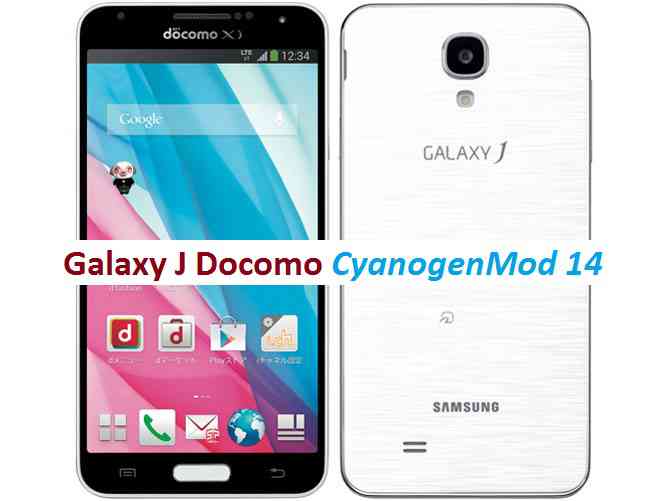
CM14 for Galaxy J Docomo CM14/CyanogenMod 14 has now arrived through an UNOFFICIAL build. For latest updates, stay tuned to the Lineage OS device list page. This Nougat 7.0 has come for Galaxy J LTE-A Docomo via CyanogenMod 14 ROM. Since Google released Android Nougat Source code, we have update many Android NOUGAT AOSP ROMs and also many CyanogenMod 14/CM14 ROMs updated and many are yet to come. This CyanogenMod 14/CM14 for Galaxy J Docomo (Japanese) is brought to you by developer kyasu.
DISCLAIMER:
THIS IS STILL AN EARLY BUILD. THIS MAY NOT BOOT AT ALL OR EVEN IT BOOTS THEN IT MAY HAVE MANY BUGS FOR WHICH IT MAY NOT BE USABLE AS A DAILY DRIVER. TRY AT YOUR OWN RISK. Installing custom ROM requires a custom recovery to be installed on your device, which may VOID your warranty and may delete all your data. Before proceeding further you may consider backup your all data. You are the only person doing changes to your phone and neither the developer(s) nor we can be held responsible for the mistakes done by you.Status of (js01lte, SC-02F) Japanese Galaxy J Docomo CM14/CyanogenMod 14 Nougat 7.0 ROM:
WHAT’S WORKING:
– Not knownKNOWN ISSUES:
– Not known
REQUIRED LINKS AND FILES FOR GALAXY J LTE-A Docomo CM14/CYANOGENMOD 14 NOUGAT 7.0 CUSTOM ROM:
- TWRP download link for Galaxy J LTE-A
– Here is: Custom Recovery Installation Guide for Samsung Galaxy J LTE-A (js01lte, SC-02F) (This guide is only for .tar file)
- Bootloader download link for Galaxy J LTE-A.
– If you are already on SC02FOMUGPG1(5.0) bootloader or even later then this is not required.
– Use the recovery flashing guide to flash this boot loader file. - ROM Download link to kyasu’s CM14 for Japanese Galaxy J Docomo Nougat 7.0 ROM (js01lte, SC-02F)
- Nougat GApps download link for Galaxy J LTE-A CM14 ROM
Root binary is inbuilt since CyanogenMod 12, so you don’t need a separate SuperSu package to install to gain ROOT access. Here is How to Enable ROOT on CM14/CyanogenMod 14
HOW TO INSTALL/DOWNLOAD/FLASH/UPDATE JAPANESE GALAXY J DOCOMO CM14/CYANOGENMOD 14 (js01lte, SC-02F) NOUGAT 7.0 CUSTOM ROM:
Follow this if you are flashing Galaxy J LTE-A Docomo CM14/CyanogenMod 14 for the first time, or coming from another ROM:
This will delete all your data on your phone. You may consider backing up your phone data or take a nandroid backup. Here is how to take NANDROID backup using TWRP recovery.
Points to NOTE:
– Try to avoid restoring apps backup using Titanium Backup. It may break things up.
– Don’t restore system data using Titanium Backup! It will definitely break the current installation.
– It is also discouraged to Restoring Apps + Data using Titanium Backup.- Download and Copy the GApps and Galaxy J LTE-A Docomo CM14/CyanogenMod 14 ROM ZIP to your phone.
- Boot into Recovery.
- Wipe data factory reset, Cache partition, Dalvik Cache and Format the System partition.
– Here is a guide explaining how to wipe data using TWRP recovery.This will delete all your data on your phone. You may consider complete backup of your phone data or take a NANDROID backup of the current ROM
– How to backup all data on your Android Device
– how to take NANDROID backup using TWRP recovery - First flash the CM14 ROM ZIP from device.
– Here is a post explaining how to flash a custom ROM using TWRP recovery. - Then reboot into recovery (don’t skip this) and flash the CyanogenMod 14 Nougat GApps package.
– Here is a post explaining how to flash GApps using TWRP recovery. - Reboot and Enjoy the CM14 for Galaxy J LTE-A Docomo.
Upgrading from earlier version of CyanogenMod 14/CM14 for Galaxy J LTE-A:
- Copy the latest Galaxy J LTE-A Docomo CM14/CyanogenMod 14 ROM ZIP file to your phone.
- Boot into Recovery.
- Flash the latest CM ROM ZIP from your phone.
– Here is a post explaining how to flash a custom ROM using TWRP recovery. - Then flash the CM14 Nougat GApps package.
– Here is a post explaining how to flash GApps using TWRP recovery. - Reboot and Enjoy
Complete the initial setup and enjoy Android Nougat 7.0.0 with CyanogenMod 14/CM14 for S5 (js01lte, SC-02F). After this CM14 installation you may want to enable ROOT access on your phone and here is how you can do that:
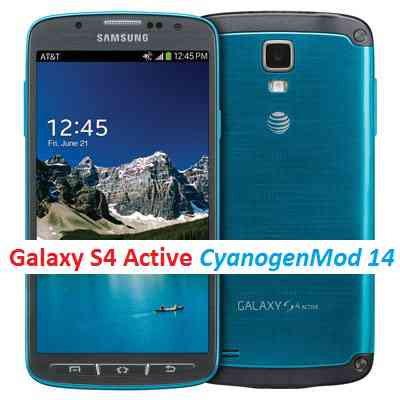
How to Enable ROOT on CM14/CyanogenMod 14.Stay tuned or Subscribe to the Galaxy J LTE-A Docomo (js01lte, SC-02F) forum For other Android Nougat ROMs, CyanogenMod 14 ROMs, other ROMs and all other device specific topics.CM14 for Galaxy S4 ACTIVE CM14/CyanogenMod 14 has now arrived through an UNOFFICIAL build. For latest updates, stay tuned to the Lineage OS device list page. This Nougat 7.0 has come for Galaxy S4 ACTIVE via CyanogenMod 14 ROM. Since Google released Android Nougat Source code, we have update many Android NOUGAT AOSP ROMs and also many CyanogenMod 14/CM14 ROMs updated and many are yet to come. If you are looking CM14 for S4 then here is the Galaxy S4 CM14/CyanogenMod 14 Nougat 7.0 ROM, for the S4 LTE: Galaxy S4 LTE CM14/CyanogenMod 14 Nougat 7.0 ROM and for the S4 LTE-A: Galaxy S4 LTE-A CM14/CyanogenMod 14 Nougat 7.0 ROM. This CyanogenMod 14/CM14 for Galaxy S4 ACTIVE is brought to you by developer gugu0das.
DISCLAIMER:
THIS IS STILL AN EARLY BUILD. BECAUSE OF SOME BUGS THIS ROM IS UNUSABLE AS A DAILY DRIVER. TRY AT YOUR OWN RISK. Installing custom ROM requires a custom recovery to be installed on your device, which may VOID your warranty and may delete all your data. Before proceeding further you may consider backup your all data. You are the only person doing changes to your phone and neither the developer(s) nor we can be held responsible for the mistakes done by you.Status of (jactivelte, i9295) Galaxy S4 ACTIVE CM14/CyanogenMod 14 Nougat 7.0 ROM:
WHAT’S WORKING:
– Almost everythingKNOWN ISSUES:
– Mobile Data (LTE / 3G)
– Sometimes com.android.phone can cause error, but network is working
REQUIRED LINKS AND FILES FOR GALAXY S4 ACTIVE CM14/CYANOGENMOD 14 NOUGAT 7.0 CUSTOM ROM:
- TWRP recovery download for Galaxy S4 Active (jactivelte)
– Here is: Custom Recovery Installation Guide for Samsung Galaxy S4 ACTIVE (jactivelte, i9295) (This guide is only for .tar TWRP file)
- ROM Download link to gugu0das’s CM14 for Galaxy S4 ACTIVE Nougat 7.0 ROM (jactivelte, i9295)
- Nougat GApps download link for Galaxy S4 ACTIVE CM14 ROM
Root binary is inbuilt since CyanogenMod 12, so you don’t need a separate SuperSu package to install to gain ROOT access. Here is How to Enable ROOT on CM14/CyanogenMod 14
HOW TO INSTALL/DOWNLOAD/FLASH/UPDATE GALAXY S4 ACTIVE CM14/CYANOGENMOD 14 (jactivelte, i9295) NOUGAT 7.0 CUSTOM ROM:
Follow this if you are flashing Galaxy S4 ACTIVE CM14/CyanogenMod 14 for the first time, or coming from another ROM:
This will delete all your data on your phone. You may consider backing up your phone data or take a nandroid backup. Here is how to take NANDROID backup using TWRP recovery.
Points to NOTE:
– Try to avoid restoring apps backup using Titanium Backup. It may break things up.
– Don’t restore system data using Titanium Backup! It will definitely break the current installation.
– It is also discouraged to Restoring Apps + Data using Titanium Backup.- Download and Copy the GApps and Galaxy S4 ACTIVE CM14/CyanogenMod 14 ROM ZIP to your phone.
- Boot into Recovery.
- Wipe data factory reset, Cache partition, Dalvik Cache and Format the System partition.
– Here is a guide explaining how to wipe data using TWRP recovery.This will delete all your data on your phone. You may consider complete backup of your phone data or take a NANDROID backup of the current ROM
– How to backup all data on your Android Device
– how to take NANDROID backup using TWRP recovery - First flash the CM14 ROM ZIP from device.
– Here is a post explaining how to flash a custom ROM using TWRP recovery. - Then reboot into recovery (don’t skip this) and flash the CyanogenMod 14 Nougat GApps package.
– Here is a post explaining how to flash GApps using TWRP recovery. - Reboot and Enjoy the CM14 for Galaxy S4 ACTIVE.
Upgrading from earlier version of CyanogenMod 14/CM14 for Galaxy S4 ACTIVE:
- Copy the latest Galaxy S4 ACTIVE CM14/CyanogenMod 14 ROM ZIP file to your phone.
- Boot into Recovery.
- Flash the latest CM ROM ZIP from your phone.
– Here is a post explaining how to flash a custom ROM using TWRP recovery. - Then flash the CM14 Nougat GApps package.
– Here is a post explaining how to flash GApps using TWRP recovery. - Reboot and Enjoy
Complete the initial setup and enjoy Android Nougat 7.0.0 with CyanogenMod 14/CM14 for S5 (jactivelte, i9295). After this CM14 installation you may want to enable ROOT access on your phone and here is how you can do that:
How to Enable ROOT on CM14/CyanogenMod 14.Stay tuned or Subscribe to the Galaxy S4 ACTIVE (jactivelte, i9295) forum For other Android Nougat ROMs, CyanogenMod 14 ROMs, other ROMs and all other device specific topics.Dev thread for gugu0das’s Galaxy S4 ACTIVE CM14/CyanogenMod 14 Nougat 7.0 ROM is here.
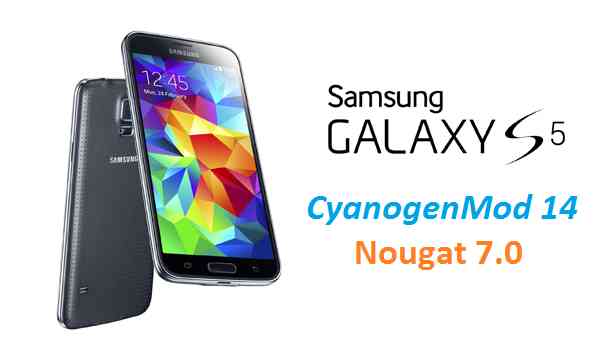
The much awaited Android Nougat 7.0 ROM, CM14 for Galaxy S5 CM14/CyanogenMod 14 has now arrived through an UNOFFICIAL build. In addition to this ROM, here comes the Android Oreo based Galaxy S5 Lineage OS 15 ROM. We also have Lineage 14.1 for Galaxy S5, Nougat 7.0 AICP ROM for Galaxy S5 and OFFICIAL CM14.1 ROM for Galaxy S5. For latest updates, stay tuned to the Lineage OS device list page. Since Google released Android Nougat Source code, we have update many Android NOUGAT AOSP ROMs and also many CyanogenMod 14/CM14 ROMs updated and many are yet to come. If you are looking CM14 for Verizon model then here is the Verizon Galaxy S5 CM14/CyanogenMod 14 Nougat 7.0 ROM This CyanogenMod 14/CM14 for Galaxy S5 is brought to you by developer Blackjubel. If you like his work and want him to keep up his good work, then you can Donate him via PayPal using this link. There is another CM14 brought to you by haggertk.
DISCLAIMER:
THIS IS STILL AN EARLY BUILD. THIS ROM MAY NOT BOOT AT ALL OR EVEN IF IT BOOTS IT MAY CONTAIN MANY BUGS THAN YOU CAN IMAGINE MAKING IT UNUSABLE AS A DAILY DRIVER. TRY AT YOUR OWN RISK. Installing custom ROM requires a custom recovery to be installed on your device, which may VOID your warranty and may delete all your data. Before proceeding further you may consider backup your all data. You are the only person doing changes to your phone and neither the developer(s) nor we can be held responsible for the mistakes done by you.Status of (g900f, klte) Galaxy S5 CM14/CyanogenMod 14 Nougat 7.0 ROM:
WHAT’S WORKING:
– Not KnownKNOWN ISSUES:
– Not Known
REQUIRED LINKS AND FILES FOR GALAXY S5 CM14/CYANOGENMOD 14 NOUGAT 7.0 CUSTOM ROM:
- TWRP recovery download for Galaxy S5 (g900f, klte)
– Custom Recovery Installation Guide for Samsung Galaxy S5 (g900f, klte) (This guide is only for .tar TWRP file)
- ROM Download link to Blackjubel’s CM14 for Galaxy S5 Nougat 7.0 ROM (g900f, klte)
- ROM Download link to haggertk’s CM14 for Galaxy S5 Nougat 7.0 ROM (g900f, klte)
- Nougat GApps download link for Galaxy S5 CM14 ROM
Root binary is inbuilt since CyanogenMod 12, so you don’t need a separate SuperSu package to install to gain ROOT access. Here is How to Enable ROOT on CM14/CyanogenMod 14
HOW TO INSTALL/DOWNLOAD/FLASH/UPDATE GALAXY S5 CM14/CYANOGENMOD 14 (g900f, klte) NOUGAT 7.0 CUSTOM ROM:
Follow this if you are flashing Galaxy S5 CM14/CyanogenMod 14 for the first time, or coming from another ROM:
This will delete all your data on your phone. You may consider backing up your phone data or take a nandroid backup. Here is how to take NANDROID backup using TWRP recovery.
Points to NOTE:
– Try to avoid restoring apps backup using Titanium Backup. It may break things up.
– Don’t restore system data using Titanium Backup! It will definitely break the current installation.
– It is also discouraged to Restoring Apps + Data using Titanium Backup.- Download and Copy the GApps and Galaxy S5 CM14/CyanogenMod 14 ROM ZIP to your phone.
- Boot into Recovery. Make sure to have a Custom recovery like CWM or TWRP or any other custom recovery. If not then follow the Custom Recovery Installation Guide for Samsung Galaxy S5 (g900f, klte) (it’s a generic guide which will work for TWRP as well as CWM recovery)
- Wipe data factory reset, Cache partition, Dalvik Cache and Format the System partition.
– Here is a guide explaining how to wipe data using TWRP recovery.This will delete all your data on your phone. You may consider complete backup of your phone data or take a NANDROID backup of the current ROM
– How to backup all data on your Android Device
– how to take NANDROID backup using TWRP recovery - First flash the CM14 ROM ZIP from device.
– Here is a post explaining how to flash a custom ROM using TWRP recovery. - Then reboot into recovery (don’t skip this) and flash the CyanogenMod 14 Nougat GApps package.
– Here is a post explaining how to flash GApps using TWRP recovery. - Reboot and Enjoy the CM14 for Galaxy S5.
Upgrading from earlier version of CyanogenMod 14/CM14 for S5:
- Copy the latest Galaxy S5 CM14/CyanogenMod 14 ROM ZIP file to your phone.
- Boot into Recovery.
- Flash the latest CM ROM ZIP from your phone.
– Here is a post explaining how to flash a custom ROM using TWRP recovery. - Then flash the CM14 Nougat GApps package.
– Here is a post explaining how to flash GApps using TWRP recovery. - Reboot and Enjoy
Complete the initial setup and enjoy Android Nougat 7.0.0 with CyanogenMod 14/CM14 for S5 (g900f, klte). After this CM14 installation you may want to enable ROOT access on your phone and here is how you can do that:
How to Enable ROOT on CM14/CyanogenMod 14.Stay tuned or Subscribe to the Galaxy S5 (g900f, klte) forum For other Android Nougat ROMs, CyanogenMod 14 ROMs, other ROMs and all other device specific topics.Forum: Galaxy S5 – G900F, klte
Samsung Galaxy S5 (klte) CyanogenMod ROM, Android Nougat ROM, other ROMs like: Resurrection Remix ROM, OMNI ROM and many more, recovery and rooting guide, themes, mods, customization troubleshooting and many more things specific to Galaxy S5.Samsung Galaxy S5 Plus Lineage OS ROM, CyanogenMod ROM, Android Nougat ROM, other ROMs like: Resurrection Remix ROM, OMNI ROM, Slim ROM and many more, recovery and rooting guide, themes, mods, customization troubleshooting and many more things specific to Galaxy S5 Plus.Samsung Galaxy Star CyanogenMod ROM, Android Nougat ROM, other ROMs like: Resurrection Remix ROM, OMNI ROM and many more, recovery and rooting guide, themes, mods, customization troubleshooting and many more things specific to Galaxy Star.I’d love the support for the specified device, idk about other countries but it became highly popular in Croatia and Serbia alongside Galaxy J7. Even if you don’t make it, thank you for all your support guys because my Galaxy S5 works great with Lineage OS
Samsung Galaxy S5 Vodafone (G900i, kltedv) CyanogenMod ROM, Android Nougat ROM, other ROMs like: Resurrection Remix ROM, OMNI ROM and many more, recovery and rooting guide, themes, mods, customization troubleshooting and many more things specific to Galaxy S5 Vodafone.Request CM14 beta forum page for klte Samsung Galaxy S5 (SM-G900T &SM-G900T1)
- This topic was modified 1 year, 7 months ago by .
Samsung Galaxy S5 Mini (kminilte, G800H, G800F, G800M, G800Y) CyanogenMod ROM, Android Nougat ROM, other ROMs like: Resurrection Remix ROM, OMNI ROM and many more, recovery and rooting guide, themes, mods, customization troubleshooting and many more things specific to Galaxy S5 Mini.- TWRP download link for Galaxy J LTE-A