
R is a programming language and free software environment that is used for statistical computing and graphics. In recent years the popularity of R programming grows rapidly because there is rapid growth in the fields like data visualization, data analysis, data science, etc.
The R programming language is written primarily using C, Fortran, and R itself. Its syntax is pretty easy you can find so many learning resources on R programming online.
In this article, I will discuss how to install R programming in Fedora Linux.
Prerequisites
To follow this article you should have the following –
- A system running a recent version of Fedora Linux (I will use Fedora 36)
- You should have the access to a user account with superuser privilege
- Working internet connection.
How to install R programming in Fedora
R programming is available in the default repository of Fedora. You can directly install it by using the dnf package manager.
Before you install a package make sure your system is updated –
sudo dnf update -yNext, use the given command to install R on a Fedora system –
sudo dnf install R -yThe above command will install all the packages required for R programming in Fedora Linux.
You can verify the installation by checking the R version –
R --version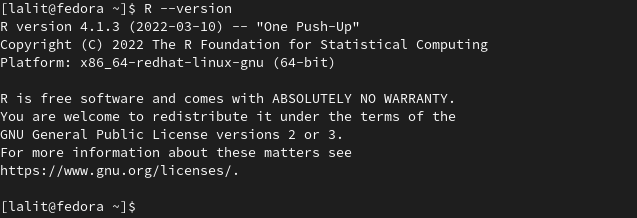
Using R in Fedora
The R programming language can be used in interactive and non-interactive modes.
Using R in interactive mode
After installing R open your terminal and execute –
R
This will open an R console which is given in the image below.
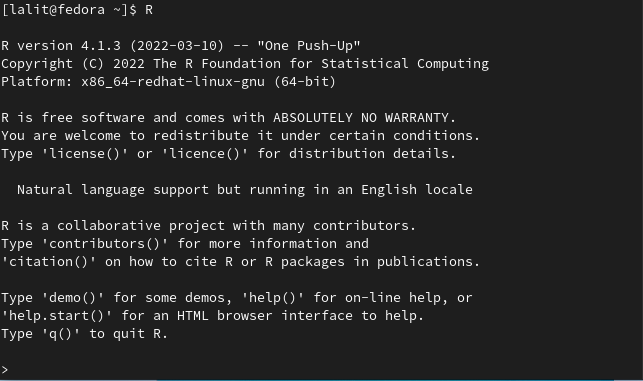
In the R console, you can enter an R command OR perform basic mathematical operations.

You can exit from the R console by using the q().
Using R in non-interactive mode
In non-interactive mode, you can execute an R program from a file with .r extension.
To demonstrate this I will run the hello world program which is saved in a file i.e. hello.r you can see its content in the image below.

Now to run this program use –
Rscript hello.rThis will display the given result in your terminal.

You can also use an IDE such as RStudio for executing R scripts.
Conclusion
By following the above instructions I hope you are able to use the R programming language on your Fedora system.
For a query or feedback write us in the comments below.