
Yandex is a fast and secure chromium-based web browser developed by Yandex LLC. It can be used for accessing web pages, downloading files from the internet, and streaming videos and audio online.
Yandex is a cross-platform application that is available for all the major platforms like Windows, macOS, Linux, etc.
Today in this article I will discuss how to install and use the Yandex web browser on Ubuntu Linux.
Prerequisites
You should have the following to install and use the Yandex web browser on your system.
- A system running Ubuntu Linux
- Access to user account with sudo privilege
- Working internet connection
Installing the Yandex browser on Ubuntu
Go to the official download page of the Yandex browser and click on Download next click on For Linux (deb, x64) this will download the debian package of the Yandex browser which can be used to install on a Ubuntu system.
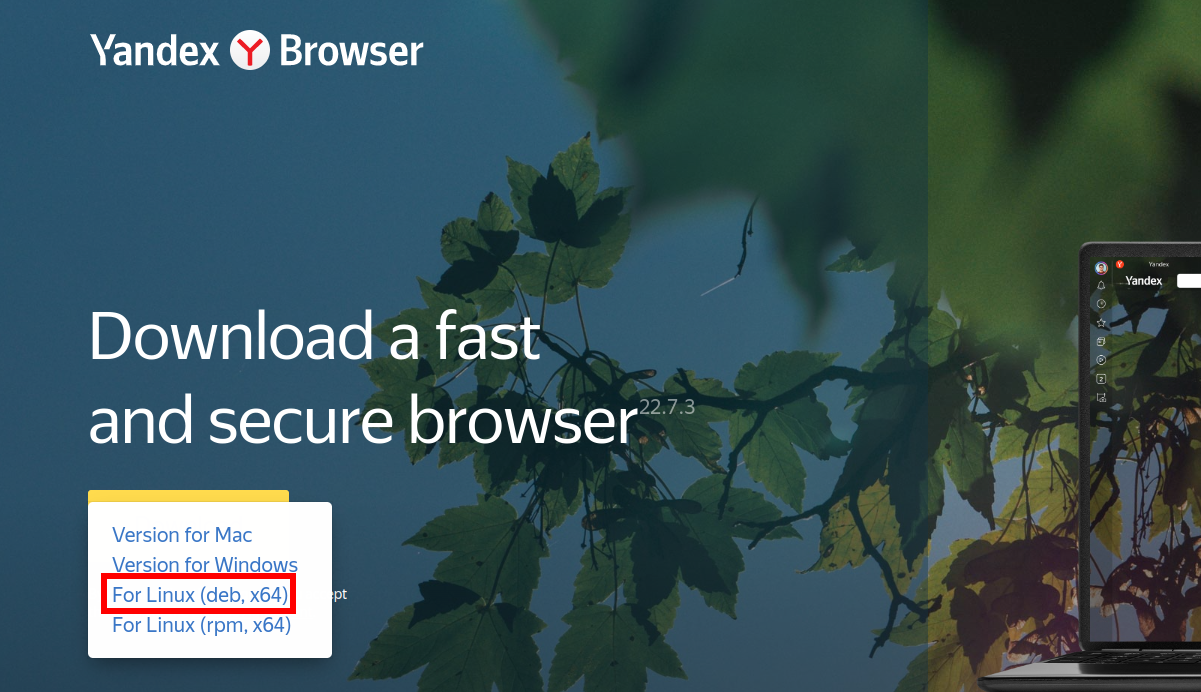
Once the package is downloaded click on it for the installation.
You can also install the Yandex browser on a Ubuntu system by the command in your terminal.
First, use the given command to install the required dependencies –
sudo apt install wget apt-transport-https gnupg2 -yImport the repository key using –
wget -O- https://repo.yandex.ru/yandex-browser/YANDEX-BROWSER-KEY.GPG | sudo gpg --dearmor | sudo tee /usr/share/keyrings/yandex.gpgAdd the Yandex browser stable package repository by using –
echo deb [arch=amd64 signed-by=/usr/share/keyrings/yandex.gpg] http://repo.yandex.ru/yandex-browser/deb stable main | sudo tee /etc/apt/sources.list.d/yandex-stable.listRun the update command to update the list of system repositories –
sudo apt updateFinally, use the given command to install the Yandex browser on your system –
sudo apt install yandex-browser-stablePress y and then enter if it asks for your confirmation.
Open the Yandex browser on Ubuntu
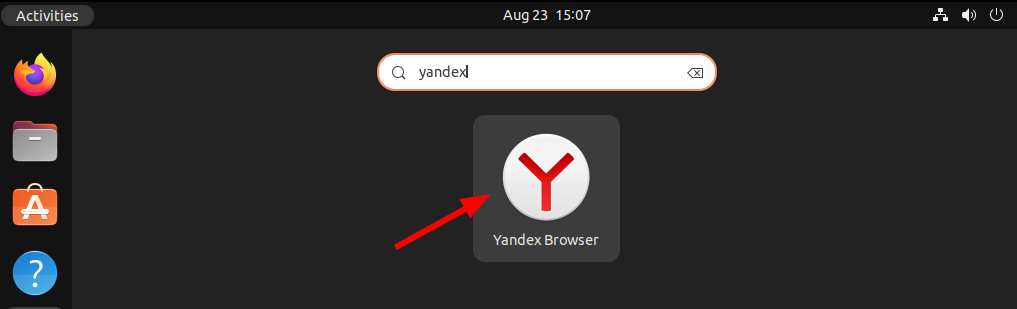
Once the installation is successful you can launch the Yandex browser from the Ubuntu activities dashboard. Search Yandex and click on the icon when it appears as you can see in the image below.
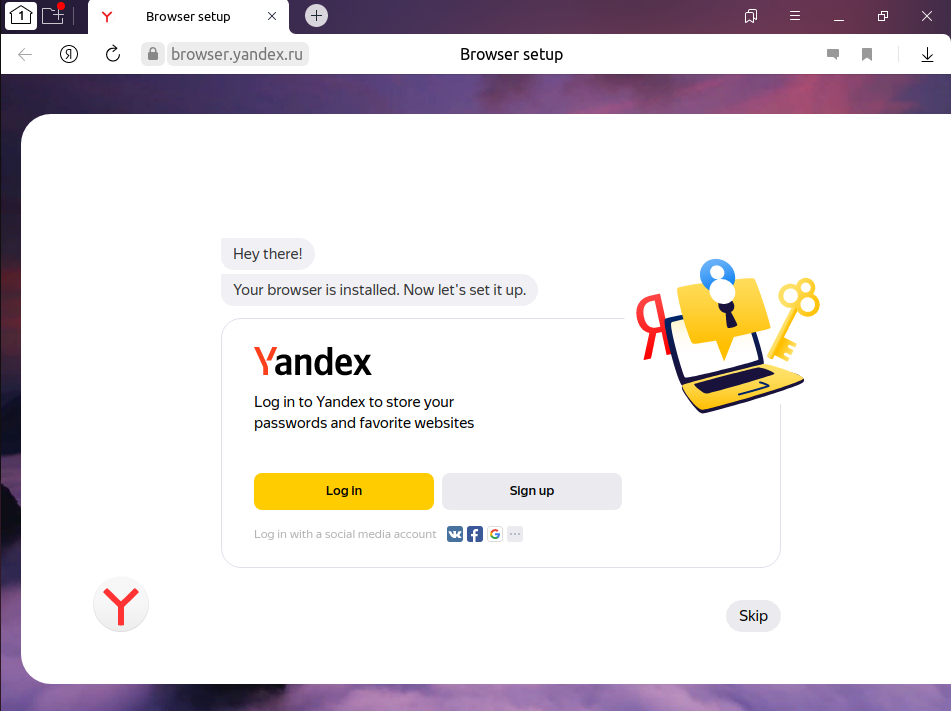
The following image shows the user interface of the browser, if you want you can log in using your email account.
How to remove the Yandex browser from Ubuntu
For any reason, if you want to remove this browser from your system, you can remove it by following the given steps.
Uninstall the Yandex browser by using –
sudo apt remove yandex-browser-stableUse the following command to remove any dependent package that is still in your system –
sudo apt autoremoveRemove the Yandex repository from your system.
sudo rm /etc/apt/sources.list.d/yandex-stable.listConclusion
You have successfully installed the Yandex web browser on your system. Now if you have a query then write us in the comments below.
I have been running on Liunx/ubuntu for 3 years now… Lightning fast with no videos available no matter what you do. Sais install ffmpeg…. it is installed. All works on vivaldi browser and opera browser. DOES NOT work on Yandex. Thank you.