
X File Explorer or (XFE) is a lightweight file manager for the X windows systems. It is similar to MS- Explorer or Midnight commander. Its aim is to provide a simple lightweight and easy-to-use file management application.
In this article, I will discuss how to install and use X file explorer in Ubuntu Linux.
Features of X file explorer
The key features of XFE are –
- Lightweight and fast
- Four view modes i.e. one panel, directory tree and one panel, two panels and directory tree, and two panels
- Easy search of files and directories
- Supports drag and drop
- Supports bookmarking
- Multilingual support
How to install XFE in Ubuntu
The X file explorer is available in the official repository of Ubuntu you can use the apt command to install it on your system. Also, you can search and install it from the Ubuntu Software.
Before installing it from your terminal make sure that the apt package repository is up to date.
sudo apt updateNext, use the following command to install XFE on your system –
sudo apt install xfePress y and then enter if it asks for your confirmation.
You can verify the installation by using –
xfe --version
Installing XFE using the deb package
Another way to install XFE on a Ubuntu system is by using its deb package available on its official download page. Once the package is downloaded move to the download location and use the following command in your terminal –
sudo dpkg -i xfe_1.43-1_amd64.debIf it displays ant dependencies error then use –
sudo apt install -fPress y and then enter when it asks for your confirmation.
Accessing files and folders using X file explorer
You can launch the X file explorer from the Ubuntu activities dashboard. Search XFE and click on its icon when appears as given in the image below.
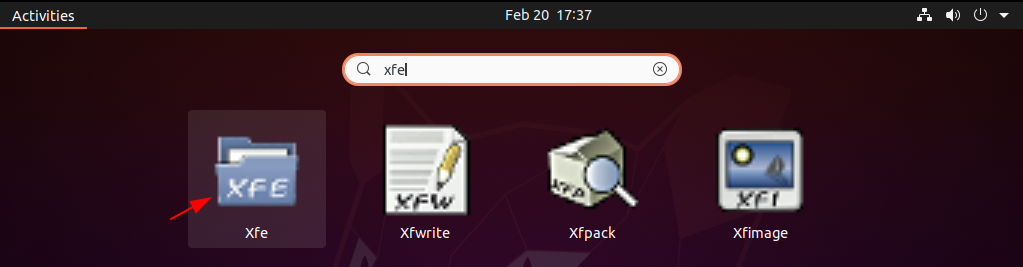
This will display other tools as well that get installed with the XFE package on your system.
OR use the following command in your terminal –
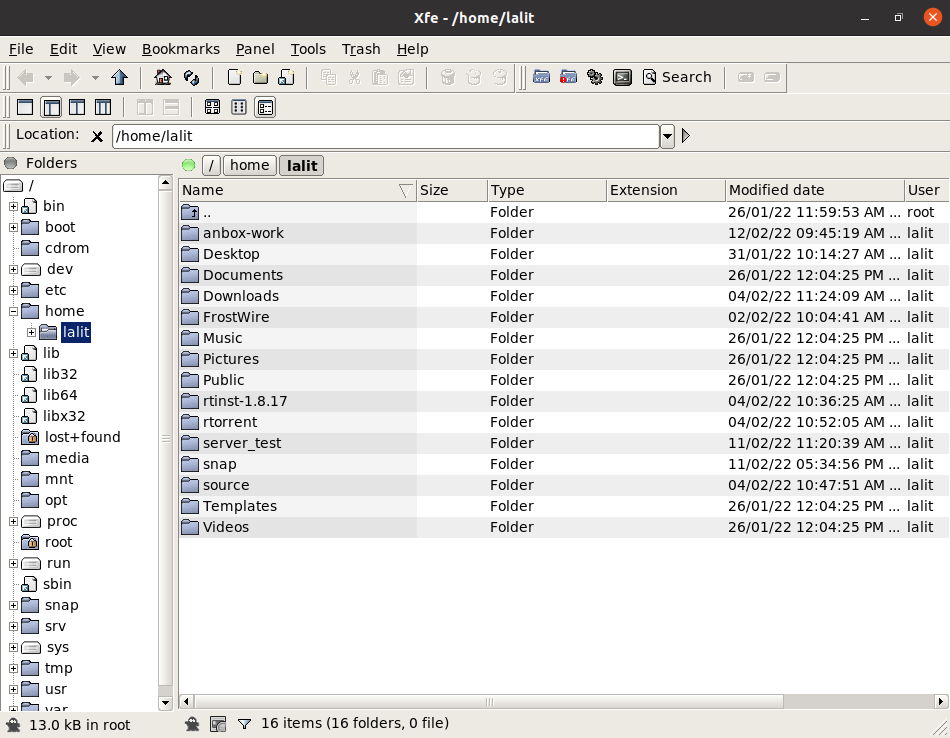
xfeNow the following image shows the home directory opened with X file explorer.
How to remove X file explorer from Ubuntu
For any reason, if you want to remove the x file explorer from the Ubuntu then execute the given command in your terminal –
sudo apt remove xfe -yOR use the following command if you install XFE by using deb package –
sudo dpkg -r xfeYou can use the following command to remove any unused dependencies from your Ubuntu system –
sudo apt autoremoveConclusion
Ok, so I hope you have set up X file explorer successfully, now if you have a query then write us in the comments below.